






Key takeaways:
-
-
- Choose protocols based on use case: HLS and DASH suit scalable VOD and live delivery, while WebRTC fits real-time interactive experiences.
- Consider protocol roles: RTMP and SRT are commonly used for live ingest and contribution, while RTSP is suited to IP camera workflows.
- Hybrid architectures offer flexibility: Combining protocols can balance latency, scalability, compatibility, and infrastructure requirements.
- Build security into the architecture: Encryption, authentication, API security, privacy compliance, and recognized security standards should be planned from the start.
- Factor in long-term costs: Protocol selection affects development complexity, infrastructure requirements, scalability, and ongoing mobile app maintenance costs.
-
If you’re building a streaming app, the protocol behind it decides more than you’d think. It influences the speed at which your stream begins, the stability of your stream on shaky connections, and the cost of your infrastructure to operate. You can have high latency, the need to purchase unnecessary infrastructure, compatibility problems, or have to pay extra later for a redesign if you fall for the wrong protocol architecture.
This is where video streaming protocols come in handy. The protocol you choose, whether it’s HLS, DASH, RTMP, or WebRTC, dictates what your app can achieve for live sports, OTT and social video.
In this guide, we’ll break down how to choose video streaming protocols the right way: what they excel at, how to match a protocol to your use case, and what impact it will have on your app’s security and development cost.
What is a Video Streaming Protocol, and Why Does It Matter for Your App?
A video streaming protocol is a set of rules that governs how video data travels from your server to a viewer’s screen. It decides how the video is broken into pieces, how those pieces are sent, and how the viewer’s device reassembles them into smooth playback.
Different streaming protocols solve different problems:
- Some prioritize reaching the widest possible audience across devices and browsers
- Others focus on cutting latency down to milliseconds for live, interactive experiences
- A few are built specifically for reliable transport over unstable networks
This is why there’s no single “best” protocol; there’s only the right one for what you’re building.
The choice matters differently depending on your role:
- For founders: it affects viewer retention, infrastructure spend, and how your app performs under load
- For developers: it shapes architecture decisions around encoding, delivery, and player compatibility
As video streaming technology keeps evolving, and as video delivery protocols are refined for lower latency and better scalability, understanding these fundamentals is the first step before comparing individual protocols in the next section.
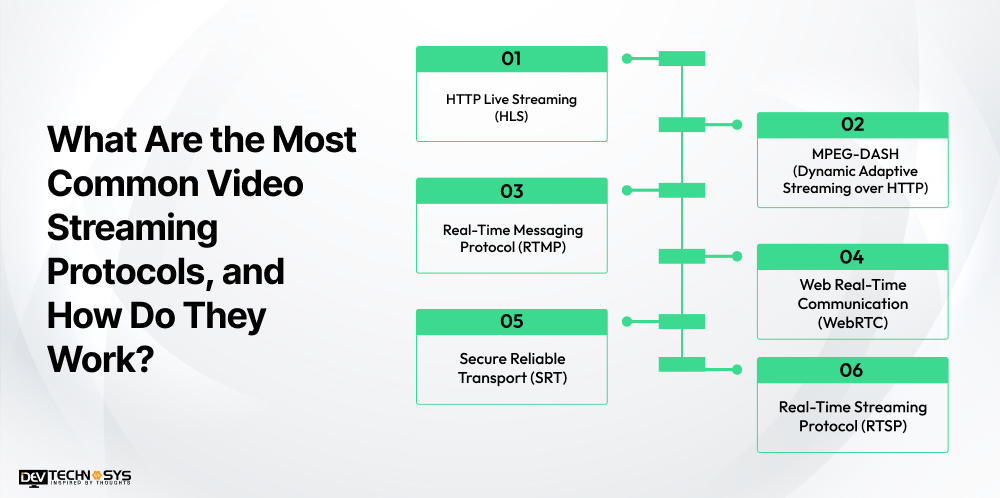
What Are the Most Common Video Streaming Protocols, and How Do They Work?
Most modern apps rely on a handful of proven protocols, each built to solve a specific delivery problem. Here’s how the core six work, along with what they’re best suited for.
1. HTTP Live Streaming (HLS)
Developed by Apple, HLS breaks video into small segments and delivers them over standard HTTP. This makes it easy to distribute through regular web servers and CDNs.
- Works natively across iOS, Android, smart TVs, and most browsers
- Supports adaptive bitrate streaming, adjusting quality to the viewer’s connection
- Typical latency runs 6–30 seconds, though Low-Latency HLS brings this down significantly
HLS is a strong default for VOD and large-scale live streaming where broad compatibility matters more than split-second timing. It’s also a common starting point for teams pursuing Android app development alongside iOS, since HLS avoids maintaining separate playback logic per platform.
2. MPEG-DASH (Dynamic Adaptive Streaming over HTTP)
MPEG-DASH is the vendor-neutral counterpart to HLS. As an open standard, it supports a wider range of codecs and isn’t tied to any single company’s ecosystem.
- Works well for OTT platforms and multi-device delivery
- Not natively supported on iOS, unlike HLS
- Shares HLS’s cost advantage of running over standard HTTP/CDN infrastructure
3. Real-Time Messaging Protocol (RTMP)
RTMP was originally built for Flash-based playback, and while Flash is gone, RTMP survives as the standard for RTMP streaming ingestion, sending a live feed from an encoder to a server.
- Still the default output for most encoders (OBS, hardware cameras)
- Rarely used for direct playback anymore due to declining browser support
- Often paired with HLS or WebRTC for the delivery side
In regions where lower latency than HLS is needed without a full WebRTC setup, HTTP-FLV sometimes fills the gap, streaming FLV-wrapped video over HTTP for latency in the 1–3 second range, though it’s largely a regional, legacy-adjacent choice rather than a forward-looking one.

4. Web Real-Time Communication (WebRTC)
WebRTC streaming is built for real-time, two-way communication, making it the go-to choice when interaction can’t wait.
- Delivers sub-second latency, ideal for video calls, live auctions, and interactive gaming
- Runs natively in modern browsers with no plugins required
- Needs additional media server infrastructure to scale beyond peer-to-peer
5. Secure Reliable Transport (SRT)
SRT streaming was designed to move high-quality video reliably across unpredictable networks, common in remote production and live contribution workflows.
- Uses encryption and error correction to handle packet loss and jitter
- Strong fit for low-latency streaming contribution, not typically for direct viewer playback
- Increasingly paired with cloud encoders for remote broadcast setups
6. Real-Time Streaming Protocol (RTSP)
RTSP controls media sessions rather than handling transmission itself, and it’s the standard in IP camera and surveillance systems.
- Common in CCTV and device-based streaming
- Not widely supported for playback in modern browsers
- Usually requires protocol conversion for web-based delivery
If you’re evaluating these options for a new build, working with a video streaming app development company early can help you avoid picking a protocol that looks right on paper but doesn’t fit your actual latency, scale, or budget constraints.
Protocol |
Type |
Best for |
Typical latency |
Transport |
| HLS | Adaptive HTTP streaming | Large-scale VOD and live streaming | 6–30s (lower with LL-HLS) | HTTP/TCP |
| MPEG-DASH | Adaptive HTTP streaming | OTT, multi-device delivery | 6–30s (lower with LL-DASH) | HTTP/TCP |
| RTMP | Ingest protocol | Encoder-to-server contribution | ~2–5s | TCP |
| WebRTC | Real-time communication | Video calls, gaming, interactive streaming | <500ms | UDP (RTP/SRTP) |
| SRT | Secure transport | Remote production, unreliable networks | Sub-second to a few seconds | UDP |
| RTSP | Session control | IP cameras, surveillance | Low, implementation-dependent | RTP over TCP/UDP |
How to Choose Video Streaming Protocols for Your App?
Once you understand what each protocol does, the real question becomes practical: which one fits what you’re actually building? The right choice among streaming protocols depends less on technical preference and more on your use case, audience, and latency needs.
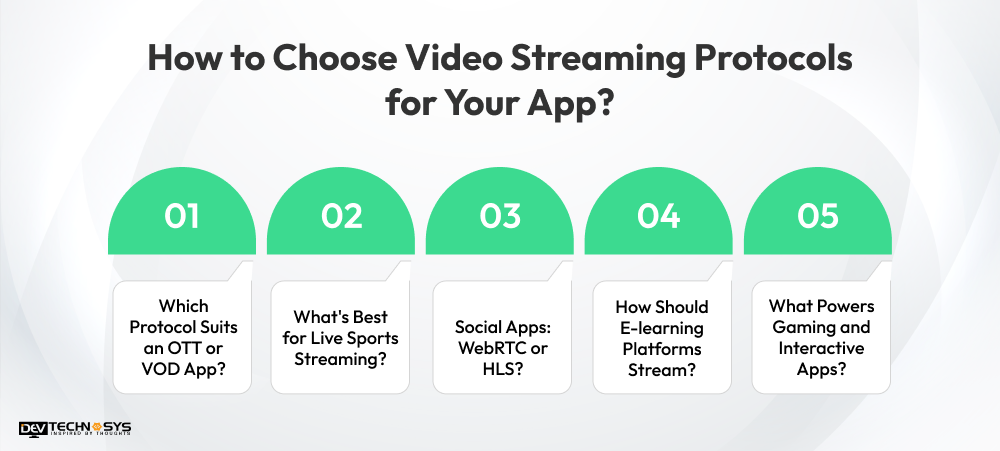
1. Which Protocol Suits an OTT or VOD App?
For on-demand and large-scale online video streaming, HLS or MPEG-DASH are the standard choices. Both support adaptive bitrate streaming and run on cost-efficient HTTP/CDN infrastructure, making them a natural fit for platforms prioritizing reach over real-time interaction. If you’re scoping this kind of build, video streaming app development services can help map your content library and audience size to the right delivery setup from day one.
2. What’s Best for Live Sports Streaming?
Sports and live events need a balance of scale and speed. Low-latency HLS or SRT (often in a hybrid setup with RTMP for ingest) keeps delay low enough to feel live without sacrificing the reach of HTTP-based delivery.
3. Social Apps: WebRTC or HLS?
It depends on interactivity. If your app centers on live, two-way engagement, think live shopping or interactive streams, WebRTC’s sub-second latency is worth the added infrastructure. For pre-recorded or broadcast-style short video, HLS remains simpler and cheaper to scale. A video streaming app development solution built with this split in mind avoids over-engineering features you don’t need yet.
4. How Should E-learning Platforms Stream?
Live classes and webinars benefit from WebRTC’s real-time interaction for Q&A and discussion, while recorded lessons are better served by HLS for reliable, cost-effective playback.
5. What Powers Gaming and Interactive Apps?
WebRTC is the default here. Ultra-low latency is non-negotiable for anything involving real-time input, whether that’s cloud gaming, live betting, or interactive audience features. Teams building this natively often hire mobile app developers in Dubai with WebRTC experience specifically, since getting the real-time layer wrong is expensive to fix later.
Across every use case, the underlying principle stays the same: match video transmission protocols to your latency tolerance and audience reach, not the other way around.
Should You Use Multiple Video Streaming Protocols?
A streaming platform doesn’t always need to rely on a single protocol. In many real-world architectures, different protocols handle different stages of the streaming workflow. One protocol may be used for ingest, another for large-scale playback, and another for real-time interaction. This hybrid approach lets developers balance latency, scalability, compatibility, and infrastructure costs.
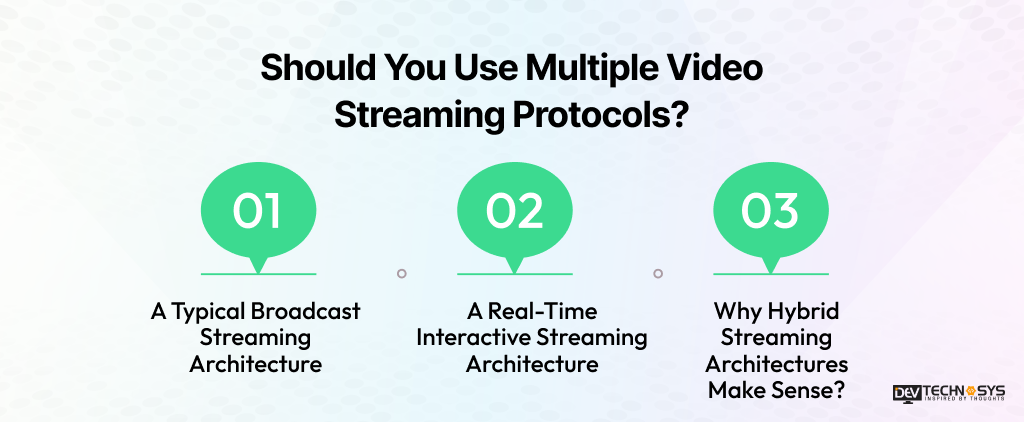
1. A Typical Broadcast Streaming Architecture
For large-scale live streaming, an encoder can send the source video using RTMP or SRT to the media processing layer. The stream is then encoded into multiple quality levels and packaged for HLS or DASH delivery. A CDN distributes the resulting streams to viewers across different locations.
Encoder → RTMP/SRT → Media Processing → HLS/DASH → CDN → Viewers
This architecture works well for live sports, OTT platforms, news, events, and other one-to-many streaming experiences where scalability and device compatibility matter.
2. A Real-Time Interactive Streaming Architecture
Interactive applications have different requirements. A camera or browser can send media through WebRTC to an SFU or media server, which efficiently distributes the stream to multiple participants. This keeps latency low enough for real-time conversations, live auctions, gaming, and interactive sessions.
Camera/Browser → WebRTC → SFU/Media Server → Participants
3. Why Hybrid Streaming Architectures Make Sense?
Using multiple protocols isn’t necessarily over-engineering. Each protocol can handle the part of the workflow it is designed for. A platform might use RTMP for reliable encoder ingest, HLS for large-scale viewer playback, and WebRTC for real-time interactions. Choosing this architecture around actual product requirements can deliver better performance without forcing every streaming function into one protocol.
How to Keep Your Video Streaming Platform Secure and Compliant
A secure streaming platform needs more than reliable video delivery. Your streaming security architecture should protect content, APIs, user access, and personal data from the beginning. Protocol selection, encryption, authentication, and compliance controls should work together to create a safer viewing experience.
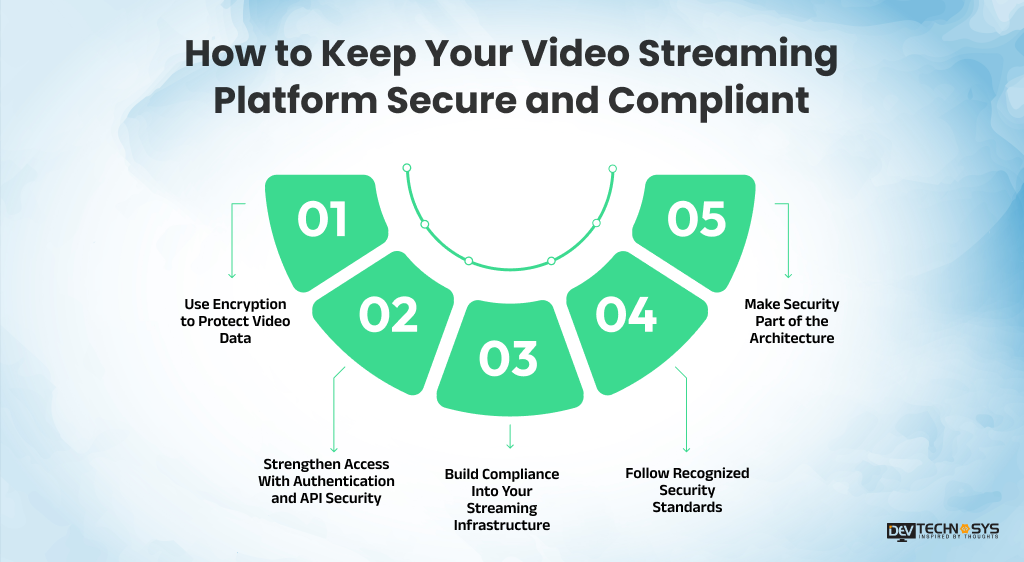
1. Use Encryption to Protect Video Data
Encryption in transit protects video and user data as it moves between streaming infrastructure and viewers. SRT and WebRTC include built-in encryption, while HLS and DASH typically use HTTPS for secure content delivery. For content protection during storage and playback, AES-128 encryption provides a widely adopted baseline.
2. Strengthen Access With Authentication and API Security
Unauthorized access can expose premium streams, user accounts, and backend services. Token-based authentication helps restrict streams to verified users and authorized sessions. Strong API security also protects the endpoints used by your player, mobile apps, web clients, and backend systems.
3. Build Compliance Into Your Streaming Infrastructure
Privacy requirements depend on where your viewers are located and what personal data your platform collects. GDPR compliance may apply when serving users in the European Union, while CCPA compliance and CPRA compliance are relevant to California audiences. Global platforms should also consider broader data privacy compliance requirements across their target markets.
4. Follow Recognized Security Standards
Security practices become easier to validate when your development or infrastructure partner follows recognized standards. SOC 2 compliance helps demonstrate controls around security and related service processes, while ISO 27001 certification reflects a structured approach to information security management.
5. Make Security Part of the Architecture
Security shouldn’t be treated as a post-launch addition. Protocol selection, encryption, authentication, API protection, and compliance requirements should be considered during architecture planning so your streaming platform can scale without creating avoidable security gaps.
How Protocol Choice Affects Your Streaming App’s Development Cost
The protocol you choose can influence development effort, infrastructure requirements, scalability, and ongoing maintenance. While some protocols work efficiently with standard CDN-based delivery, others require specialized media infrastructure. Understanding these differences early helps you plan a realistic budget and select an architecture that matches your streaming experience.
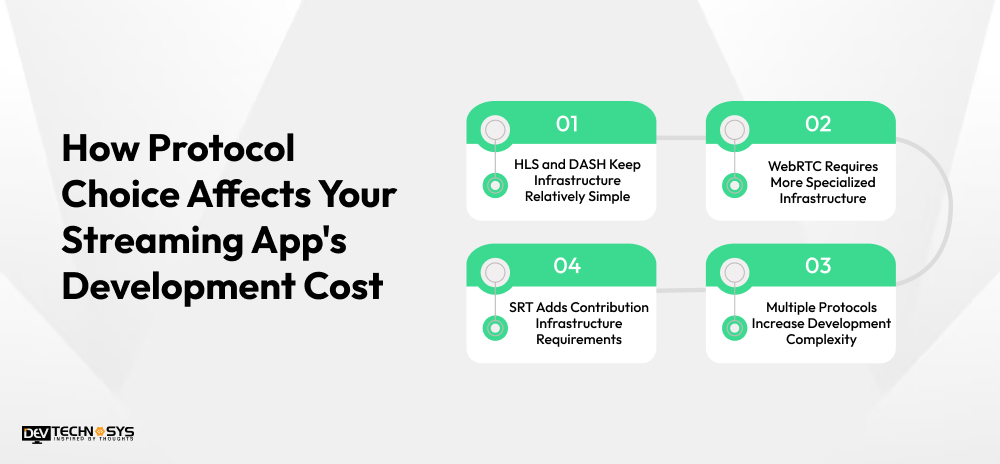
1. HLS and DASH Keep Infrastructure Relatively Simple
HLS and DASH generally work with standard HTTP infrastructure and CDN-based delivery, making them practical choices for large-scale video distribution. Since they can leverage established web infrastructure, development teams can often implement them without building extensive real-time media systems. This can help keep initial development and recurring infrastructure costs comparatively manageable.
2. WebRTC Requires More Specialized Infrastructure
WebRTC is designed for real-time, low-latency communication, making it useful for interactive broadcasts, video calls, live auctions, and audience participation. However, scaling WebRTC beyond smaller peer-to-peer groups may require media servers and TURN/STUN infrastructure. These additional components can increase both development complexity and ongoing hosting expenses.
3. SRT Adds Contribution Infrastructure Requirements
SRT offers reliable, low-latency video transport and is often used for professional remote contribution and production workflows. Although it can be lightweight to implement, streaming architectures using SRT may require specialized contribution infrastructure, adding to the overall technical budget.
4. Multiple Protocols Increase Development Complexity
Using multiple protocols can provide greater flexibility, such as combining WebRTC for interactive experiences with HLS for broadcast-scale delivery. However, this introduces additional components to develop, integrate, monitor, and maintain. Getting an early video streaming app development cost estimate based on your actual protocol mix can help prevent unexpected expenses during development.

Conclusion
Understanding how to choose video streaming protocols comes down to matching the technology with your platform’s actual streaming requirements. The scalable VOD and broadcast use case is ideal for HLS and DASH, and ultra-low latency experiences are better suited for WebRTC. RTMP and SRT are useful for live contribution and ingest and are still important for IP camera workflows; RTSP is still important for IP camera workflows. Several platforms integrate several protocols in order to provide a balance between performance, compatibility, scalability, and infrastructure costs.
But the proper architecture should also take into consideration security, content protection, device support, and future growth. Early planning of these factors can avoid costly changes later on and simplify the operations of maintaining the system. Streaming products always need to be sustainable, and with the evolution of your platform, it is essential to include infrastructure, protocol, and mobile app maintenance costs in your business.
FAQS
1. What is the Most Widely Used Video Streaming Protocol?
HLS is the most widely adopted HTTP Live Streaming protocol today, supported natively across iOS, Android, smart TVs, and most browsers. Its broad compatibility makes it the default for VOD and large-scale live streaming, even though newer protocols beat it on latency.
2. Is WebRTC Better Than HLS for Live Streaming?
It depends on the goal. WebRTC delivers sub-second video streaming for interactive use cases like calls or gaming, while HLS favors scale and compatibility over speed, making it better suited to large, one-to-many broadcasts.
3. What Are the Best Live Video Streaming Protocols for Low Latency?
WebRTC and SRT lead here, with WebRTC offering the lowest latency for interaction and SRT providing reliable, secure transport for live video streaming protocols used in contribution and remote production.
4. Do I Need Multiple Protocols for One App?
Many apps do. A platform might use RTMP for ingest, HLS for playback, and WebRTC for live chat or interactive features, each protocol handling the part it’s best suited for.
5. Is MPEG-DASH Better Than HLS?
Neither is strictly better. Dynamic Adaptive Streaming over HTTP is vendor-neutral and codec-flexible, while HLS has wider native device support, especially on iOS.