





Key Takeaways:
-
-
- Kidzapp app development requires clear goals, market research, and a strong value proposition.
- In education apps, creating a user-friendly design and engaging features are essential for both parents and children.
- Kids’ learning apps like Kidzaap use advanced technologies such as AI, gamification, and AR to enhance user experience and retention.
- Choosing the right tech stack ensures scalability and performance of the Kidzaap clone app.
- A well-planned monetization strategy supports long-term profitability and growth.
-
Imagine a world where learning feels like play, and kids look forward to finding new ways to entertain themselves! That’s exactly what apps like Kidzapp do: turning education, fun, and a seamless experience into one. From engaging games and activity guides to parenting tips, these education apps make learning exciting for kids and help parents as well.
If you’re thinking about building an educational app, you must create a vibrant, engaging world that kids can’t wait to dive into. In this guide, we’ll show you step by step how to build an education app like Kidzapp, including must-have features, design ideas, and cost insights, all while keeping it fun and user-friendly.
What is the Kidzapp App?
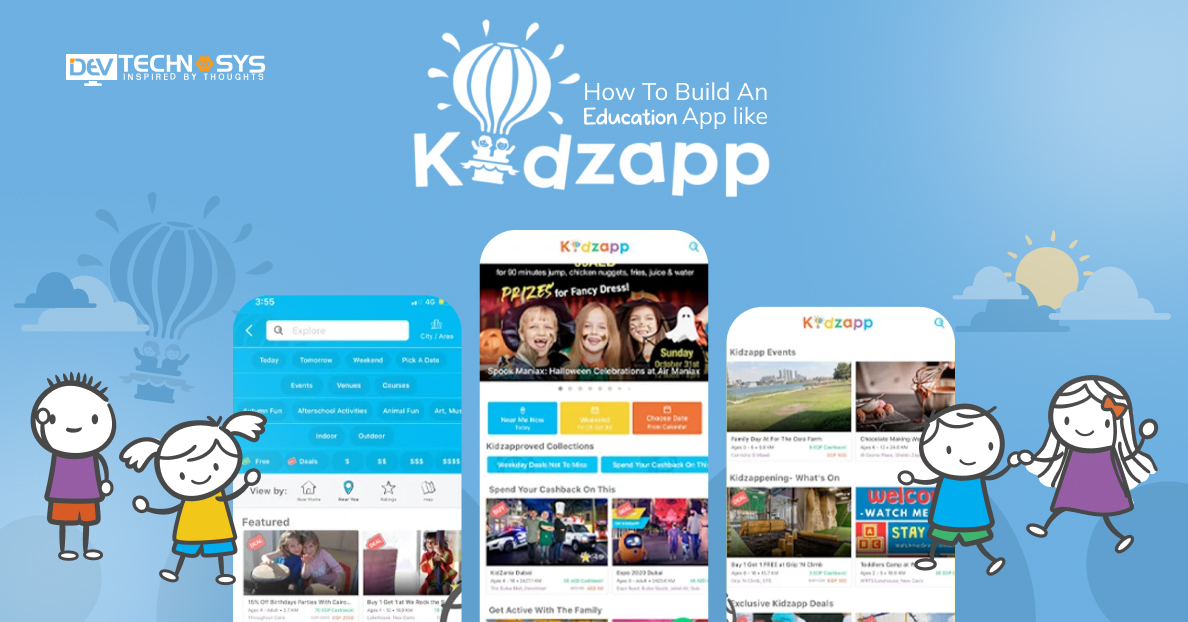
Kidzapp helps parents find the most exciting activities for their kids in Dubai, Abu Dhabi, and across the UAE. The app connects over 50,000 parents with top indoor and outdoor activities, making planning fun and stress-free. With 2,500+ experiences, 500+ venues and events, and 1,000+ classes, Kidzapp offers endless opportunities for kids to learn, play, and explore safely.
From creative workshops and sports classes to family-friendly events, the app makes it simple to discover and book activities, keeping both kids and parents engaged and entertained.
Education App Market Stats
- The global education apps market size is estimated to grow from USD27 billion in 2025 to reach USD 33.51 billion by 2033, growing at a CAGR of 21.04% during the forecast period (2025–2033).
- The latest data from Ericsson shows that there are approximately 4 billion smartphones in use worldwide, representing about 87% of the global population.
- Starting September 2025, students and teachers will receive personal AI accounts, aiming to cover 58,000 students and 5,000 teachers by 2027.
- The U.S. education apps market remains a global leader, driven by rising investment in edtech and widespread digital adoption in schools.
How Do Educational Apps Like Kidzapp Work?
Before we learn build an education app like Kidzapp, let’s see how this education app actually works. Educational apps like Kidzapp make learning fun by connecting kids with engaging activities, classes, and events. Any similar app like Kidzapp provides parents with an easy way to discover, book, and manage experiences while keeping children entertained and educated.
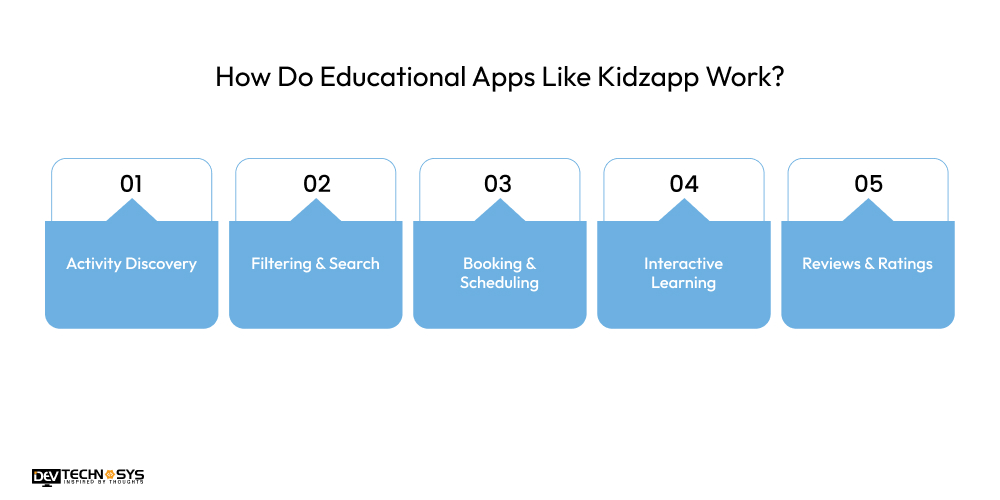
1. Activity Discovery
With the Kidzapp clone app, parents can explore a wide variety of kid-friendly activities, classes, and events in one place. According to an on-demand app development company, the app simplifies discovering suitable options for children’s age, interests, and skill levels, making planning fun and stress-free.
2. Filtering & Search
Users of apps like Kidzapp can filter activities by age, location, category, or interests. This ensures they quickly find relevant events, classes, or experiences, saving time and helping parents select the most engaging and suitable options for their kids.
3. Booking & Scheduling
Parents can book activities, register for classes, and manage schedules directly within the app. The top education apps in Middle East include calendars, reminders, and notifications, which make planning seamless and help families stay organized while keeping children’s routines on track.

4. Interactive Learning
The Kidzapp clone app includes games, activity guides, and educational content to make learning enjoyable. Kids engage with fun activities that promote skill development, creativity, and curiosity, combining education and entertainment in an interactive environment.
5. Reviews & Ratings
Popular education apps in UAE, like Kidzapp, allow parents to read reviews and rate experiences they’ve attended. It builds a trusted community, helps other parents make informed decisions, and ensures only high-quality activities and events are recommended within the app.
What are the Top 10 Kidzapp Alternatives to Explore in 2026?
Looking for more ways to make learning fun for your kids? In 2026, several learning apps for children offer engaging activities, games, and interactive lessons. These Kidzapp alternatives help children explore, learn, and play while keeping parents involved and informed.
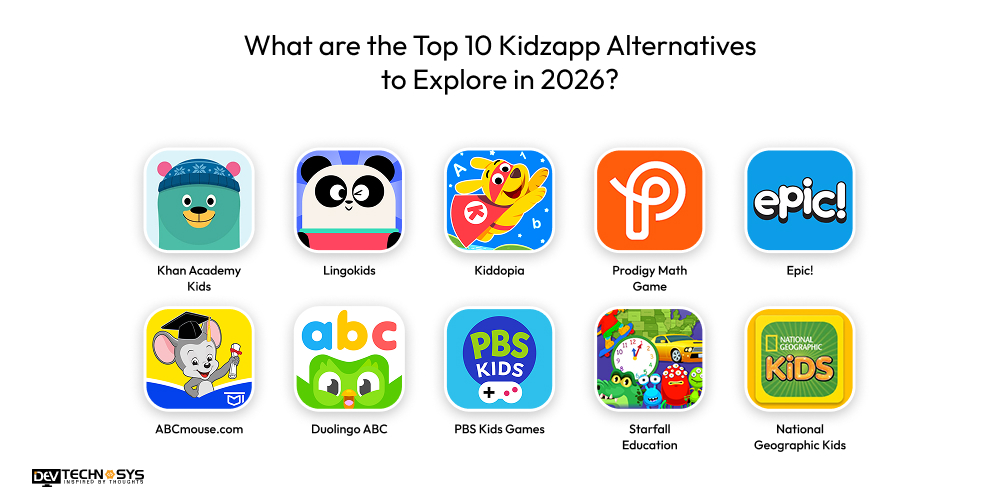
App |
Launch Year |
Rating |
Platform |
| Khan Academy Kids | 2015 | 4.7+ | iOS, Android, Web |
| Lingokids | 2015 | 4.5 | iOS, Android |
| Kiddopia | 2018+ | 4.6 | iOS, Android |
| Prodigy Math Game | 2014 | 4.2 | iOS, Android, Web |
| Epic! | 2013+ | 4.7+ | iOS, Android, Web |
| ABCmouse.com | 2010s | 4.3+ | iOS, Android, Web |
| Duolingo ABC | 2020 | 4.5+ | iOS, Android |
| PBS Kids Games | 2010s | 4.5+ | iOS, Android, Web |
| Starfall Education | 2002 | 3.5 | iOS, Android, Web |
| National Geographic Kids | 2010s | 4.0 | iOS, Android, Web |
1. Khan Academy Kids
The first in the list of Kidzapp alternatives is Khan Academy Kids. It is a free educational app designed for children aged 2 to 7. It offers interactive lessons, games, and activities in reading, math, and problem-solving.
With colorful visuals and engaging content, Child development activity apps like this help kids learn at their own pace while keeping parents involved in tracking progress. Turn to a skilled developer who provides education app development services to create a similar platform like this for your business.
2. Lingokids
Lingokids is an interactive language learning app for children, offering lessons in English through games, songs, and activities. It combines fun and education, helping kids improve their vocabulary, pronunciation, and comprehension. As one of the best education apps in Dubai, it lets parents monitor progress, making it a playful yet structured learning experience for young learners.
Industry Insights: According to The New York Post, it has gained global traction with millions of users; over 78 million families reportedly use it for interactive language learning and growth.
3. ABCmouse.com
ABCmouse.com is a comprehensive early learning platform offering hundreds of interactive lessons in reading, math, art, and science. Designed for children aged 2 to 8, it provides a structured curriculum with games, quizzes, and rewards, keeping learning engaging and motivating for kids while allowing parents to track development.
4. Duolingo ABC
Duolingo ABC is one of the top education apps in Middle East that focuses on teaching literacy skills to children through fun, bite-sized lessons. It uses interactive exercises, stories, and games to improve reading and writing abilities. The app encourages daily learning habits while keeping children engaged and motivated with colorful visuals and instant feedback.
5. National Geographic Kids
National Geographic Kids offers educational games, quizzes, and interactive activities based on science, nature, and geography. It inspires curiosity and exploration in children while providing high-quality, safe content. Parents can encourage kids to learn about the world while enjoying entertaining, visually rich experiences.
What are the Steps to Build An Education App Like Kidzapp?
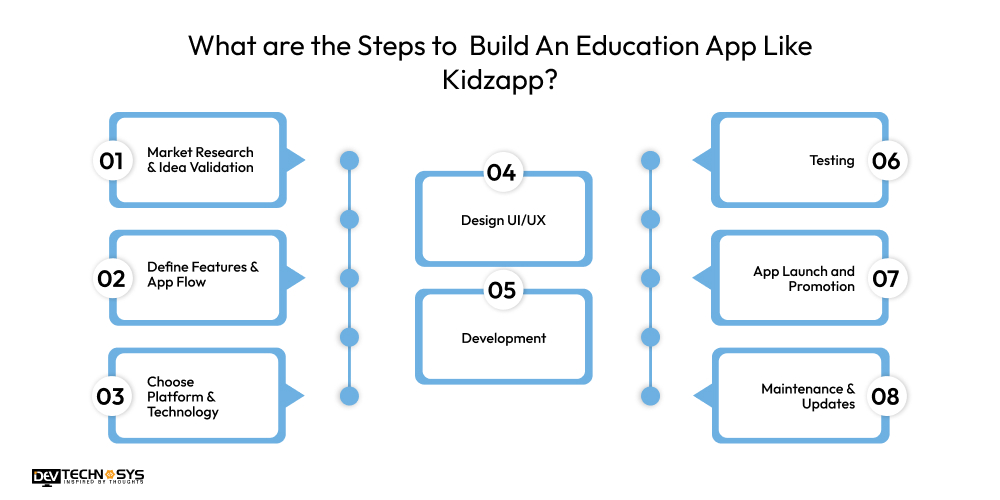
Interactive learning app development lets parents discover, book, and manage fun learning activities for their kids in one place. Building an education app like Kidzapp requires strategic planning, user-focused design, advanced technology integration, and a clear monetization model to ensure long-term success and scalability. Here are the easy steps to create an education app like Kidzapp, take a look:
1. Market Research & Idea Validation
Start the process to create an education app like Kidzapp by analyzing the market, understanding your target audience, parents, children, and educators, and identifying gaps in current educational apps. To build an app like Chegg or Kidzapp, study competitors like Kidzapp to discover what works and what can be improved. Validate your idea by gathering feedback from potential users to ensure your app offers unique value.
2. Define Features & App Flow
The second step in kids activity app development involves losing the core features, including user profiles, activity listings, booking, location-based recommendations, payment integration, push notifications, and reviews. Plan the app’s flow for smooth navigation. Include gamification elements to engage children and an admin panel to manage content, users, and payments. Prioritize features based on importance for an MVP.
3. Choose Platform & Technology
In this step to develop an education app like Kidzapp, decide whether to develop for iOS, Android, or use a cross-platform framework like Flutter or React Native. Hire experts from a top mobile app development company that will select the right backend technologies such as Node.js, Django, or Laravel, and a database like Firebase, PostgreSQL, or MongoDB.
Integrate third-party APIs for maps, payments, and analytics. Ensure scalability, security, and smooth app performance.
4. Design UI/UX
For Interactive learning app development, designers need to create a visually appealing, child-friendly app design using bright colors, fun graphics, and intuitive navigation. Design wireframes and prototypes, test them with parents and children, and refine the layout.
If you want to build an educational app for Islamic Studies, you need to make it engaging, easy to use, and accessible while maintaining clear functionality for booking, activity discovery, and educational content.
5. Development
Start with frontend development to build interactive interfaces, then move on to the backend for database management, APIs, and server-side logic. Integrate third-party services like maps, payments, and notifications. Follow agile development cycles with continuous testing to ensure functionality. Focus on creating a secure, responsive, and smooth app experience for both parents and children.
Layer |
Technology Options |
| Frontend | Flutter, React Native, Swift, Kotlin |
| Backend | Node.js, Django, Laravel |
| Database | Firebase, PostgreSQL, MongoDB |
| Payment Integration | Stripe, PayPal, Razorpay |
| Maps & Location | Google Maps API, Mapbox |
| Push Notifications | Firebase Cloud Messaging (FCM), OneSignal |
| Analytics | Google Analytics, Mixpanel |
6. Testing
After Kidzapp app development, conduct thorough functional testing to ensure all features work correctly, usability testing with parents and children to improve user experience, and security testing to protect sensitive information.
Hire on-demand app developers to perform performance testing to check app speed and reliability. Fix bugs, optimize load times, and make sure the kidzapp clone app performs consistently across devices and operating systems.
7. App Launch and Promotion
Prepare the app for publishing on the Google Play Store and Apple App Store. Create optimized app store listings with engaging descriptions, screenshots, and keywords to attract users. Set up analytics to track downloads, user behavior, and retention. Soft-launch first to a limited audience for feedback before a full-scale release to maximize impact.
Promote the app through social media campaigns targeting parents and partnerships with schools, activity centers, and kids’ clubs. Offer referral incentives, free trials, or early access to attract new users.
8. Maintenance & Updates
Regularly update the app with new content, activities, and features. Fix bugs, optimize performance, and enhance security protocols. Add seasonal events, personalized recommendations, and gamified elements to retain user engagement. Monitor analytics to understand usage trends and feedback, ensuring continuous improvements and long-term app success.
What Features Do You Need to Incorporate in an Education App Like Kidzapp?
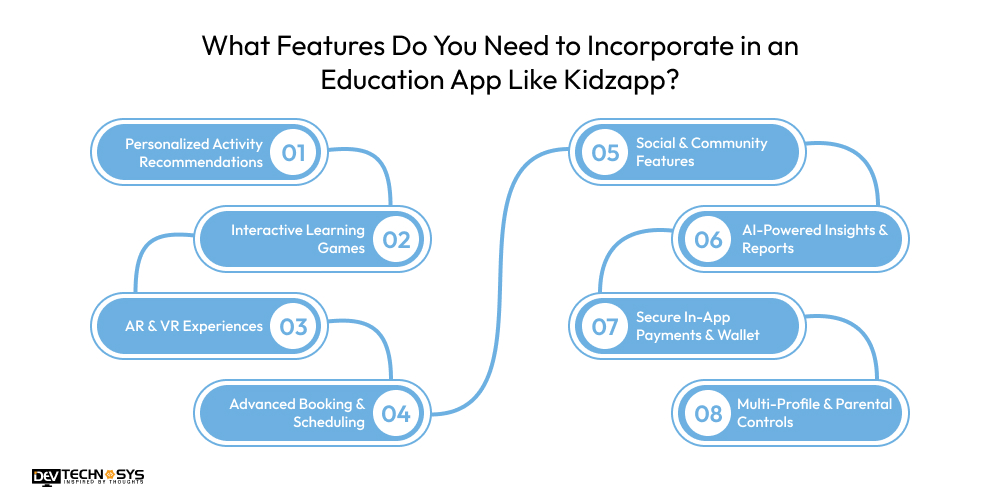
To build an education app like Kidzapp, incorporating advanced, interactive features is essential. Your hybrid app development company must incorporate these features to make learning fun, personalized, and safe, while helping parents manage activities, track progress, and engage children effectively.
1. Personalized Activity Recommendations
Leverage AI and machine learning to suggest activities, classes, and events tailored to a child’s age, interests, and location. Personalized recommendations ensure relevant content, improve engagement, and help parents easily and efficiently discover suitable learning experiences.
2. Interactive Learning Games
If you want to make an education app like Kidzapp, incorporate gamified educational content such as quizzes, puzzles, and mini-games. Track progress, reward achievements with badges or points, and make learning enjoyable for children. These games boost retention and motivation and foster a fun, interactive learning environment.
3. AR & VR Experiences
Integrate augmented and virtual reality to provide immersive learning experiences, such as virtual field trips, 3D models, and interactive storytelling. AR/VR enhances engagement, encourages exploration, and offers hands-on experiences that children can enjoy safely from home.

4. Advanced Booking & Scheduling
Provide a dynamic calendar displaying real-time availability for classes, workshops, or events. Include features such as reminders, rescheduling, and waitlists to help parents manage their child’s activities efficiently while avoiding double bookings or missed sessions.
5. Social & Community Features
To make an education app like Kidzapp, adding this feature is amust. Create forums, chats, or discussion boards where parents can share reviews, tips, and photos of activities. Building a community encourages engagement, trust, and interaction, and allows parents to recommend experiences to others within the app.
6. AI-Powered Insights & Reports
Child development activity apps offer detailed reports on children’s learning progress, preferences, and achievements. AI analyzes patterns to provide actionable insights, personalized suggestions, and recommendations, helping parents guide learning effectively while keeping children motivated and engaged.
7. Secure In-App Payments & Wallet
Enable safe, seamless payments with multiple gateways, supporting subscriptions, bookings, and one-time fees. Include a wallet option and parental controls to ensure financial security while making transactions simple, quick, and convenient for parents using the app.
8. Multi-Profile & Parental Controls
Build an education app like ABC World that allow multiple child profiles under one parent account. Include screen-time management, content restrictions, and activity approval options. These controls ensure safety, personalized experiences, and easy monitoring of each child’s learning journey and app usage.
Why Businesses Should Invest in an Education App Development?
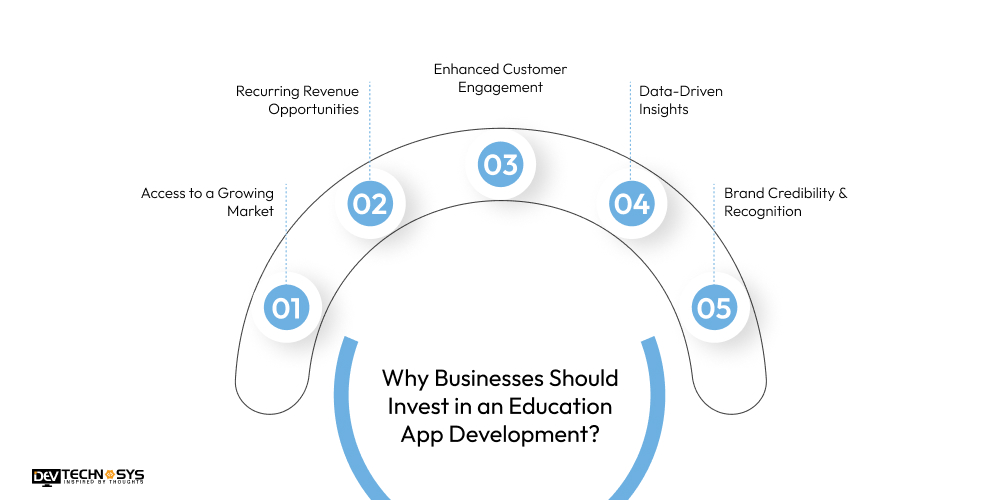
Investing in education app development offers businesses a powerful opportunity to grow in the rapidly expanding digital learning market. They also help brands build trust, engagement, and long-term customer relationships.
1. Access to a Growing Market
App development for kids entertainment allows businesses to tap into the rapidly expanding e-learning and kids’ activity market. As parents increasingly seek digital learning solutions, businesses can reach a wider audience, boosting visibility, brand awareness, and potential revenue streams globally.
2. Recurring Revenue Opportunities
Subscription models, premium content, and in-app bookings create consistent income. Businesses can monetize through activity commissions, paid courses, or memberships, ensuring long-term profitability while offering valuable, convenient services to parents and children.
3. Enhanced Customer Engagement
Interactive games, personalized recommendations, and notifications keep users engaged. Higher engagement leads to increased app usage, better retention rates, and stronger relationships with parents, enhancing trust and loyalty toward the brand.
4. Data-Driven Insights
Education apps collect valuable data on user behavior, preferences, and activity patterns. Businesses can leverage this data to refine offerings, improve content, and deliver personalized experiences, ultimately boosting satisfaction and driving smarter business decisions.
5. Brand Credibility & Recognition
Offering a reliable, engaging, and safe learning platform positions a business as a trusted authority in education and children’s activities. Strong app performance and quality content improve reputation and foster long-term loyalty.
How Much Does it Cost to Build an Education App Like Kidzapp?
The cost to build an education app like Kidzapp lies between $8,000 to $25,000, depending on app complexity, features, tech stack, and developer rates. The cost to build an app like Kidzapp with basic and essential features might cost $8,000 to $12,000.
While a more advanced app with AI recommendations, AR/VR, and social features could range from $20,000 up to $25,000+ for polished mobile apps on both iOS and Android. Here’s the table showing the Kidzapp app development cost by app type.
App Type |
Estimated Cost (USD) |
| Basic App | $8,000 – $12,000 |
| Standard App | $12,000 – $17,000 |
| Advanced App | $17,000 – $21,000 |
| Enhanced Engagement App | $20,000 – $25,000 |
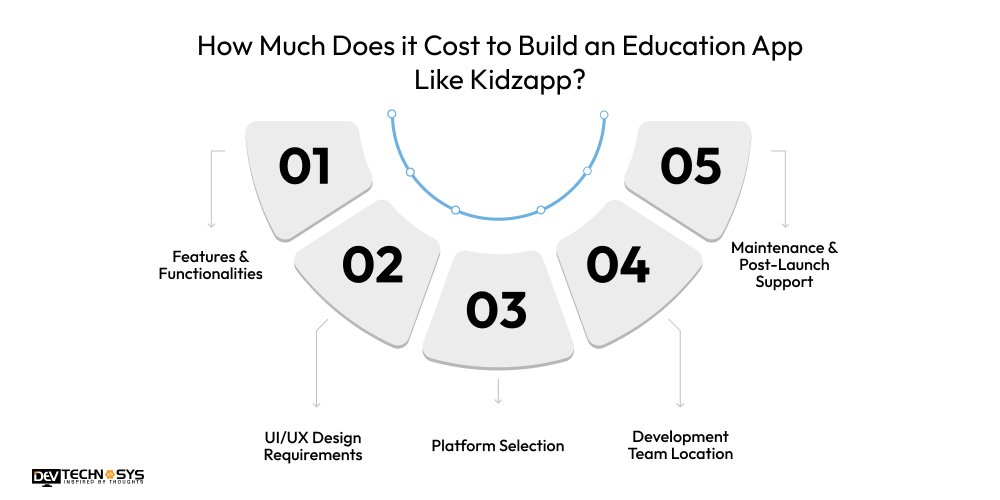
Factors that influence the cost to build an app like Kidzapp include design complexity, backend infrastructure, third-party integrations, testing, and post-launch support. Let’s take a look at the factors affecting the cost to make an education app in detail.
1. Features & Functionalities
The number and type of features directly influence the cost to build an app like Kidzapp. Adding booking systems, secure payment gateways, push notifications, live classes, parental controls, and personalized recommendations requires additional backend development, API integrations, and testing, ultimately raising the total cost to create an app like Kidzapp.
Tabe table below highlights the cost to develop an app like Seesaw according to feature type.
Feature Category |
Cost Range |
| Listings & Search | $1,000 – $3,000 |
| Booking & Scheduling | $2,000 – $5,000 |
| Payments & Wallet | $1,000 – $3,000 |
| Notifications & Alerts | $500 – $1,500 |
2. UI/UX Design Requirements
A visually appealing, child-friendly interface with custom animations, interactive elements, and engaging graphics increases the cost to develop an app like Kidzapp. Custom designs cost more than a simple template-based design. Detailed wire framing, prototyping, and usability testing also increase design costs but improve user satisfaction and retention.
Design Type |
Estimated Cost |
| Template-Based UI | $1,000 – $3,500 |
| Custom UI + Interactive Elements | $3,500 – $5,000 |
| UX Testing & Refinements | $5,000 – $7,500 |
3. Platform Selection
Developing separate native apps for iOS and Android increases the cost to create an app like Kidzapp compared to using cross-platform frameworks like Flutter or React Native. The choice of platform affects the mobile app development cost and time, maintenance efforts, performance optimization, and long-term scalability requirements.
Development Approach |
Estimated Cost |
| Android Only | $8,000 – $12,000 |
| iOS Only | $8,000 – $12,000 |
| Cross-Platform (Flutter/React) | $12,000 – $15,000 |
| Native Both (iOS + Android) | $13,000 – $17,000 |
4. Development Team Location
The location of the development team or agency also impacts the education app development cost. Developer rates vary significantly by region. Hiring a team in the US, UK, or Western Europe is generally more expensive than outsourcing to countries like India or Eastern Europe. The team’s expertise, experience level, and project management structure also influence the total cost to develop an app like Kidzapp.
Industry Insights: According to Statista, North American developers charge $100–$250/hour, while teams in Eastern Europe or India range from $20–$60/hour.
Integration Type |
Estimated Cost |
| Maps & Location APIs | $300 – $800 |
| Payment Gateways | $500 – $1,500 |
| Push Notifications | $200 – $600 |
| Analytics & Reporting | $300 – $1,000 |
5. Maintenance & Post-Launch Support
The cost to maintain an app also impacts the final budget. Ongoing maintenance, bug fixes, server management, security updates, and feature enhancements add to the long-term cost to develop an app like Kidzerm.
Regular updates ensure smooth performance, better user experience, and compatibility with new operating system versions, making post-launch support an essential budget consideration. Here’s the table highlighting the cost to create an app like Kidzapp in detail.
Service |
Monthly Cost |
| Bug Fixes & Updates | $500 – $1,300 |
| Server Hosting & Cloud | $70 – $300 |
| Feature Enhancements | $500 – $1,500 |
| Customer Support | $700 – $1,000 |
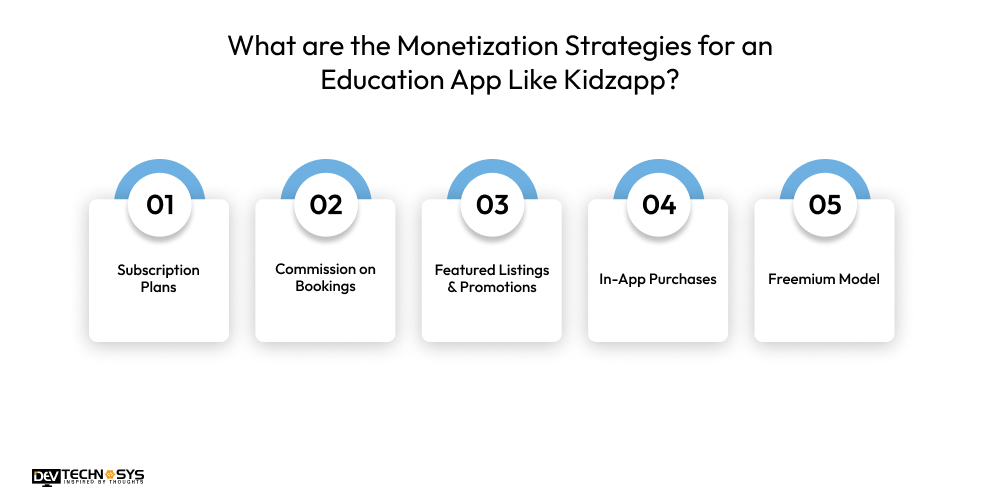
What are the Monetization Strategies for an Education App Like Kidzapp?
Offer monthly or yearly subscriptions for premium content, exclusive activities, or ad-free experiences. This generates recurring revenue and encourages long-term engagement from parents seeking enhanced learning tools for their children.
1. Subscription Plans
Offer monthly or yearly subscription packages giving access to premium content, exclusive activities, advanced filters, or ad-free experiences. Experts who offer full stack development services will use a subscription model to ensure recurring revenue, encourage long-term engagement, and allow parents to manage their child’s learning conveniently while unlocking enhanced features that add real value over the free version of the app.
Industry Insights: Technavio states that Subscription models are dominant, featuring an average cost of $8.13 per month or $56.09 per year, though retention rates remain challenging.
2. Commission on Bookings
Earn a percentage of every booking made through the app, including classes, workshops, or events. This model is ideal for connecting parents with activity providers and earning revenue by facilitating transactions. It ensures profitability while keeping the cost to develop a mobile app lower for basic users, incentivizing both parents and providers.
3. Featured Listings & Promotions
Allow activity providers, schools, or event organizers to pay for featured placements, sponsored listings, or priority visibility within search results. This strategy increases their exposure to potential customers while generating advertising revenue, providing a win-win for providers who want promotion and the app owner seeking monetization.
4. In-App Purchases
Sell digital products like interactive worksheets, learning kits, virtual event passes, or activity packs within the app. One-time purchases offer flexibility for parents and children while generating additional revenue. Combining in-app purchases with other monetization models ensures diversified income streams for sustainable business growth.
5. Freemium Model
Provide basic features for free and restrict advanced tools, like personalized recommendations, analytics, or exclusive content, to paid upgrades. The freemium approach attracts a larger audience initially by offering value for free, then encourages conversion to paying users as they seek enhanced features and a more enriching learning experience.
Industry Insights: A report by Business of Apps states that the freemium model dominates the education app market, driving rapid user acquisition, with 92% of teachers discovering new educational technologies through free or basic versions.
What are the Top Technological Trends Shaping the Future of Education Apps like Kidzapp?
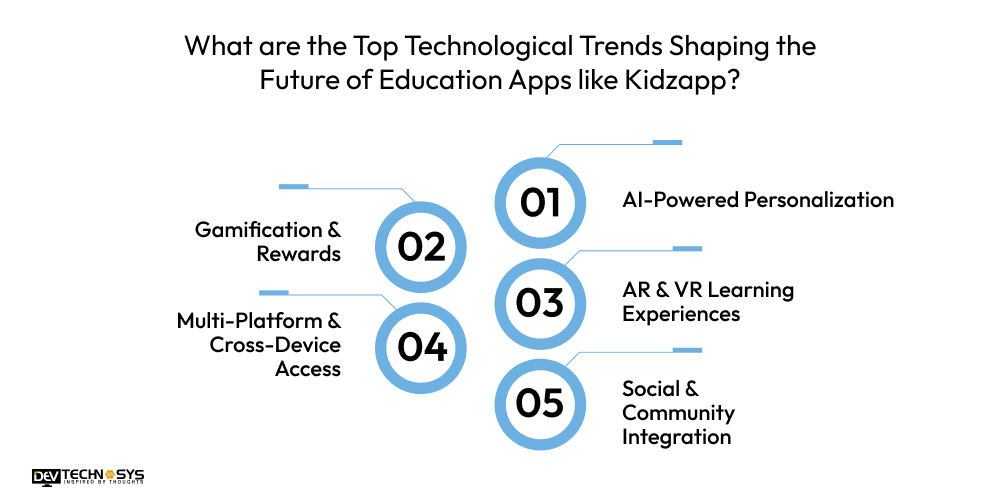
According to an on demand app development company in the UAE, the future of education apps like Kidzapp is being shaped by technology and user-centric features. Emerging trends such as AI personalization, gamification, AR/VR, and social integration are making learning more engaging, interactive, and accessible for children and parents alike.
1. AI-Powered Personalization
Artificial intelligence enables apps to deliver tailored learning paths, personalized activity suggestions, and recommendations based on children’s age, interests, and learning progress. This enhances engagement, improves outcomes, and ensures each child receives a unique, effective educational experience.
2. Gamification & Rewards
Gamified learning incorporates points, badges, levels, and challenges to motivate children. By making education fun and interactive, this trend increases participation, improves retention, and encourages consistent engagement, turning learning activities into exciting and rewarding experiences.
3. AR & VR Learning Experiences
Augmented and virtual reality provide immersive, hands-on learning opportunities such as virtual field trips, interactive storytelling, and 3D models. These technologies transform traditional learning into engaging, experiential activities that foster curiosity and deeper understanding among children.
4. Multi-Platform & Cross-Device Access
Future education app development solutions prioritize seamless functionality across mobile, tablet, and web platforms. This ensures children and parents can access learning content anytime, anywhere, providing flexibility, uninterrupted engagement, and consistent access to educational resources across multiple devices.
5. Social & Community Integration
Integrating discussion forums, parent networks, and collaborative activities creates an interactive community within the app. Children and parents can share experiences, exchange feedback, and participate in peer learning, fostering engagement, trust, and a sense of belonging.

Conclusion
Building an education app like Kidzapp requires careful planning, user-focused design, and advanced features to engage both children and parents. From personalized recommendations and interactive learning to secure payments and community integration, a well-developed app enhances learning experiences while creating strong revenue opportunities.
If you are a business seeking a top education app development company, contact Dev Technosys. With a skilled development team and over a decade of expertise in creating high-performing education apps, we create successful and industry-leading education platforms for your business.
FAQs
1. How Much Does It Cost To Build An Education App Like Kidzapp?
The cost to develop an education app like Kidzapp depends on features, platform, and design complexity. A basic to moderately advanced app ranges from $8,000 to $25,000. On the other hand, to develop an education app like Kidzapp with AI, AR, and gamification, you may require a higher budget.
2. Which Features Are Most Important For User Engagement?
Key features that drive engagement include personalized activity recommendations, gamified learning elements, booking and scheduling systems, AR/VR experiences, social and community interactions, and parental controls. Combining these ensures children remain interested and parents actively use the app.
3. Which Platforms Should I Target First?
It’s best to start with iOS, Android, or cross-platform frameworks like Flutter or React Native. This approach reaches a wider audience efficiently, reduces development costs, and allows scaling later based on user demand and feedback from the initial release.
4. How Can I Monetize My Education App?
Effective monetization strategies include subscription plans, in-app purchases, commissions on bookings, featured listings, advertising, sponsorships, and school or institutional licensing. Combining multiple revenue streams ensures sustainable profitability while providing value to both parents and activity providers.
5. How Long Does It Take To Develop An App Like Kidzapp?
Developing a basic MVP typically takes 3 to 4 months. At the same time, advanced apps with AI, AR/VR, analytics, and multiple integrations may require 6 to 9 months or more, depending on team size, development approach, and feature complexity.