





Key Takeaways:
-
- Apps like UpFoto leverage AI to automatically enhance photos. It helps in making the photos visually stunning.
- To develop an app like UpFoTo, businesses require careful planning, from idea validation to tech stack selection.
- Monetization models implemented in UpFoTo alternatives include subscription plans, in-app purchases, ads, and premium filters.
- Market demand for AI-powered photo enhancement apps is rapidly growing, making it a lucrative opportunity.
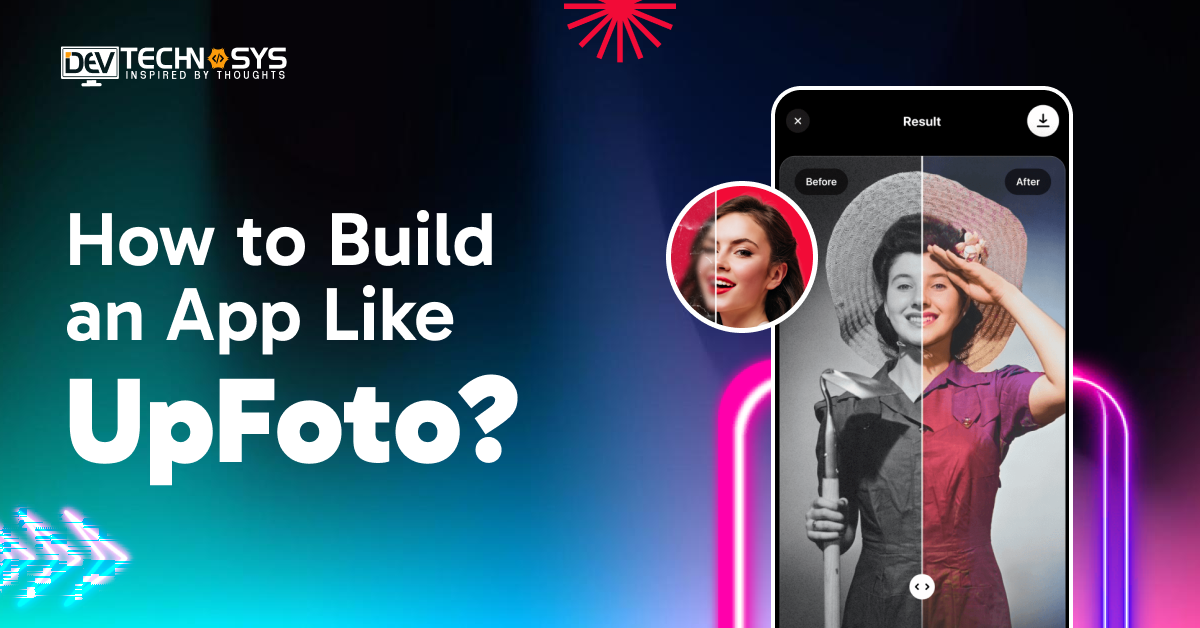
The rise of AI-driven apps has transformed the way we interact with digital content, especially images. Apps like UpFoto enhance photos automatically using advanced AI algorithms. It has gained massive popularity among social media users, photographers, and creative professionals.
With smartphones becoming the primary device for photography, the demand for instant photo enhancement tools is skyrocketing. Entrepreneurs looking to capitalize on this trend need a strategic approach to build a photo enhancer App Like UpFoto. Developing a robust, scalable app can deliver seamless AI-powered image editing.
This guide explores everything you need to know to build an app like UpFoto in 2026. It includes market potential to technical roadmaps, feature prioritization, cost analysis, and monetization strategies. Follow this guide to create an app like UpFoto and make your startup stand out in a competitive space.
What is UpFoto?
UpFoto is the best video editing software designed to automatically enhance photos with minimal user input. Unlike traditional photo editing tools that require manual adjustments, UpFoto leverages artificial intelligence. This is essential to analyze each image and apply improvements in real-time.
Key Capabilities:
- Automatic Enhancement – Adjusts brightness, contrast, sharpness, and color balance intelligently.
- Background Editing – Allows background blurring, replacement, or enhancement for professional effects.
- Upscaling – Converts low-resolution images to high-resolution outputs without losing quality.
- Retouching – Offers skin smoothing, blemish removal, and aesthetic improvements.
- User-Friendly Interface – Requires minimal effort; users simply upload images and receive instant results.
UpFoto represents how AI can democratize advanced photo editing. A hybrid app development company makes it accessible for casual users, social media enthusiasts, and professional photographers alike.
How Does UpFoto Work?
UpFoto leverages advanced AI algorithms to make photo editing effortless and professional. Automating enhancement processes allows users to transform ordinary images into visually appealing masterpieces within seconds.
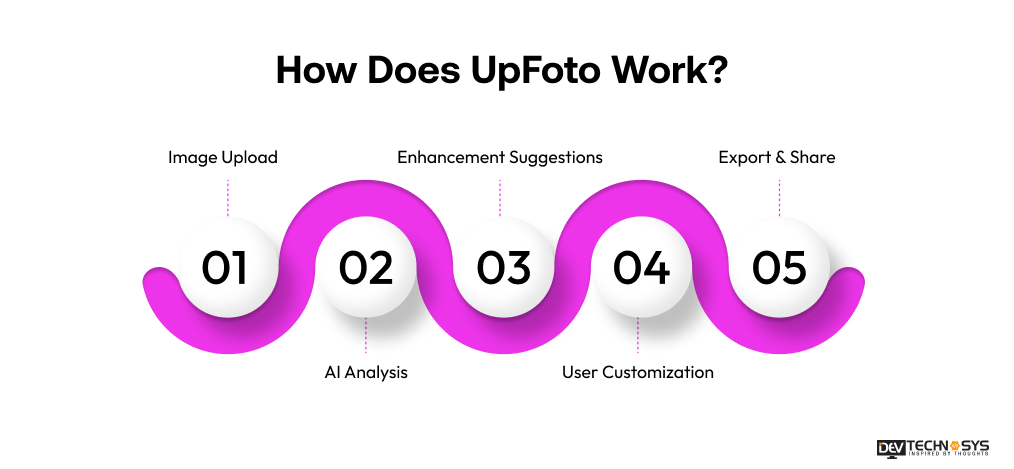
1. Image Upload
Users can upload photos directly from their device gallery, cloud storage, or social media accounts. The app supports multiple formats, ensuring a smooth start to the enhancement process.
2. AI Analysis
The AI engine examines every pixel, recognizing faces, textures, colors, and lighting conditions. It intelligently identifies areas that need improvement, laying the groundwork for precise enhancements.
3. Enhancement Suggestions
Based on AI analysis, the app automatically applies optimal adjustments like brightness, contrast, and sharpness. It also recommends filters and effects suited to the image style.
4. User Customization
Although AI handles most enhancements, users can manually fine-tune brightness, saturation, contrast, or add creative effects. This flexibility ensures personalized results for professional-quality images.
5. Export & Share
Once satisfied, users can save the enhanced image locally or share it directly on social media platforms. The app supports high-resolution exports for printing or online use.
Modern apps also integrate AR app development to provide immersive filters and real-time editing experiences.
Industry Insight: The AI image enhancer market grew from $2.45 billion in 2025 to $2.83 billion in 2026, driven by rising demand for high-quality visual content– The Business Research Company
Market Stats of AI Photo Enhancer Apps
To understand the growth and potential of AI image generator apps, we refer to an analysis by Fortune Business Insights. In this study, they have highlighted market size, trends, and regional dominance.
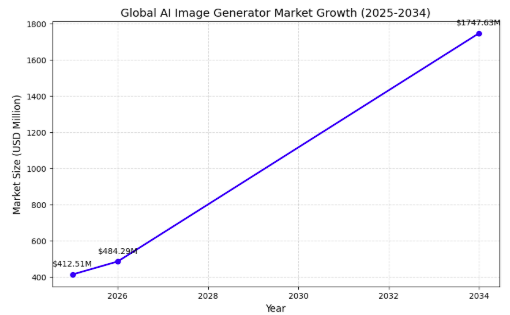
- The global AI image generator market was valued at USD 412.51 million in 2025.
- The market is projected to grow to USD 484.29 million in 2026.
- By 2034, the market is estimated to reach USD 1,747.63 million, showing rapid expansion.
- The market is expected to grow at a CAGR of 17.40% between 2026 and 2034.
- North America led the market in 2025, holding a 40.34% share, indicating regional dominance in AI
Are Apps Like UpFoto a Smart Startup Idea for Entrepreneurs?
The AI photo enhancer market is rapidly expanding, driven by social media trends and smartphone photography. In 2026, significant growth potential can be witnessed when you develop a photo enhancer App Like UpFoto. To make a video editing app, innovation, monetization opportunities, and user demand in a tech-savvy market are combined.
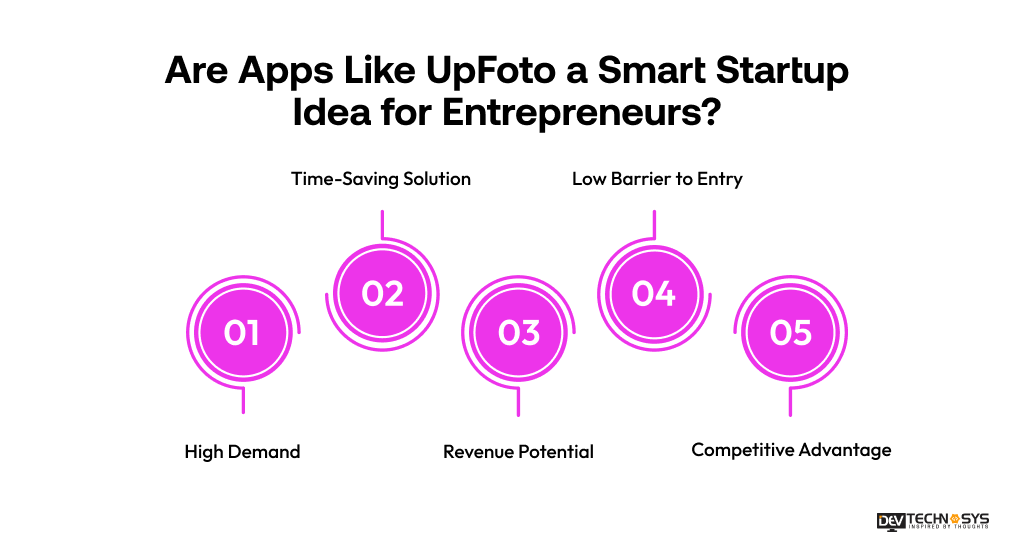
1. High Demand
The increasing popularity of social media and smartphone photography creates a strong demand for easy-to-use photo editing tools. Users want professional-quality results without technical expertise, making AI-powered apps like UpFoto highly relevant and widely adoptable.
2. Time-Saving Solution
AI automation removes the need for manual editing, enabling users to enhance photos in seconds. Both casual users and professional photographers benefit from this efficiency. The UpFoto app development saves time while achieving high-quality results effortlessly.
3. Revenue Potential
An entertainment app development solution like UpFoTo offer multiple monetization strategies. It includes subscriptions, in-app purchases, freemium models, and advertisements. This diverse revenue potential makes such apps financially attractive for startups seeking both user engagement and profitability.
4. Low Barrier to Entry
With accessible AI frameworks, cross-platform development tools, and cloud services, creating a minimum viable product (MVP) is feasible for startups. Early-stage developers can launch a functional app like UpFoto without extensive resources or time investment.
5. Competitive Advantage
Startups that innovate with advanced AI features or unique user experiences can differentiate themselves. Being an early mover allows the brand to establish authority, build user loyalty, and secure a strong position before competitors saturate the market.
How to Build an App Like UpFoto: A Detailed Roadmap
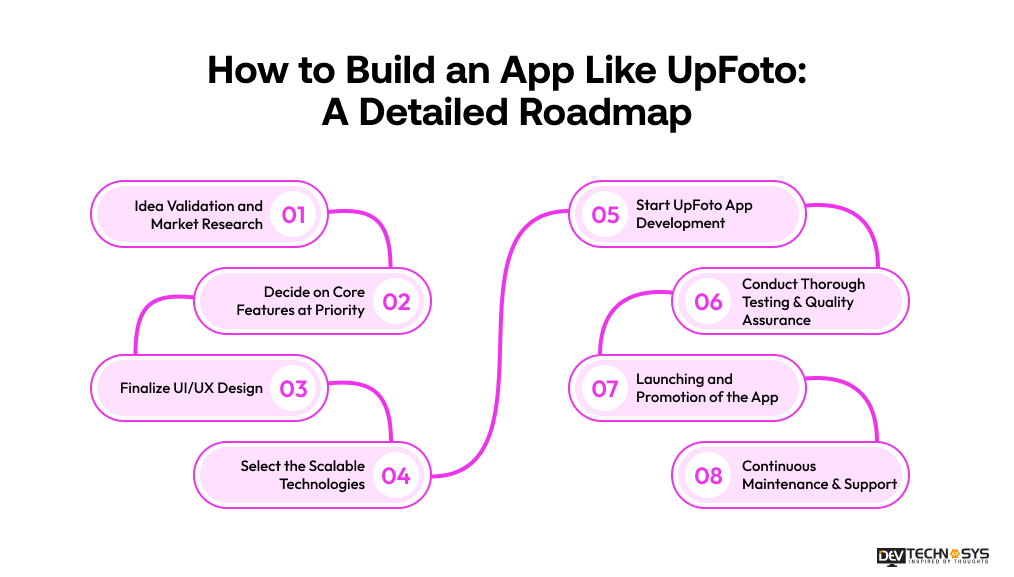
Building a successful AI photo enhancer app requires a clear roadmap, from validating your idea to launching. Each stage of UpFoTo, like on-demand app development, ensures a high-quality product that meets user needs and scales effectively. Understand the entire development process with a clear roadmap of UpFoto clone app development.
1. Idea Validation and Market Research
Before starting development, validate your idea by analyzing competitors, identifying gaps, and understanding user pain points. Conduct surveys, focus groups, and keyword research. This ensures your app solves real problems, confirms market demand, and guides feature prioritization for a successful launch. Here, developers should leverage analytics tools and competitor benchmarks to identify untapped opportunities and validate long-term business feasibility.
2. Decide on Core Features at Priority
List essential features like AI auto-enhancement, filters, upscaling, background editing, and social sharing when you build a photo editing app. Prioritize must-have features for the MVP and secondary features for future updates. This approach ensures efficient resource allocation while delivering maximum initial value to users. App owners should focus on features that solve primary user problems first to accelerate the MVP launch and user adoption.
3. Finalize UI/UX Design
Design an intuitive, visually appealing interface that simplifies AI-based editing. Use minimalistic layouts, interactive prototypes, and responsive design for all devices. Conduct usability testing to refine navigation and interactions. A polished UI/UX enhances user retention and makes advanced features feel seamless. The entertainment app development services ensure accessibility standards and intuitive gestures for a diverse user base.
4. Select the Scalable Technologies
Choose a tech stack that supports AI processing, cloud storage, and app scalability. Common options include TensorFlow/PyTorch for AI, Flutter/React Native for cross-platform mobile, Node.js/Django for backend, and AWS/Google Cloud for hosting. Scalability ensures consistent performance as user numbers grow. Businesses opt for modular architecture to easily integrate future AI upgrades and third-party APIs without major redevelopment.
Read more: How To Build An App Like Hypic?
5. Start UpFoto App Development
Begin coding the frontend and backend while integrating AI algorithms. Follow agile development for iterative releases, bug fixes, and feature improvements. Implement secure authentication, cloud storage, and smooth UI interactions. Close collaboration between designers, developers, and AI engineers ensures timely and high-quality delivery. At this stage of iOS and Android app development, implement version control systems for error-free deployments.
6. Conduct Thorough Testing & Quality Assurance
Perform functional, usability, and performance testing. Verify AI enhancements, app stability, and cross-device compatibility. Conduct beta testing to gather real-user feedback. Comprehensive QA ensures a polished, reliable product, minimizes post-launch issues, and builds user trust through consistent and accurate performance. Automate repetitive testing processes to improve efficiency and ensure consistent quality across updates and new feature releases.
7. Launching and Promotion of the App
Deploy a similar app like UpFoto on Google Play and Apple App Store with ASO-optimized descriptions. Promote via social media campaigns, influencer partnerships, and referral programs. Offer tutorials or demos to attract users while delivering mobile app development solutions. Effective launch and promotion strategies drive downloads, engagement, and early traction. Track user acquisition metrics and optimize campaigns continuously to maximize ROI.
8. Continuous Maintenance & Support
Regularly update the app to fix bugs, improve AI performance, and introduce new features. Provide customer support through chatbots or dedicated teams. Continuous maintenance ensures compatibility with new devices, enhances user satisfaction, and sustains long-term growth and retention. When you build an app like UpFoTo, monitor user feedback and app analytics regularly to identify improvements.
What are the Essential Features an App Like UpFoTo Should Have?
To develop an App Like Likee, integrating the right set of features is essential. These features not only improve image quality but also enhance user experience, engagement, and retention. Photo enhancer app development delivers professional-level results effortlessly.
1. AI-Powered Auto-Enhancement
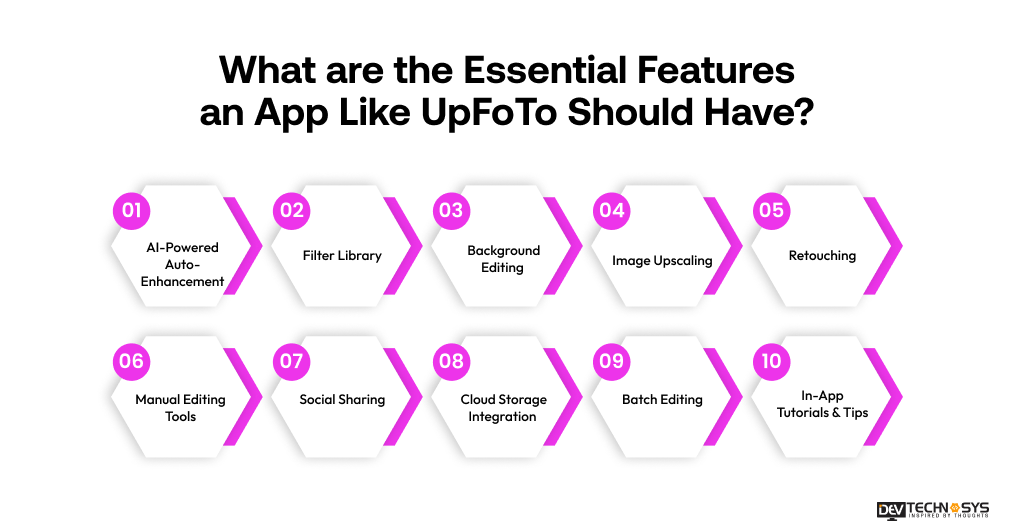
This feature uses artificial intelligence to automatically improve photo quality by adjusting brightness, contrast, sharpness, and colors. It analyzes each image in real time, ensuring users achieve professional-looking results instantly without requiring manual editing skills.
2. Filter Library
A rich collection of preset filters allows users to apply creative effects to their photos with a single tap. These filters cater to different moods and styles, such as vintage, cinematic, or vibrant, enhancing visual appeal quickly.
3. Background Editing
Build an app like UpFoTo with a background editing feature that enables users to blur, remove, or replace backgrounds. AI detects subjects accurately, allowing users to create professional portraits or customize scenes, making images more visually engaging and suitable for social media sharing.
4. Image Upscaling
Image upscaling improves the resolution of low-quality or pixelated images using AI algorithms. It enhances detail and sharpness without sacrificing clarity, making photos suitable for high-resolution displays, printing, or professional use.
5. Retouching
The full-stack development services incorporate retouching tools. These tools help enhance portraits by smoothing skin, removing blemishes, and adjusting facial features. This feature ensures natural-looking edits while improving overall aesthetics. .
6. Manual Editing Tools
Manual editing tools allow users to adjust brightness, contrast, saturation, exposure, and other elements according to their preferences. These controls provide flexibility for users who want more creative control beyond automatic AI enhancements.
7. Social Sharing
This feature enables users to directly share enhanced images on social media platforms like Instagram, Facebook, and Twitter. Seamless integration simplifies content posting, encourages engagement, and helps users showcase their edited photos instantly.
8. Cloud Storage Integration
Cloud storage allows users to save, access, and manage their edited photos across multiple devices. It ensures data security, easy backup, and convenience, especially for users who frequently edit and store large volumes of images.
9. Batch Editing
Batch editing allows users to apply the same enhancements or filters to multiple images simultaneously. This feature saves time and effort, especially for photographers, businesses, or content creators managing large photo collections.
10. In-App Tutorials & Tips
The best AI video generators have In-app tutorials. It helps users learn how to use features effectively, especially advanced AI tools. Tips and walkthroughs improve user onboarding, enhance engagement, and ensure users can maximize the app’s capabilities without confusion.
Industry Insight: The AI image editor market is expected to reach $6.28 billion in 2025, showing strong growth from 2024 due to AI adoption in creative tools– Market Research Future
How Much Does It Cost to Make an App Like UpFoto?
The cost to develop an app like UpFoto typically ranges between $8,000 and $30,000, depending on the app’s complexity, features, and platform selection. A basic version with limited AI capabilities and standard UI falls on the lower end.
On the other hand, advanced apps with real-time AI processing, cloud integration, and premium design increase the budget. AI model development, training, and image processing algorithms are among the most expensive components.
Additionally, backend infrastructure, scalability requirements, and third-party API integrations contribute to the overall UpFoto app development cost. It makes proper planning to make AI photo enhancer app in Middle East essential for budget optimization.
| App Type | Estimated Cost Range | Key Features Included |
| Basic App | $8,000 – $12,000 | User signup/login, basic photo editing, limited AI filters, simple UI, minimal backend |
| Mid-Range App | $12,000 – $20,000 | Advanced AI filters, real-time previews, cloud storage, in-app purchases, better UI/UX |
| Advanced App | $20,000 – $30,000 | AI-powered enhancements, facial recognition, AR filters, scalable backend, analytics, multi-platform support |
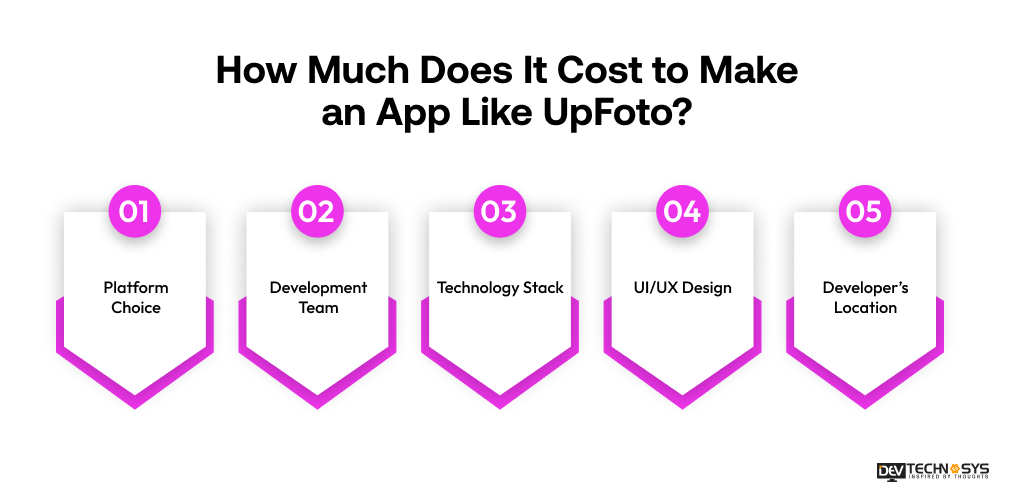
Estimating the cost of building an app like UpFoto involves more than just a fixed budget range. It depends on multiple factors such as platform choice, development team, technology stack, and design complexity. Understanding these elements helps businesses plan effectively and optimize development expenses.
1. Platform Choice
Choosing between iOS, Android, or cross-platform development significantly impacts the mobile app development cost. Developing separate native apps increases expenses, while cross-platform frameworks reduce costs but may slightly affect performance depending on complexity.
| Platform Type | Estimated Cost Range | Description |
| Single Platform (iOS or Android) | $8,000 – $15,000 | Develop for one platform with core features |
| Cross-Platform | $15,000 – $22,000 | Shared codebase using Flutter or React Native |
| Native (iOS + Android) | $22,000 – $30,000 | Separate development for both platforms with optimized performance |
2. Development Team
The UpFoto app development cost varies based on whether you hire freelancers, an in-house team, or an outsourcing agency. Experienced developers may charge higher rates but deliver better quality, faster timelines, and fewer long-term maintenance issues.
| Team Type | Estimated Cost Range | Description |
| Freelancers / Small Team | $4,000 – $7,000 | Basic development with limited scalability |
| Mid-Sized Team | $7,000 – $11,000 | Balanced team with designers, developers, testers |
| Experienced Agency | $11,000 – $15,000 | Full-stack team with project management and QA |
3. Technology Stack
Using advanced AI frameworks, cloud services, and modern programming tools can increase the initial cost to maintain an app. However, a robust tech stack ensures better app performance, scalability, and future flexibility, ultimately reducing long-term operational expenses.
| Stack Complexity | Estimated Cost Range | Description |
| Basic Stack | $2,500 – $5,000 | Simple backend, basic APIs, minimal integrations |
| Moderate Stack | $5,000 – $7,500 | Cloud integration, AI APIs, scalable database |
| Advanced Stack | $7,500 – $10,000 | AI/ML models, real-time processing, high scalability |
4. UI/UX Design
A well-designed, user-friendly interface requires additional time and expertise, increasing costs. Interactive elements, animations, and responsive layouts enhance user experience, making the app more engaging and improving retention rates.
| Design Level | Estimated Cost Range | Description |
| Basic Design | $3,000 – $5,000 | Simple layouts, limited customization |
| Custom Design | $5,000 – $8,000 | Interactive UI, better user experience |
| Premium Design | $8,000 – $10,000 | High-end animations, branding, and user-focused design |
5. Developer’s Location
The photo enhancer app development cost varies significantly depending on geographic location. Developers in regions like North America charge higher rates compared to Asia or Eastern Europe, making outsourcing a cost-effective option for startups with limited budgets.
| Location Type | Estimated Cost Range | Description |
| Offshore (Asia, Eastern Europe) | $1,000 – $2,500 | Cost-effective development |
| Nearshore | $2,500 – $4,000 | Moderate pricing with good collaboration |
| Onshore (US, UK) | $4,000 – $6,000 | High cost with premium quality and communication |
Looking for Apps Like UpFoto? Here Are the Top Alternatives
As the AI photo enhancer app in UAE continues to grow in popularity, several UpFoto alternatives have emerged in 2026. These apps offer advanced features like AI enhancement, filters, and retouching. These apps are popular among users and entrepreneurs seeking high-quality photo editing Android and iOS app development services.
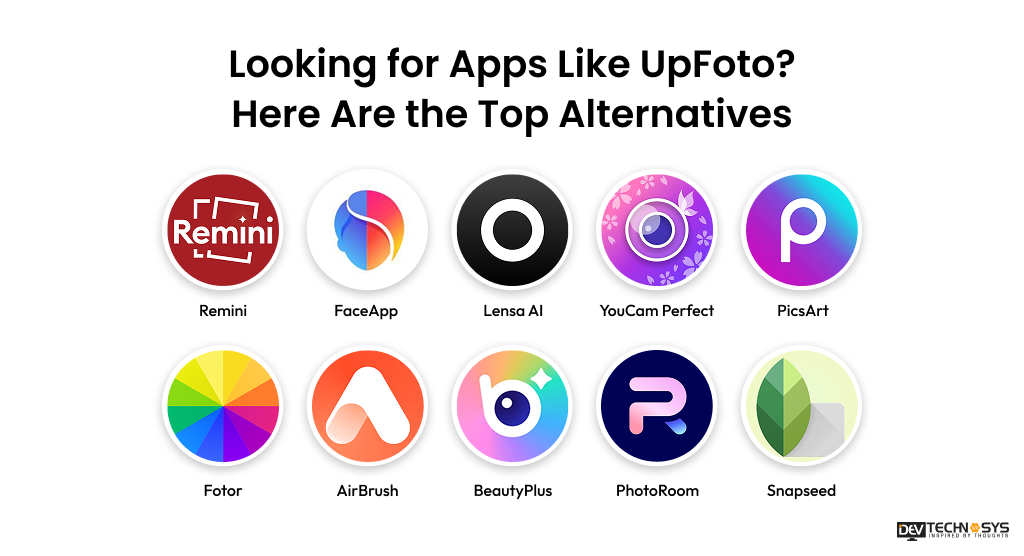
| App Name | Launch Year | Downloads (M) | Ratings | Platform Availability |
| Remini | 2019 | 100+ | 4.6 | iOS, Android |
| FaceApp | 2017 | 500+ | 4.5 | iOS, Android |
| Lensa AI | 2018 | 50+ | 4.4 | iOS, Android |
| YouCam Perfect | 2015 | 100+ | 4.5 | iOS, Android |
| PicsArt | 2011 | 1B+ | 4.6 | iOS, Android |
| Fotor | 2012 | 10+ | 4.3 | iOS, Android, Web |
| AirBrush | 2015 | 50+ | 4.5 | iOS, Android |
| BeautyPlus | 2013 | 300+ | 4.4 | iOS, Android |
| PhotoRoom | 2019 | 50+ | 4.6 | iOS, Android |
| Snapseed | 2011 | 100+ | 4.5 | iOS, Android |
The rapid rise to create a photo enhancer app like UpFoto is evident. Many apps similar to UpFoto are gaining traction globally and in the Middle East. From advanced AI enhancements to creative filters, these alternatives offer powerful features and growing user adoption in 2026.
1. Remini
Remini is widely popular for its powerful AI photo enhancement capabilities. It transforms low-quality images into high-definition visuals. It has become a top choice in the Middle East for restoring old photos and improving selfie quality.
2. FaceApp
FaceApp uses advanced AI to apply realistic face transformations, including aging effects and filters. Its engaging features and viral trends make it highly popular among social media users across the Middle East region.
3. Lensa AI
Lensa AI is known for its AI-driven portrait editing and avatar creation. It offers high-quality retouching tools and artistic effects. Every mobile app development company tries to make an app like Lensa AI for professional-looking photos with minimal effort.
4. YouCam Perfect
YouCam Perfect offers a comprehensive suite of beauty and editing tools, including skin-smoothing and object-removal features. Its easy-to-use interface and real-time editing features make it a favorite among mobile users.
5. PicsArt
PicsArt is among the top AI photo edit apps, combining photo editing with creative design tools. It includes tools like stickers, drawing, and collage making. It is widely used for social media content creation, offering flexibility and a large community of active users.
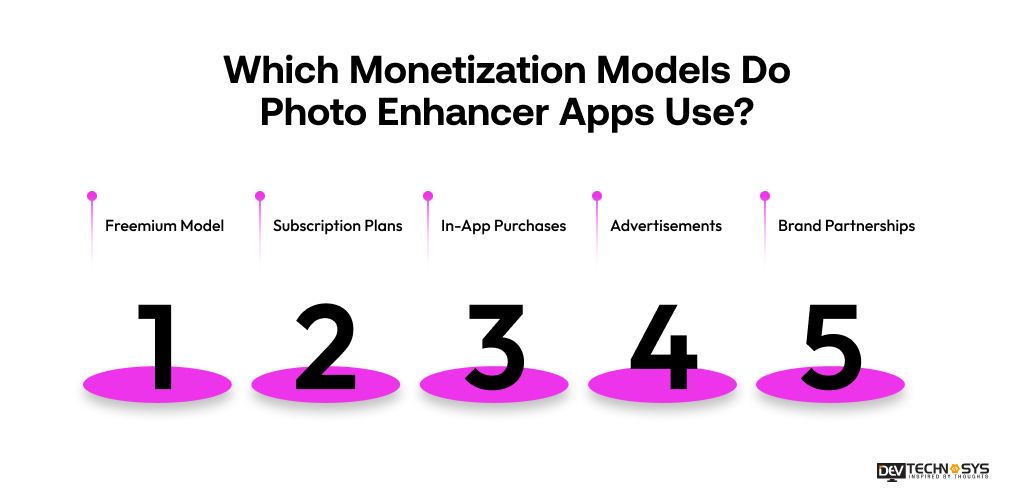
Which Monetization Models Do Photo Enhancer Apps Use?
Photo enhancer apps use multiple monetization strategies to generate consistent revenue while keeping users engaged. From free access with upgrades to premium subscriptions and brand collaborations, these models help balance user acquisition, retention, and long-term profitability in a competitive market.
1. Freemium Model
Build an app like UpFoTo with a freemium model that allows users to access basic photo editing features for free. However, they get advanced tools only when they pay for upgrades. This approach attracts a large user base, builds trust, and gradually encourages users to switch to premium features for enhanced functionality.
2. Subscription Plans
Subscription plans provide users with full access to premium features through monthly or yearly payments. This model ensures recurring revenue for app owners while offering users continuous updates, advanced AI tools, exclusive filters, and an ad-free experience.
3. In-App Purchases
In-app purchases allow users to buy specific features such as filters, effects, or editing packs without committing to a subscription. This flexible model appeals to casual users who prefer paying only for the tools they need occasionally.
4. Advertisements
Advertisements generate revenue by displaying ads within the free version of the app. While users can access basic features without paying, ads may appear between actions, encouraging some users to upgrade to a premium, ad-free experience.
5. Brand Partnerships
Brand partnerships involve collaborations with social media platforms, influencers, or camera brands to promote features or products. These partnerships help apps generate additional revenue streams while expanding their reach and credibility in the competitive photo editing market.
Industry Insight: The AI image generator market is projected to grow from $0.43 billion in 2025 to $0.51 billion in 2026, highlighting increasing use of generative AI in photo apps– The Business Research Company.
AI Model Training & Data Strategy Behind Apps Like UpFoto
AI photo enhancer apps like UpFoto use deep learning models trained on large image datasets to automatically improve photo quality. These apps combine pre-trained or custom AI models, optimized processing, and secure data handling to deliver fast, high-quality image enhancements. This section explains the core AI workflow in a simple, SEO-friendly way to help your content rank while adding real technical value.
1. How AI Models Are Trained for Photo Enhancement?
AI photo enhancer apps use deep learning models trained on large datasets of low-quality and high-quality image pairs. The model learns patterns like sharpness, lighting, and facial details to automatically improve photos with high accuracy and consistency.
2. Pre-trained vs Custom AI Models
Developers can either use pre-trained AI models (like APIs) for faster development or build custom models for better control and uniqueness. Pre-trained models reduce cost and time, while custom models offer advanced personalization and a competitive advantage.
3. Data Collection Strategy
Successful apps continuously collect and refine image data (with user consent) to improve AI performance. More diverse datasets help the model handle different lighting conditions, skin tones, and image qualities, resulting in better and more realistic enhancements.
4. Model Optimization Techniques
To ensure fast performance, AI models are optimized using techniques like model compression, quantization, and edge computing. This helps apps deliver real-time photo enhancement without lag, even on mobile devices with limited processing power.
5. Privacy & Ethical AI Usage
Handling user images securely is critical. Apps must follow strict data privacy practices like encryption, secure storage, and transparent policies. Ethical AI usage builds user trust and ensures compliance with global data protection standards.
6. How does the AI Workflow Work?
Input Image –> AI Processing –> Enhancement Model –> Output Image
The AI analyzes the uploaded image, applies trained enhancement models, and delivers a refined, high-quality output within seconds, ensuring a seamless user experience.
Final Words
Building an app like UpFoto in 2026 presents a strong opportunity for businesses looking to enter the AI-powered photo editing market. With the increasing demand for high-quality visuals and social media content, such apps can gain rapid traction if built strategically.
Success depends on combining advanced AI capabilities, seamless user experience, and scalable architecture. Entrepreneurs should focus on selecting the right technology stack, integrating smart monetization models, and continuously updating features based on user feedback.
Effective marketing and performance optimization also play a crucial role. With the right entertainment app development company, an UpFoto-like app can become a highly profitable and sustainable digital product.
People Mostly Ask!
Q1. How Long Does It Take To Build An App Like UpFoTo?
Developing an app like UpFoto typically takes around 3 to 6 months, depending on complexity and features. A basic version can be built faster, while advanced AI-powered apps with custom features, integrations, and scalability may require additional time for development, testing, and deployment.
Q2. Which AI Frameworks Are Best For Photo Enhancement Apps?
Popular AI frameworks for photo enhancement apps include TensorFlow, PyTorch, and OpenCV. These frameworks support image processing, deep learning, and computer vision capabilities. They enable features such as facial recognition, image enhancement, and real-time editing, making them ideal for building advanced AI-powered photo-editing applications.
Q3. Can An App Like Upfoto Be Profitable For Startups?
Yes, an app like UpFoto can be highly profitable for startups if executed well. With monetization models like subscriptions, in-app purchases, and ads, startups can generate steady revenue. Success depends on user engagement, unique features, strong marketing, and continuous updates to retain users.
Q4. What Are The Essential Features For AI Photo Apps?
Essential features include AI-based photo enhancement, real-time filters, background removal, facial retouching, and cloud storage. Additionally, user-friendly navigation, social media sharing, and fast processing are crucial. These features ensure a better user experience, greater engagement, and greater competitiveness in the AI photo editing market.
Q5. Is It Better To Develop Natively Or Cross-Platform For Such Apps?
The choice depends on budget and goals. Native development offers better performance and optimized user experience, especially for AI-heavy features. Cross-platform development is cost-effective and faster to launch. Startups often prefer cross-platform initially, then shift to native for performance improvements later.