





Key takeaways:
-
- Define a clear development strategy covering MVP planning, feature prioritization, agile workflows, testing protocols, and phased rollout.
- Integrate advanced AI models to automate edits, generate creative transformations, and enhance photo quality automatically.
- Focus on core AI photo editing features like smart filters, background removal, portrait enhancement, and creative effects to attract users.
- Understand your target audience to design culturally relevant features and filters that drive engagement.
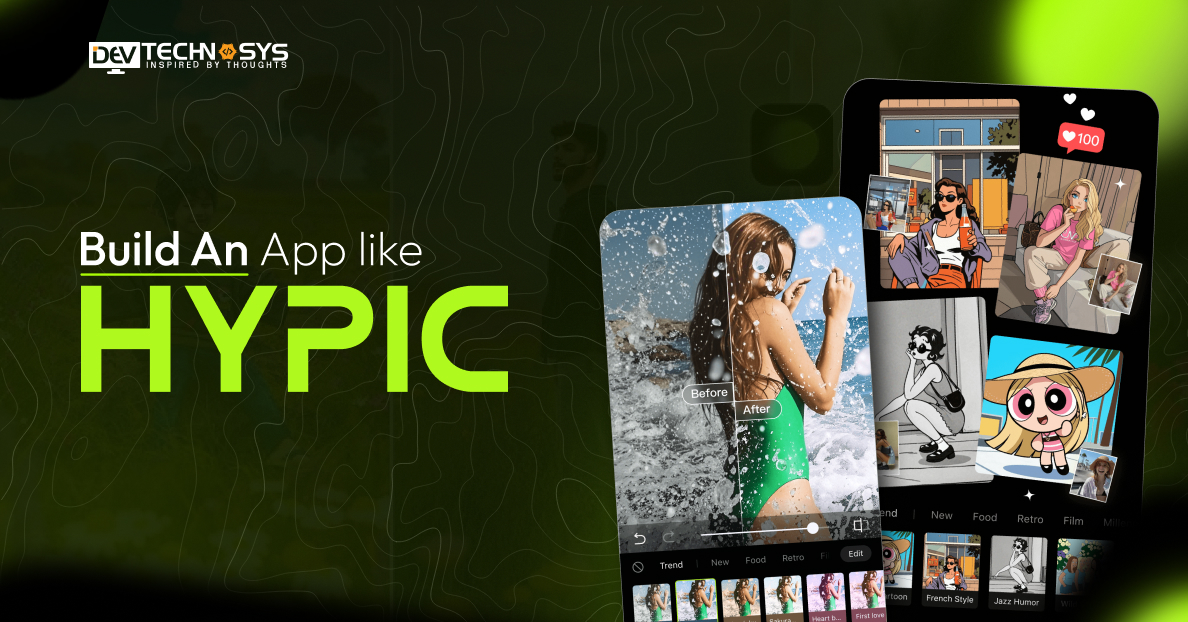
Hypic is one of the most popular image enhancement apps on Android and iOS, which is loved by millions of users. Building an app like Hypic opens doors to the dynamic world of live video social networking. By combining instant video interactions, engaging filters, and real-time connectivity, such apps attract users seeking entertainment and social engagement.
So if you have been exploring how to build an app like Hypic in 2026. Then you have just landed on the right blog. The rising popularity shows that not only users but also entrepreneurs are curious about the technology behind it.
Here, we’ll highlight the Hypic app development cost and process, advanced features, and the trends shaping the industry today.
What is a Hypic App?
A Hypic app is an AI-powered photo-editing and enhancement platform designed to help users quickly improve images with smart editing tools. It allows users to apply filters, remove backgrounds, enhance portraits, and generate creative visuals with minimal effort. The app focuses on fast, intuitive editing, making professional-style photo improvements accessible to beginners, creators, and social media users directly from their smartphones.
Special Features:
- AI-powered photo enhancement
- Background remover and changer
- One-tap beauty and portrait retouching
- Creative filters and visual effects
- AI image generation and editing tools
How Does A Similar App Like Hypic Work?
Hypic alternatives use AI-powered editing tools to help users quickly and creatively enhance photos. From uploading images to applying smart filters and exporting edited visuals, the process is simple and user-friendly.
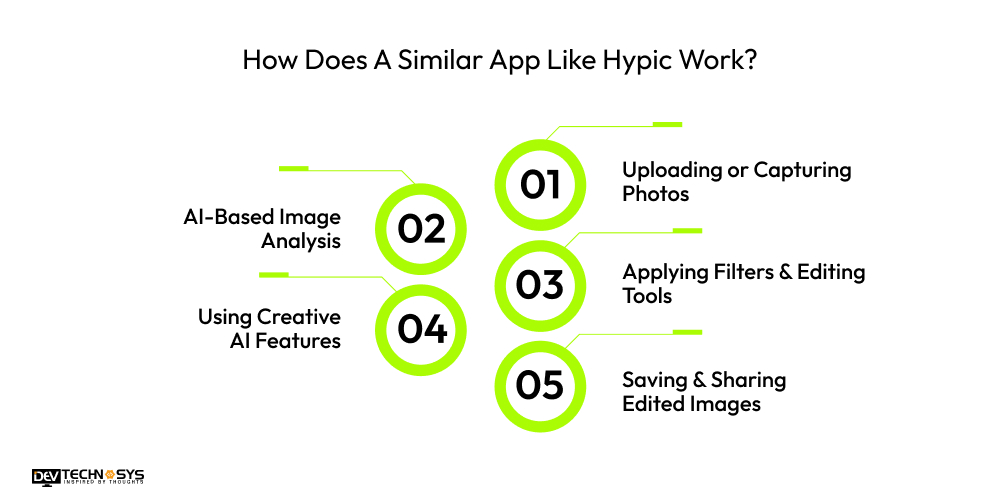
1. Uploading or Capturing Photos
Users start by uploading a photo from their device’s gallery or by capturing a new image directly in the app. This image becomes the base for editing, enhancement, and creative modifications.
2. AI-Based Image Analysis
After uploading, the app’s AI scans the image to detect faces, backgrounds, lighting conditions, and objects. This automated analysis helps the app recommend suitable edits and apply precise enhancements.
3. Applying Filters & Editing Tools
Users can apply filters, adjust brightness, contrast, and color, or use tools such as background removal and portrait retouching. AI automatically improves details while keeping editing simple.
4. Using Creative AI Features
The best video editing software offers AI-powered tools, including image generation, artistic effects, and style transformations. Users can experiment with different looks and instantly convert ordinary photos into creative visuals.
5. Saving & Sharing Edited Images
Once editing is complete, users can save high-quality images to their device or share them directly on social media platforms, allowing them to quickly publish visually enhanced content online.
Market Overview of AI Photo Editing Applications
The global AI photo editing application market is expanding rapidly as demand for visually engaging digital content continues to rise across social media, marketing, and e-commerce platforms.
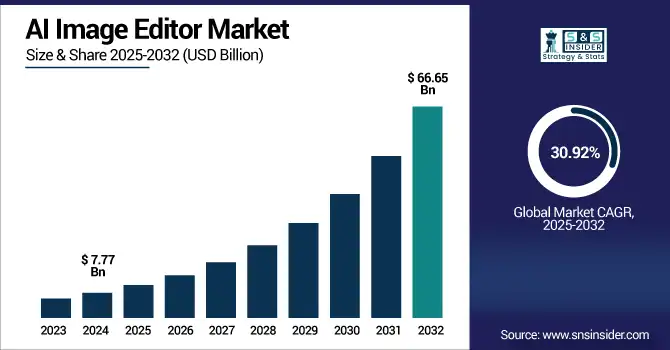
The rise of visual-first communication is fuelling demands for high-quality, AI-enhanced visual content. Let’s take a look at the 2025-2032 AI image Editor applications report by SNS Insider.
- The market is projected to reach approximately $66.65 billion by 2032, driven by the massive adoption of AI-powered editing platforms.
- The industry is forecast to grow at a CAGR of around 92% from 2026 to 2032, indicating strong demand for automated creative tools.
- Mobile AI image editing applications accounted for about 48% of market revenue in 2025.
- Android platforms held around 38% market share in 2025, benefiting from a large global user base and easier integration of AI tools.
- The AI image editor market was valued at about $7.77 billion in 2025 and is expected to grow significantly.
What are the Steps to Make An App Like Hypic?
From identifying market needs to integrating AI editing tools and launching the platform, each step to build an app like Hypic ensures the app performs smoothly. A structured AR app development process helps businesses make a scalable, feature-rich AI image-editing application.
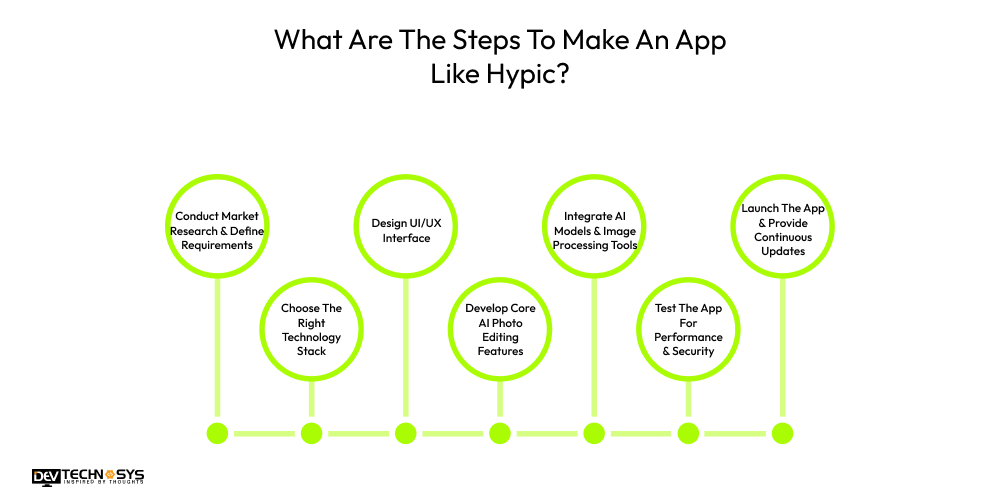
1. Conduct Market Research & Define Requirements
Start by analyzing the AI photo editing market, competitor apps, and user expectations. Identify the target audience, essential features, and unique value proposition. This research helps businesses understand trends, define project goals, and build an app like Hypic that meets market demand and user needs.
2. Choose The Right Technology Stack
To develop an app like Hypic, choosing the right tech stack is very important. Developers usually employ frameworks like Flutter or React Native for mobile apps, AI libraries that use Python, and cloud infrastructure. The correct technology stack ensures that picture processing runs smoothly, performance is faster, and AI-powered editing tools work together without issues.
3. Design UI/UX Interface
When you build an app like Hypic, a user-friendly interface is essential. Designers create wireframes, prototypes, and visually appealing layouts that simplify editing tasks. The UI/UX should enable easy navigation, one-tap editing tools, and smooth workflows, ensuring users can quickly enhance photos without needing professional editing skills.
4. Develop Core AI Photo Editing Features
During the Hypic app development phase, the focus is on adding key features such as AI image enhancement, background removal, portrait retouching, filters, and creative effects. Machine learning models analyze images and automatically make changes. These sophisticated tools let users swiftly alter photos while still achieving professional-looking results, impacting the overall cost to build an app like Hypic.
5. Integrate AI Models & Image Processing Tools
AI integration is the backbone of the best AI video generators. Developers implement computer vision, deep learning algorithms, and image processing APIs to detect faces, objects, and lighting conditions. This enables automated adjustments, smart suggestions, and advanced editing capabilities that instantly enhance image quality.
6. Test The App For Performance & Security
Testing ensures that the Hypic clone app works well across a variety of devices and operating systems. To find defects and security holes, developers do usability testing, performance testing, and security checks. Thorough testing makes apps more stable, makes sure AI findings are correct, and gives users a smooth editing experience.
7. Launch The App & Provide Continuous Updates
Once a similar app like Hypic passes all tests, it is made available on sites like Google Play and the App Store. After the launch, developers keep an eye on how well the app works, listen to user feedback, and offer updates that add new features, improve AI models, and make the app more secure to stay competitive and keep users coming back.
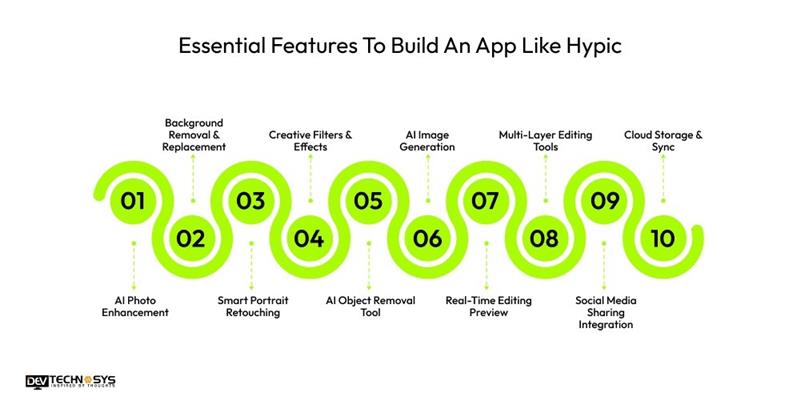
Essential Features To Build An App Like Hypic
To build a AI photo editing app like Hypic, integrating advanced yet easy-to-use features is essential. These features in entertainment app development services enhance user creativity, automate complex editing tasks, and deliver high-quality results quickly.
1. AI Photo Enhancement
AI photo enhancement automatically analyzes images and improves brightness, contrast, sharpness, and colors. This feature helps users quickly transform ordinary photos into high-quality, visually appealing images with minimal effort.
2. Background Removal & Replacement
This feature uses AI to instantly detect and remove image backgrounds. Users can replace backgrounds with custom images, solid colors, or creative scenes to create more visually appealing photos.
3. Smart Portrait Retouching
Portrait retouching tools in photo editing app development automatically enhance facial features by smoothing skin, adjusting lighting, and refining details. This allows users to create professional-looking selfies and portraits.
4. Creative Filters & Effects
Creative filters and visual effects allow users to apply artistic styles, color tones, and cinematic looks to photos. These presets help users enhance images instantly while maintaining aesthetic consistency.
5. AI Object Removal Tool
An object removal feature lets users eliminate unwanted elements from photos, such as background clutter or distractions. AI naturally fills the removed area, preserving the original image quality.
6. AI Image Generation
AI image generation is another important feature to consider when you build a photo editing app like Hypic. It allows users to create unique visuals from prompts or editing commands, helping produce artistic images, creative backgrounds, and customized visual content quickly.

7. Real-Time Editing Preview
Real-time preview in on-demand app development lets users see changes to their edits instantly as they adjust filters, colors, or effects. This improves editing accuracy and helps users achieve desired results faster.
8. Multi-Layer Editing Tools
Layer-based editing enables users to apply multiple adjustments separately, such as text, filters, and overlays. This provides greater flexibility and control when creating complex photo compositions.
9. Social Media Sharing Integration
Built-in sharing options let users post edited photos directly to social media platforms. This simplifies content publishing and encourages users to showcase their creative work online.
10. Cloud Storage & Sync
Cloud storage allows users to save and access edited photos across multiple devices. This feature ensures secure backups, easy retrieval, and seamless editing continuity anytime and anywhere.
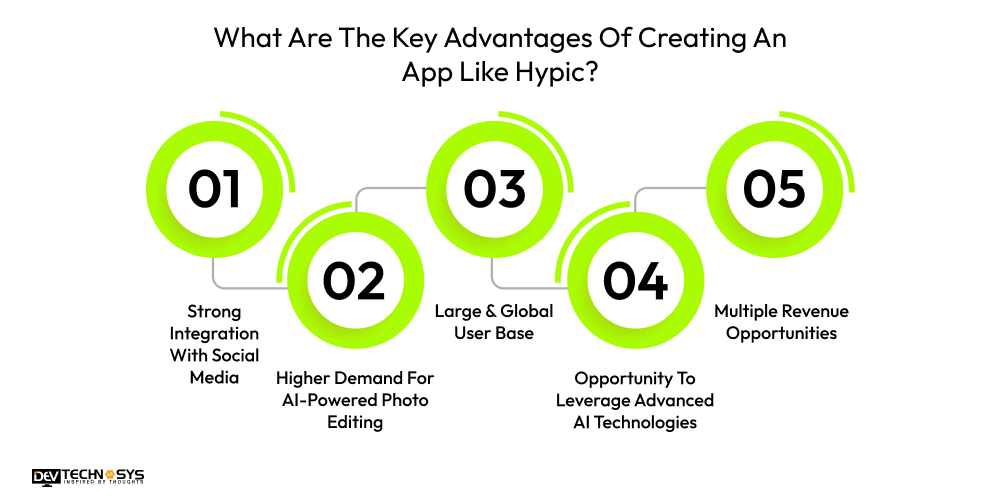
What Are The Key Advantages of Creating An App Like Hypic?
The rapid growth of top photo editing apps in Dubai has made apps like Hypic extremely popular among content creators, businesses, and everyday smartphone users. Businesses gain diverse benefits when they create a photo editing app like Hypic.
1. Strong Integration With Social Media
Best photo editing apps in UAE work well with social networking sites where pictures and videos are the main focus. People often change pictures before sharing them online, which makes them more likely to interact with them every day. Apps like Hypic can keep users coming back and using the app regularly because of this constant use.
2. Higher Demand For AI-Powered Photo Editing
The demand to develop an app like Likee is increasing rapidly as social media creators, influencers, and businesses constantly need visually appealing content. Developing an app like Hypic allows companies to tap into this expanding market and serve millions of users seeking quick, professional-quality image editing tools.
3. Large & Global User Base
People from all around the world, including social media developers, marketers, photographers, and casual users, use photo editing software. A worldwide editing platform powered by AI can rapidly scale, enabling firms to reach a broad audience and build a strong digital brand presence.
4. Opportunity To Leverage Advanced AI Technologies
Developing an app like Hypic allows companies to utilize advanced technologies such as computer vision, machine learning, and generative AI. These innovations enable automated editing, creative image generation, and smart enhancements, helping businesses deliver modern digital experiences and stay competitive.
5. Multiple Revenue Opportunities
Hypic alternatives have many ways to make money, including subscription plans, in-app purchases, premium filters, and advertising partnerships. These sources of income let businesses generate income regularly while giving customers free and paid editing tools that help them be more creative.
How Much Does It Cost To Build A Photo Editing App Like Hypic?
On average, the cost to develop a photo editing app like Hypic ranges from $8,000 to $30,000, depending on functionality, customization, and overall project scope. Businesses can start with a basic MVP and gradually add advanced AI tools and editing capabilities.
The photo editing app development cost depends on several factors, such as app complexity, AI feature integration, design requirements, platform selection, and the development team’s expertise.
App Type |
Estimated Cost (USD) |
| Basic MVP App | $8,000 – $12,000 |
| Standard Photo Editing App | $12,000 – $20,000 |
| Advanced AI-Powered Editing App | $20,000 – $30,000 |
It’s important to understand that the Hypic app development cost is influenced by multiple elements. Each factor can significantly increase or decrease the total mobile app development cost, depending on project requirements, features, and technology choices.
1. App Complexity
The complexity of the app and the number of features directly impact the cost to build an app like Hypic. Basic editing tools are cheaper, while AI-powered enhancements, filters, background removal, and image generation significantly increase costs.
App Complexity |
Estimated Cost (USD) |
| Basic Editing Features | $8,000 – $4,000 |
| Standard Features + Filters | $4,000 – $6,000 |
| Advanced AI Features | $6,000 – $8,000 |
2. Testing, Maintenance & Updates
Testing ensures the application works smoothly across devices, operating systems, and screen sizes. Developers perform quality assurance, fix bugs, and optimize performance before launch. After deployment, regular maintenance, feature updates, and security improvements are necessary to keep the app stable, competitive, and compatible.
Maintenance Type |
Estimated Cost (USD) |
| Basic Testing & Bug Fixes | $800 – $1,500 |
| Standard QA + Minor Updates | $1,500 – $3,000 |
| Continuous Maintenance & AI Updates | $3,000 – $4,000 |
3. Third-Party Services & APIs
Third-party services and APIs help integrate advanced capabilities like cloud storage, AI processing, analytics, and image recognition. Using external tools speeds development but increases costs to build a photo editing app through subscription fees, API usage limits, and licensing charges.
Service Type |
Estimated Cost (USD) |
| Basic Free APIs / Minimal Services | $500 – $1,200 |
| Standard Paid APIs / Cloud Services | $1,200 – $2,500 |
| Advanced AI APIs + Premium Services | $2,500 – $3,500 |

4. AI & Backend Integration
AI and backend integration significantly influence the cost to develop an app like Hypic by handling image processing, data storage, and intelligent editing features. A strong backend architecture ensures scalability, security, and a seamless user experience across devices and platforms.
Integration Type |
Estimated Cost (USD) |
| Basic Cloud-Based AI | $3,000 – $7,000 |
| Standard AI + Backend APIs | $7,000 – $12,000 |
| Advanced AI & Custom Backend | $12,000 – $15,000 |
5. Team Expertise & Location
The experience level and geographic location of developers, as well as the cost to build a photo editing app like Hypic. Highly skilled AI developers or designers in developed regions typically charge higher rates, while offshore teams can reduce costs but may require additional management and communication.
Team Type |
Estimated Cost (USD) |
| Junior Developers / Offshore Team | $8,000 – $15,000 |
| Mid-Level Developers / Regional Team | $12,000 – $20,000 |
| Senior AI Experts / Top-Tier Team | $18,000 – $30,000 |
Best Apps Similar To Hypic For AI Photo Editing
The top photo editing apps in Middle East are increasingly popular, driven by social media, influencers, and e-commerce trends. Regional users prefer entertainment app development services that combine smart editing tools, AI filters, and creative templates suitable for local content, marketing, and personal sharing.
App Name |
Launch Year |
Platform Availability |
Key Focus |
| PicsArt | 2012 | iOS, Android | AI filters, stickers, social sharing tailored for MENA users |
| VSCO | 2011 | iOS, Android | Aesthetic filters, cinematic presets, creative control |
| Canva | 2013 | iOS, Android, Web | Design + AI tools, Arabic text support |
| Remini | 2019 | iOS, Android | AI photo enhancement, restoring old images |
| PhotoDirector | 2017 | iOS, Android | Creative effects, regional-themed filters |
| AirBrush | 2017 | iOS, Android | Portrait retouching, beauty enhancements |
| Pixlr | 2008 | iOS, Android, Web | Browser-based editing, AI overlays |
| Snapseed | 2011 | iOS, Android | Advanced selective editing, color adjustment |
| Fotor | 2014 | iOS, Android, Web | Collage, templates, AI enhancement |
| LightX | 2016 | iOS, Android | Background editing, creative tools, AI filters |
These apps combine smart AI features with local usability, supporting social media content creation, regional aesthetics, and creative image enhancement. They help businesses to build app like Remini and Hypic.
1. PicsArt
PicsArt offers AI-powered filters, stickers, and collage tools tailored for Middle East users. It supports Arabic text, cultural sticker packs, and social media sharing, making it ideal for influencers and casual editors who want visually striking content for platforms like Instagram and TikTok, influencing the cost to develop an app like Hypic.
2. VSCO
VSCO is a great alternative to build an app like Hypic. It provides cinematic presets and manual editing tools for stylized, professional-quality images. Regional creators can leverage their aesthetic filters for lifestyle, fashion, and travel photos, combining creative control with subtle, elegant enhancements.
3. Canva
Canva integrates AI editing tools with graphic design templates. It supports Arabic fonts and layouts, enabling users to create posts, banners, and marketing visuals quickly. This combination of AI enhancement and design makes it a versatile tool for content creators and small businesses.
4. Remini
Remini uses AI to restore blurry or low-resolution photos, improving clarity and detail. In the Middle East, it’s popular for restoring old family photos, enhancing portraits, and preparing images for professional or social media use, offering quick and effective automated improvements.
5. PhotoDirector
PhotoDirector combines AI editing with creative effects, including local-themed filters and seasonal overlays. Users can adjust color, lighting, and backgrounds while applying AI enhancements, making it suitable for photographers and influencers who want visually appealing, ready-to-post images.
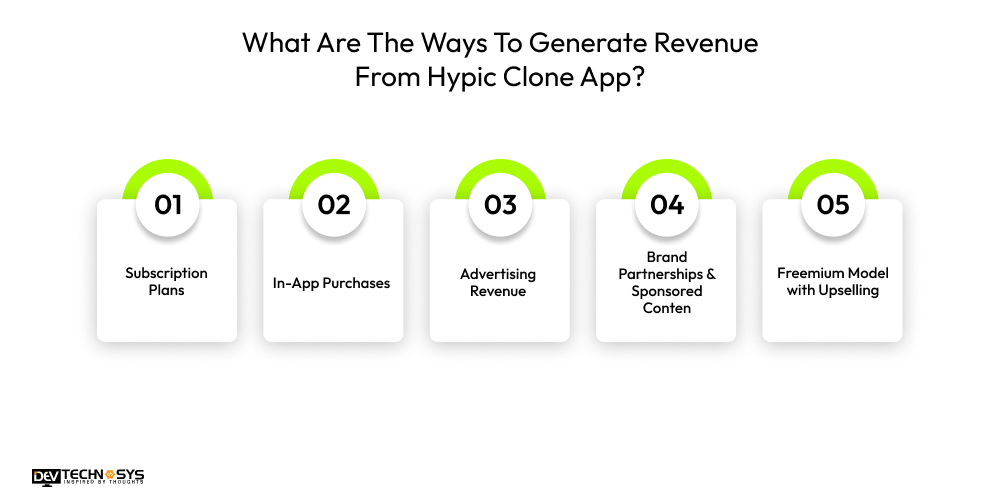
What Are The Ways To Generate Revenue From Hypic Clone App?
Startups hire on-demand app developers to build a photo editing app like Hypic. Not only to provide users with creative tools but also to open multiple revenue streams. By integrating diverse monetization strategies, businesses can generate consistent income while enhancing user engagement.
1. Subscription Plans
Monthly or yearly subscription plans unlock premium features such as advanced AI filters, background removal, and unlimited edits. Subscriptions ensure recurring revenue, encourage user loyalty, and provide consistent cash flow, especially when combined with free basic tools to attract new users.
2. In-App Purchases
Users can buy premium filters, special effects, or additional editing tools individually. In-app purchases allow businesses to monetize casual users without forcing subscriptions, while providing customization options that enhance the editing experience and increase overall engagement. This makes it essential to create an app like Hypic with these monetization features.
3. Advertising Revenue
Integrating banner, interstitial, or video ads enables free users to access basic features while generating revenue for the app. Ad networks pay based on impressions, clicks, or video completions, providing a passive income stream alongside other monetization methods.
4. Brand Partnerships & Sponsored Content
Collaborating with brands, influencers, or local businesses allows a similar app like Hypic to offer sponsored filters, stickers, or templates. Such partnerships increase visibility, provide unique content to users, and generate revenue through promotional deals or affiliate marketing, making it a smart strategy to make an app like Hypic.
5. Freemium Model with Upselling
A freemium approach offers essential editing tools for free while encouraging users to upgrade for premium AI features. Upselling to unlock advanced capabilities drives conversions, increases average revenue per user, and balances user acquisition with monetization.
AI Models Behind Apps Like Hypic
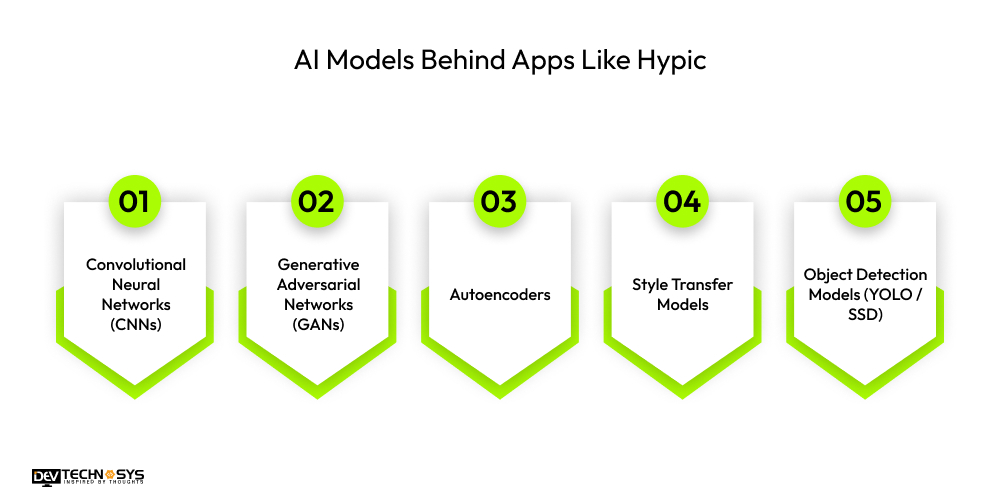
Apps like Hypic rely on advanced AI and machine learning models to deliver automated photo editing, creative effects, and smart enhancements. When you make a video editing app like Hypic, these models analyze images, detect objects, and generate visual transformations, enabling users to achieve professional-quality results quickly.
1. Convolutional Neural Networks (CNNs)
CNNs in Hypic app development analyze image pixel patterns to accurately identify objects, faces, and backgrounds. They extract essential features, enabling automated edits like color correction, retouching, and object recognition. CNNs power the core functionality of AI editors, enabling fast, precise adjustments while maintaining image quality, even on high-resolution photos and complex compositions.
2. Generative Adversarial Networks (GANs)
GANs use two neural networks in a competitive relationship to generate new images or transformations. One network creates images, while the other evaluates realism. This allows AI apps to produce artistic filters, background replacements, and style effects. GANs enable users to create unique visuals that look professional and are entirely generated by AI.
3. Autoencoders
Autoencoders compress and reconstruct images to remove noise, restore clarity, or upscale low-resolution photos. They learn image patterns during training to enhance details while preserving the original structure. In AI photo editors, autoencoders are essential for tasks like portrait enhancement, old photo restoration, and improving visual quality without manual intervention.
4. Style Transfer Models
Style transfer models apply the artistic style of one image onto another. They enable AI editors to turn ordinary photos into paintings, sketches, or cinematic visuals. These models preserve the original photo’s structure while adding textures and colors from the reference style, allowing users to create unique, visually appealing content effortlessly.
5. Object Detection Models (YOLO / SSD)
Object detection models like YOLO or SSD locate and classify objects within images in real time. They support background removal, selective edits, and smart retouching by accurately identifying faces, people, and items. These models are critical for AI apps to automate complex edits with precision and speed.

Conclusion
By blending AI creativity with simplicity, the Hypic app has captured millions of downloads. The next big app idea is to build a photo filter and editing app like VSCO and Hypic. So, carefully plan and strategize, and hire a photo editing app development firm for your Hypic clone app. Also consider the factors that affect the cost so you can set a budget effectively.
You can build a successful and AI-powered Hypic alternative by focusing on the features of the best photo-editing apps. As users seek high-quality, creative images for social media, photo editing apps have gained significant market share in the Middle East.
Frequently Asked Questions
Q 1. Which Features are Essential for Hypic Alternatives?
Essential features include AI photo enhancement, background removal, smart portrait retouching, creative filters, real-time preview, multi-layer editing, cloud storage, social sharing, AI image generation, and user-friendly UI/UX. These features ensure professional-quality, fast, and engaging photo editing experiences.
Q2. How do AI Models Enhance Similar Apps like Hypic?
AI models like CNNs, GANs, autoencoders, style transfer, and object detection automate editing tasks. They improve image quality, apply creative filters, remove backgrounds, and upscale photos, enabling professional results with minimal manual effort for users.
Q3. Is It Necessary to Update an App like Hypic Regularly?
Yes. Regular updates improve AI models, add new filters, fix bugs, enhance security, and optimize performance. Continuous updates keep the app competitive, improve user retention, and ensure compatibility with evolving devices and operating systems.
Q4. Can a Hypic Clone App Succeed in the Middle East Market?
Yes. The Middle East has a growing social media and influencer ecosystem. Apps that support Arabic text, offer local filters, and feature culturally relevant stickers attract users, while AI-powered enhancements cater to creative content trends popular across the region.
Q5. Which Platforms Should I Target for Hypic App Development?
Target iOS and Android to reach the widest audience. Cross-platform development frameworks allow simultaneous deployment. Web versions or PWA support can extend accessibility for desktop users and content creators who prefer browser-based editing.