





Key Takeways
-
- A modern POS should connect inventory, payments, customers, stores, and business systems while continuing essential operations during connectivity issues. Security, synchronization, and scalability need to be considered from the start.
- The UAE POS terminal market is projected to reach $3.62 billion in 2026, while retail accounted for 46.35% of the market in 2025, showing strong demand for modern POS infrastructure.
- The custom retail POS development costs range from $20,000 to $45,000+, depending on features, number of stores, integrations, offline functionality, security, and compliance requirements.
- Development should follow six practical stages: Start with business requirements, choose the right architecture, design the checkout and core modules, integrate payments and systems, add offline capability and intelligence, then test, deploy, and improve.
UAE retail sales rose 7% in 2025, reaching AED 256.1 billion, according to Euromonitor. The same market is seeing stronger digital adoption, putting more pressure on retailers to keep store operations, inventory, payments, and online channels in sync.
That is where the real challenge begins. A retailer planning to build a retail POS system is not simply replacing a cash register. The system has to keep stock accurate while sales are happening, process payments reliably, support multiple stores, continue working when connectivity drops, and give management useful data after every transaction.
This blog will break down what it takes to develop a retail POS system in 2026, from core features and architecture to integrations, AI, security, UAE compliance, development costs, and timelines. The goal is simple: help you understand what should be built before you invest in it.
What is a Retail POS System and How Does It Work?
A retail POS system is the operational point where a store records sales, accepts payments, and updates the information behind each transaction. Modern retail point of sale systems can also connect inventory, customer records, accounting, e-commerce, and analytics in one workflow.
How Does a Retail POS System Work?
A typical transaction moves through these steps:
- Product is scanned or selected: The cashier scans a barcode or selects an item. The POS retrieves its price, tax, promotion, and product details.
- Cart and pricing are calculated: The system applies discounts, promotions, taxes, and other pricing rules before showing the final amount.
- Payment is processed: The customer pays through a connected payment terminal, gateway, cash, or another supported method.
- Transaction is recorded: The system saves the sale and generates a digital or printed receipt.
- Inventory is updated: The sold quantity is deducted, providing real-time inventory updates and supporting accurate inventory management.
- Business systems are updated: Sales data can move to accounting, ERP, CRM, e-commerce, and analytics platforms.
This workflow turns retail billing software into an operational system that helps retailers keep sales, stock, and business data aligned.
Why Are Retail Businesses Investing in POS Systems in 2026?
The UAE POS terminal market is projected to reach $3.62 billion in 2026, up from $3.38 billion in 2025. Retail accounted for 46.35% of the market in 2025, according to Mordor Intelligence.
For retailers, the investment is less about replacing a cash register and more about running the store with better information.
- Real-time inventory: Sales immediately update stock records, making stock tracking more reliable.
- Faster checkout: Integrated payments and barcode scanning reduce unnecessary steps at the counter.
- Omnichannel retail: Store and online orders can work from shared product and inventory data.
- Multi-store management: Centralized sales data makes it easier to compare locations and monitor performance.
- Better decisions: POS data can reveal fast-moving products, weak performers, and purchasing patterns.
- Practical AI: Retailers can add demand forecasting, sales predictions, and customer insights as their data matures.
What Are the Steps to Build a Retail POS System in 2026?
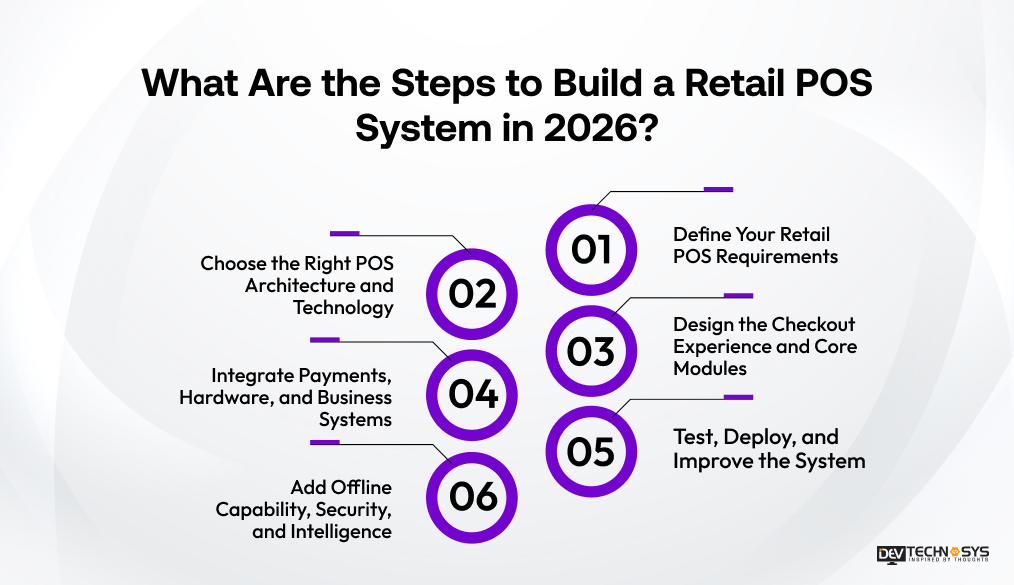
A successful POS project starts with the retailer’s workflow, not a list of technologies. If you want to develop a retail POS system, the early decisions should cover how sales, inventory, payments, employees, and stores will work together. The development process can then be broken into six practical stages.
1. Define Your Retail POS Requirements
Start by mapping the business before development begins. Consider the number of stores, product volume, payment methods, employee roles, inventory workflows, customer features, reporting needs, and UAE compliance requirements. This gives the team a clear scope for retail POS system development.
2. Choose the Right POS Architecture and Technology
Choose between cloud, hybrid, on-premises, or offline-first architecture based on store operations. The backend, database, APIs, security model, and scalability should support future expansion rather than only the first store.
3. Design the Checkout Experience and Core Modules
The checkout should be quick enough for everyday store traffic and simple enough for staff to learn without lengthy training. Build the core modules around products, billing, inventory, customers, employees, orders, and reporting. This is where retail POS software development turns business requirements into a working product.
4. Integrate Payments, Hardware, and Business Systems
Connect the POS with payment terminals, gateways, barcode scanners, receipt printers, accounting software, ERP, CRM, and e-commerce platforms. A well-planned POS software development solution should account for these connections early rather than adding them after the core system is finished.
5. Add Offline Capability, Security, and Intelligence
A retail store should not stop selling because the internet drops. Build local transaction handling and safe synchronization into the system. Encryption, authentication, role-based access, and payment tokenization protect sensitive information. Analytics and AI can then add demand forecasting, sales prediction, and customer insights.
6. Test, Deploy, and Improve the System
Test real checkout scenarios, payments, hardware, permissions, security, and offline synchronization before launch. Once deployed, monitor performance and transaction errors and use staff feedback to improve the system. A good retail POS software should evolve as the retailer adds stores, products, payment methods, and sales channels.
This six-stage approach keeps retail POS system development manageable while leaving room for the system to grow with the business.
Industry Insight
According to Adyen’s 2025 UAE retail research, shoppers value physical stores but increasingly expect retailers to connect digital experiences with the in-store journey.
What Features Should a Modern Retail POS System Have?
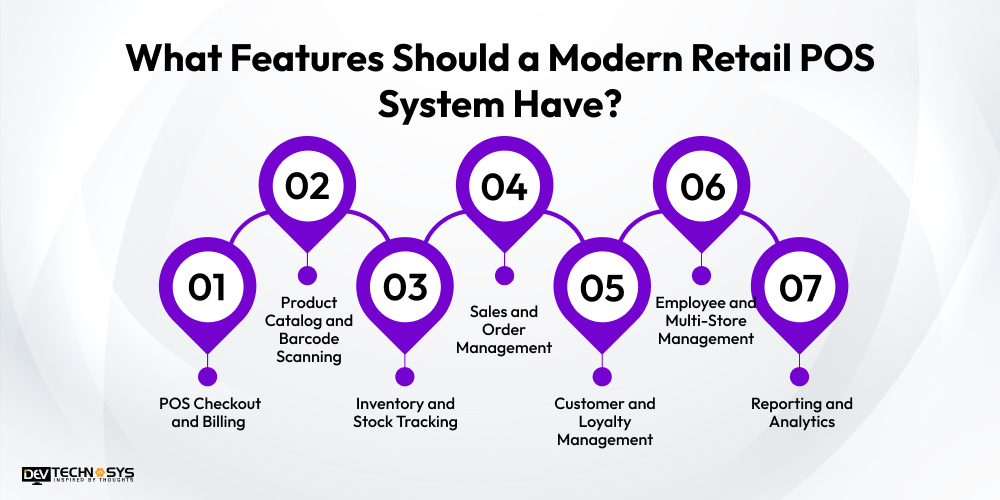
The best POS feature set is not the longest one. It is the one that removes friction from everyday store operations while giving managers a clearer view of sales, stock, and customers. A modern retail POS system should cover the following core areas.
1. POS Checkout and Billing
The checkout should be quick and easy for staff to learn. Core functions include barcode scanning, product lookup, tax calculation, discounts, multiple payment methods, and digital or printed receipts. A reliable retail checkout system should also make returns and refunds straightforward.
2. Product Catalog and Barcode Scanning
Staff should be able to find products quickly by name, SKU, category, or barcode. The catalog can store prices, variants, descriptions, and promotional rules, making retail POS software easier to manage as the product range grows.
3. Inventory and Stock Tracking
Inventory needs to change as sales happen, not hours later. Useful capabilities include real-time stock updates, low-stock alerts, stock transfers, purchase tracking, and location-level inventory visibility. Retailers with more complex stock workflows may also consider build inventory management software that connects closely with the POS.
4. Sales and Order Management
The system should maintain sales history and support orders, exchanges, returns, refunds, and order-status tracking. This gives staff a consistent view of what happened before and after a transaction.
5. Customer and Loyalty Management
Customer profiles can store purchase history, preferences, loyalty points, and rewards. These records help retailers deliver more relevant offers instead of sending the same promotion to everyone.
6. Employee and Multi-Store Management
Role-based access, staff accounts, shift tracking, and store-level permissions help managers control who can perform sensitive actions. Multi-store retailers can also monitor sales and stock across locations from one system.
7. Reporting and Analytics
Managers need more than a daily sales total. Reports can show product performance, store comparisons, employee activity, inventory movement, and customer trends, giving retail management software a useful decision-making role.
What Is the Architecture of a Modern Retail POS System?
A modern retail POS system needs more than a checkout interface. Its architecture connects the store terminal with local storage, backend services, central databases, and the other systems a retailer depends on.
How Does the Architecture Work?
Paste the flowchart here
- POS terminal: Handles product scanning, checkout, payments, discounts, and receipts.
- Local database: Keeps essential transaction and product data available when the internet is unavailable.
- API/backend: Moves data between the POS and central services while handling authentication and transaction requests.
- Business services: Apply rules for pricing, inventory, orders, loyalty, taxes, and user permissions.
- Central database: Stores shared sales, product, customer, inventory, and store data for the wider retail point of sale system.
- Analytics and integrations: Sends business data to reporting tools, ERP, CRM, accounting, and e-commerce platforms.
For retail POS system development, this structure also supports real-time inventory updates across locations. When connectivity drops, transactions can remain stored locally and synchronize with the central system after the connection is restored. The exact synchronization rules should be defined before development to prevent duplicate or conflicting records.
What Technology Stack Is Used for Retail POS Software Development?
The technology stack should support fast transactions, reliable data handling, offline operations, secure payments, and future store expansion. There is no single stack that fits every retailer, but the following combination works well for many modern POS projects.
| Layer | Suitable technologies | Primary purpose |
| POS interface | React, Flutter, React Native | Fast and responsive checkout |
| Backend | Node.js, .NET | APIs, transactions, business logic |
| Database | PostgreSQL, MongoDB | Product, sales, and customer data |
| Cloud | AWS, Google Cloud | Hosting, scaling, backups |
| APIs | REST, GraphQL | Connecting external systems |
| Authentication | OAuth 2.0, JWT | Secure user access |
| Analytics | Power BI, custom dashboards | Sales and operational insights |
For retail POS software development, the final stack should match the operating environment. A multi-store retailer may need centralized cloud infrastructure, while a business with unreliable connectivity will place greater emphasis on local storage and synchronization. The goal is dependable retail POS software, not simply a collection of popular technologies.
Which Integrations Does a Retail POS System Need?
A retail POS system rarely works in isolation. Its real value comes from sharing transaction, inventory, and customer data with the other systems running the business.
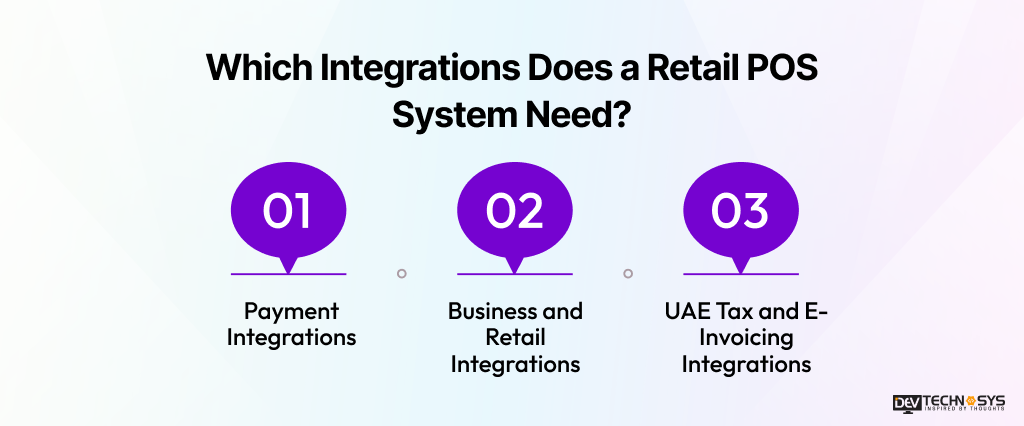
1. Payment Integrations
The POS can connect with card terminals, payment gateways, contactless payments, and digital wallets. This keeps payment processing within the checkout workflow instead of requiring staff to manage separate systems.
2. Business and Retail Integrations
Accounting, ERP, CRM, inventory, and e-commerce platforms can exchange data with the POS. This reduces duplicate entry and helps keep product, order, and customer records consistent. For retailers combining physical stores with online channels, this also supports an omnichannel retail strategy and helps plan for an online retail business.
3. UAE Tax and E-Invoicing Integrations
The POS should support VAT calculations, tax invoices, and integration requirements related to UAE e-invoicing. These capabilities should be considered during system design rather than added after the core retail point-of-sale software has already been built. The right integrations depend on the retailer’s existing systems, store model, and plans for expansion.
Industry Insight
According to the Federal Tax Authority, businesses must register for VAT when taxable supplies and imports exceed AED 375,000, while voluntary registration is available above AED 187,500.
How Does Offline-First Architecture Work in a Retail POS?
A retail store should not have to stop a sale because the internet connection drops. An offline-first POS keeps essential sales management, stock tracking, and checkout functions available until connectivity returns.
How Does Offline-First POS Work?
- The transaction runs locally: The POS uses locally stored product, pricing, and configuration data to complete the sale.
- The transaction is stored securely: Sales records and relevant inventory changes are saved on the device until they can be synchronized.
- Connectivity is restored: The system detects that the central backend is available and prepares the pending records for synchronization.
- Data is synchronized: Transactions, real-time inventory updates, and other changes are sent to the central system. Conflict rules help prevent duplicate records or incorrect stock levels.
For retail POS system development, this approach improves checkout continuity and makes the system more resilient in stores with unstable connectivity. It also creates a safer foundation for multi-store inventory management and centralized reporting.
How Can AI Improve a Retail POS System?
AI is most useful in a POS when it helps a retailer act on information that would otherwise take hours to analyze. For businesses considering a custom software development company, these capabilities can be built around the retailer’s existing sales and inventory data.
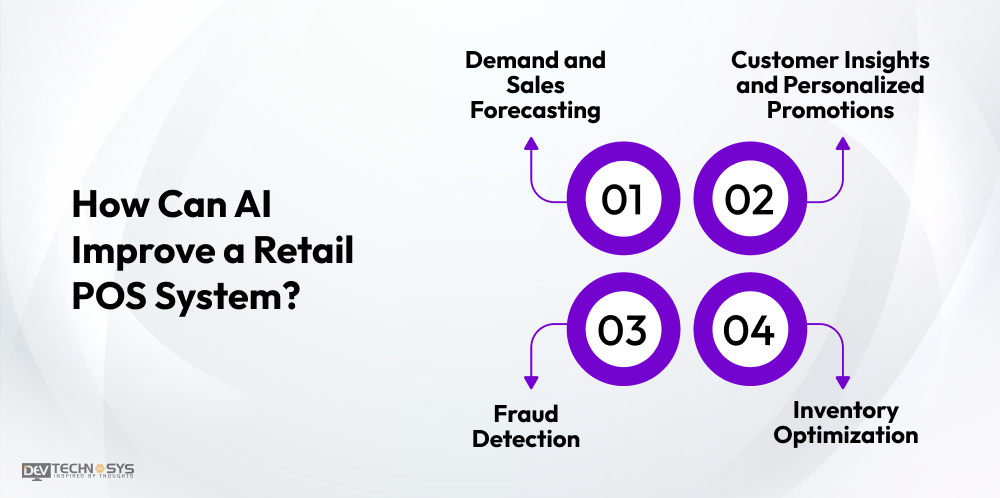
1. Demand and Sales Forecasting
AI can examine historical sales, seasonality, promotions, and product trends to improve demand forecasting and sales forecasting. This can help teams plan purchases before stock levels become a problem.
2. Customer Insights and Personalized Promotions
Purchase history can reveal customer behavior, buying patterns, and product preferences. Retailers can use these insights for targeted offers and loyalty management rather than sending identical promotions to every customer.
3. Fraud Detection
AI can flag unusual refunds, discounts, transaction patterns, or account activity for review, adding another layer to POS data security.
4. Inventory Optimization
Combining inventory management, stock levels, and sales forecasts can highlight potential shortages or overstock. The goal is not to let AI make every decision, but to give managers better information when deciding what to replenish and when.
What Hardware Does a Retail POS System Need?
A POS setup combines software with physical devices that make checkout quick and reliable. The hardware depends on the retailer’s store format, product range, and payment workflow. Hardware compatibility should be considered during the process of creating a retail POS system, not added after the software is finished.
- POS terminal: Runs the checkout and billing interface.
- Barcode scanner: Speeds up product identification and barcode scanning.
- Receipt printer: Prints receipts when physical copies are required.
- Cash drawer: Stores and manages cash securely.
- Payment terminal: Handles card, contactless, and other payment methods.
- Customer display: Shows products, prices, and totals to shoppers.
- Weighing scale: Supports weight-based products in grocery and similar retail stores.
How to Build a Secure and UAE-Compliant Retail POS System?
Security and compliance should be planned before development, not added after the first transaction goes live. A POS handles payments, customer information, employee activity, and financial records, so weak controls can create operational and regulatory problems.
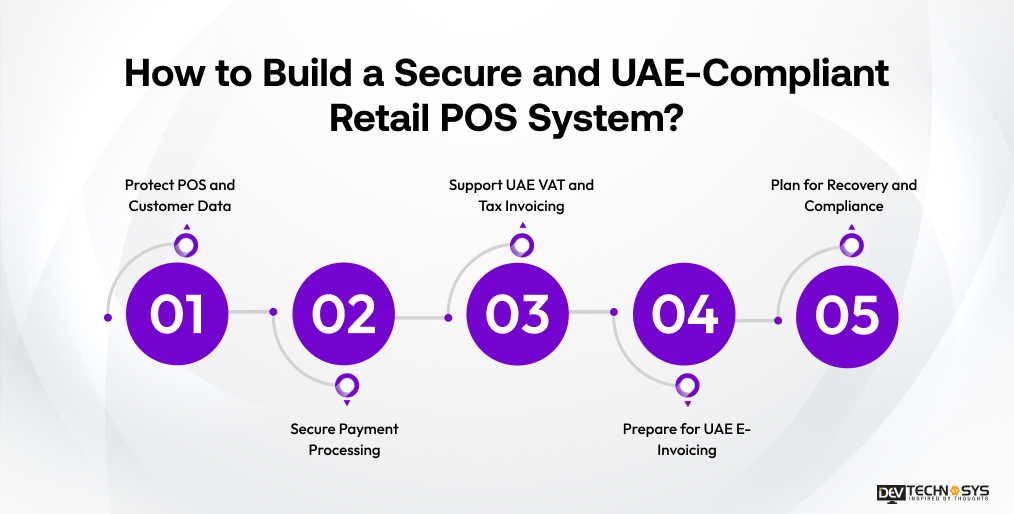
1. Protect POS and Customer Data
Use POS data encryption for information stored and transmitted by the system. Secure APIs, strong authentication, role-based access, and audit logs can limit unauthorized access and make sensitive actions traceable.
2. Secure Payment Processing
A secure POS software setup should follow relevant PCI DSS requirements when it handles payment card data. PCI DSS covers areas such as protecting cardholder data, access control, monitoring, and security testing. Payment tokenization can further reduce the need to expose sensitive payment details within the POS environment.
3. Support UAE VAT and Tax Invoicing
The system should handle UAE VAT calculations, tax invoices, AED transactions, and accurate transaction records. The Federal Tax Authority provides specific guidance around VAT and tax invoices.
4. Prepare for UAE E-Invoicing
UAE e-invoicing integration should be considered during architecture planning. The Ministry of Finance has introduced a phased rollout, with mandatory implementation dates based on business revenue.
5. Plan for Recovery and Compliance
Backups, recovery procedures, audit trails, and security testing help protect business continuity. These requirements can also influence custom software development cost, since encryption, payment security, compliance integrations, and testing add development and maintenance work.
Industry Insight
According to the UAE Ministry of Finance, the UAE Electronic Invoicing System is being introduced through a phased implementation, with mandatory implementation timelines depending on business revenue.
How Much Does It Cost to Build a Retail POS System?
The cost to build a retail POS system depends on how much of the retail operation you want the software to handle. A basic checkout system costs far less than a multi-store platform with advanced integrations, offline support, analytics, and AI.
A custom retail POS system typically costs $20,000 to $45,000+ to develop.
| POS complexity | Estimated cost | Typical scope |
| Basic | $20,000–$25,000 | Checkout, billing, products, barcode scanning |
| Mid-level | $25,000–$35,000 | Inventory, promotions, customers, reporting, integrations |
| Advanced | $35,000–$45,000+ | Multi-store, offline mode, advanced analytics, complex integrations |
Several factors can move the budget upward, including the number of stores, payment and hardware integrations, inventory complexity, offline functionality, security requirements, and third-party systems.
For example, adding ERP, CRM, e-commerce, or advanced analytics increases retail POS software development effort. Stronger security and UAE compliance requirements can also affect the scope. Businesses planning a larger retail platform can also review retail software development cost in UAE for a broader cost perspective.
The final budget should therefore be based on the features, integrations, and operating scale rather than a fixed POS development price.
Custom Retail POS System vs Off-the-Shelf Software: Which Is Better?
The better option depends on how closely the POS needs to match your business processes. An off-the-shelf platform may work well for standard retail operations, while a custom retail POS system offers more control.
| Factor | Custom retail POS system | Off-the-shelf POS |
| Customization | Built around specific workflows | Limited to available features |
| Initial cost | Higher | Lower |
| Implementation | Longer | Faster |
| Integrations | Flexible | Provider-dependent |
| Scalability | Built around business growth | Depends on the platform |
| Control | Greater control | More provider-dependent |
Off-the-shelf software can suit smaller retailers that need standard features and a quick launch. Businesses with unique workflows, multiple stores, or complex integrations may benefit from POS software development services that tailor the platform around their operations.
What Mistakes Should You Avoid When Building a Retail POS System?
A POS can work well on paper and still create problems at the counter. Most issues come from overlooking everyday retail conditions rather than choosing the wrong technology.
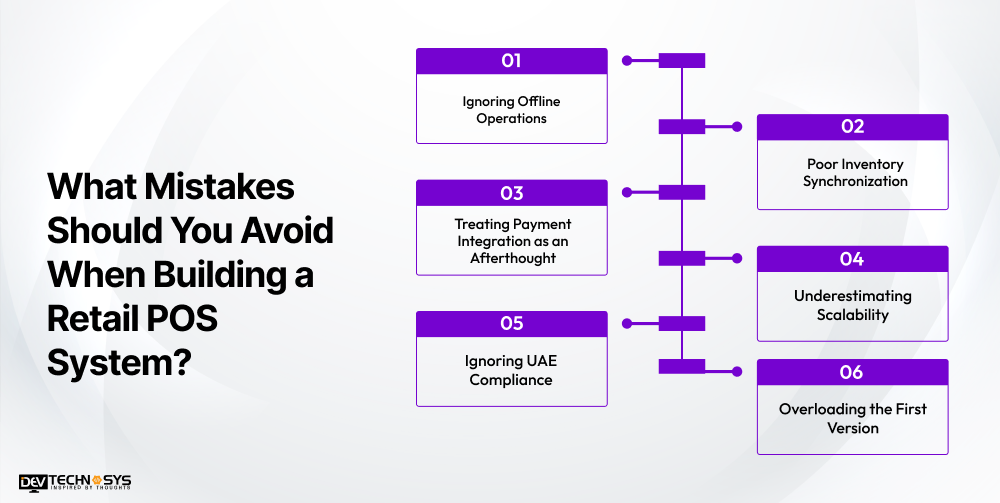
1. Ignoring Offline Operations
If the system stops working whenever connectivity drops, sales can come to a standstill. Offline checkout and reliable synchronization should be planned early.
2. Poor Inventory Synchronization
Delayed stock updates can create inaccurate availability and unnecessary manual corrections. Inventory changes should remain consistent across terminals and locations.
3. Treating Payment Integration as an Afterthought
Payment terminals, gateways, refunds, and transaction processing need proper integration and testing before launch.
4. Underestimating Scalability
A POS designed for one store may struggle as the retailer expands. If the business later decides to build an ecommerce website, the POS should also exchange product, inventory, order, and customer data with the online channel.
5. Ignoring UAE Compliance
VAT, tax invoices, e-invoicing readiness, transaction records, and payment security should be considered during initial planning.
6. Overloading the First Version
Trying to build everything at once can increase cost and delay launch. Start with essential workflows, then add capabilities based on actual business needs.
Conclusion
To build a retail POS system that works beyond the checkout counter, businesses need to plan around real store operations. Inventory accuracy, payment processing, offline capability, integrations, security, and UAE compliance should be considered from the beginning. The goal is not to pack every possible feature into the first release, but to create a reliable foundation that can support new stores, sales channels, and changing customer expectations.
Once the requirements are clear, partnering with an experienced POS software development company can help turn those requirements into scalable retail POS software built around the business.
FAQs
Q1. How Much Does It Cost to Build a Retail POS System?
A custom retail POS system typically costs $20,000 to $45,000+. The final budget depends on features, number of stores, payment and hardware integrations, offline functionality, security, compliance requirements, and third-party integrations.
Q2. How Long Does It Take to Develop a Retail POS System?
A retail POS project usually takes around 3–6 months. A basic system may take less time, while multi-store operations, complex integrations, offline capabilities, advanced analytics, and compliance requirements can extend the development timeline.
Q3. What Features Should a Retail POS System Have?
Essential features include checkout and billing, barcode scanning, inventory management, payment processing, customer management, returns and refunds, employee controls, reporting, and multi-store support. Advanced systems can also include loyalty programs, omnichannel capabilities, and AI-powered analytics.
Q4. Can a Retail POS System Work Without an Internet Connection?
Yes. An offline-first POS can store essential transactions and product data locally, allowing staff to continue checkout during connectivity problems. Once the connection returns, the system synchronizes pending transactions and inventory changes with the central backend.
Q5. Should I Build a Custom Retail POS System or Buy One?
Off-the-shelf software can work well for retailers with standard requirements. A custom retail POS system makes more sense when the business needs unique workflows, specialized integrations, multi-store capabilities, offline operations, or greater control over its software and data.