






Key Takeways:
The cost to build an app like Fieldwire in 2026 typically ranges from $30,000 to $150,000, depending on feature complexity, platform choice, offline architecture needs, third-party integrations, and development team location.
Cost Based on App Complexity:
-
- Basic MVP ($30,000 – $55,000): Includes task management, document sharing, and basic project tracking for small teams testing the concept.
- Mid-Level App ($55,000 – $95,000): Includes drawing markup, punch list management, offline sync, and daily reports for active field operations.
- Advanced/Enterprise App ($95,000 – $150,000): Includes BIM integration, RFIs, submittals, custom analytics, and multi-project dashboards for large-scale construction operations.
Cost Based on Development Stage:
-
- Discovery and Planning ($1,500 – $15,000): Includes feature scoping, technical requirements, and user role mapping before development begins.
- UI/UX Design ($3,000 – $22,500): Includes wireframing, prototyping, and field-tested interface design for on-site usability.
- Frontend and Backend Development ($10,500 – $67,500): Includes core feature coding, API development, and database architecture for all app functionality.
- Testing, QA, and Deployment ($6,000 – $45,000): Includes offline sync testing, bug fixes, app store submission, and launch preparation.
Construction companies are moving away from paper punch lists, scattered WhatsApp updates, and calling to get updates from the construction sites. According to the Mordor Intelligence report, the global construction software market is expected to grow from $11.58 billion in 2026 to $17.81 billion in 2031, at a CAGR of 8.99%. Businesses are eagerly investing to develop an app like Fieldwire.
Before starting the real development of an app, one should know the development cost to manage the budget. Typically, the cost to build an app like Fieldwire ranges from $30,000 to $2150,000+. Building an MVP construction app tends to be on the lower side of the range, whereas developing a custom-made, full Fieldwire app goes on the higher end.
In this blog, we will break down every aspect of building an app like Fieldwire, from cost, features, and how you can build a Fieldwire app successfully.
Let’s get started!
What is Fieldwire and What Does It Actually Cost Today?
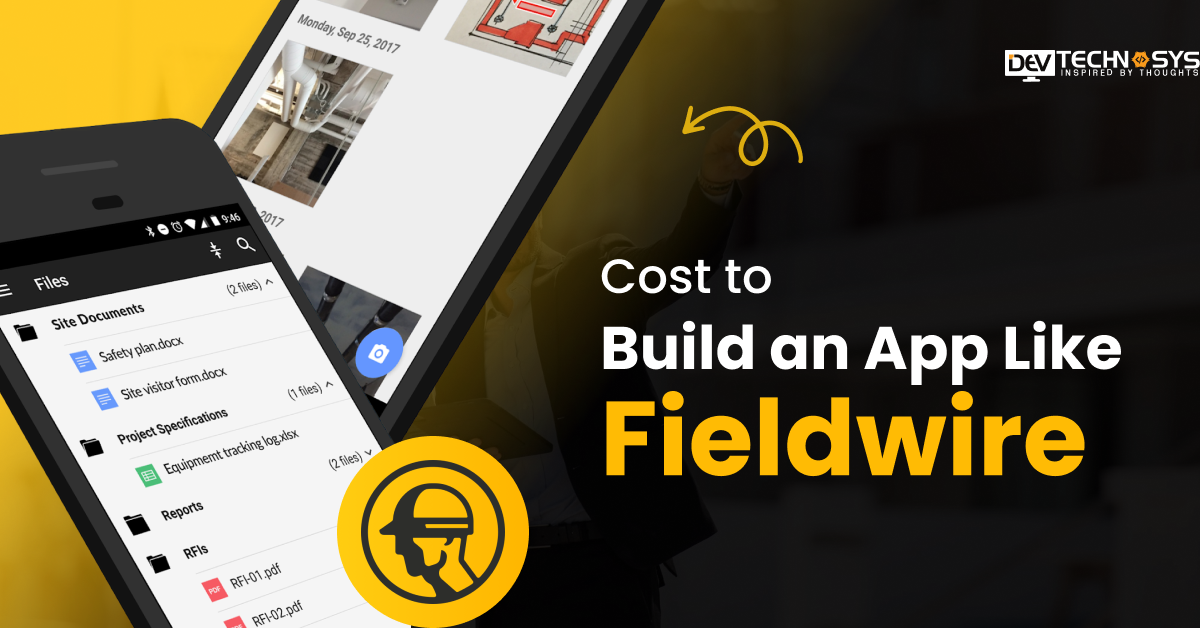
Fieldwire is a jobsite management application where general contractors and specialty trades may look at drawings, assign tasks, and track punch lists on a phone or tablet. There are four cost categories, and you need to know these statistics before you decide whether to design your own.
The Basic plan is free but limited to 5 users, 3 projects, and 100 sheets; therefore, it is suitable for very small teams testing out the platform. Pro plan starts at $39 per user per month invoiced annually ($54 a month billed monthly); it adds reporting and export capabilities. Business plan costs $59 to $74 per user per month and includes custom forms and a BIM viewer.
Business Plus, the highest tier, is priced at $89-$104 per user per month and includes RFIs, submittals, change orders and budget tracking. Fieldwire, which was acquired by Hilti in 2021, also offers unique enterprise contracts with dedicated support and API access.
Plan |
Price (per user/month, billed annually) |
Key features |
| Basic | Free (5 users, 3 projects, 100 sheets) | Plan viewing, task management, checklists |
| Pro | $39 | Reporting, exports |
| Business | $59 | Custom forms, BIM viewer, integrations |
| Business Plus | $89 | RFIs, submittals, change orders, budgets |
Industry Insight:
According to McKinsey & Company, global labor productivity in construction has grown by only 1% per year over the past two decades, compared to 3.6% in manufacturing, highlighting the need for digital construction management platforms like Fieldwire.
Why Are Businesses Investing in Building an App Like Fieldwire?
The primary reasons businesses develop their own construction field management app are to avoid recurrent per-user fees and to have a product that matches their unique process. For 20 or more users, the licensing cost of Fieldwire alone can reach over $20,000 a year, and the number only climbs as the team expands.
The up-front cost of a custom construction is more, but there’s no per-seat price going forward, so once the team reaches a certain size, the economics are on the owner’s side.
Through the early 2030s, the construction management software industry is increasing at a compound annual rate around 9%, driving both contractors and construction tech companies toward building rather than subscribing. Instead of a one-size-fits-all flat work list, contractors get a tool customized to their specific task categories, approval stages, and reporting requirements.
If you’re producing a product that you’re going to sell as a startup, you need to own the codebase and not be subject to a third-party platform’s pricing and features plan.

Cost to Build an App Like Fieldwire: The Real Number
The cost to build an app like Fieldwire ranges from $30,000 for a basic MVP to $150,000 for an advanced, feature-rich platform. The cost is ever-changing, depending on factors like feature complexity, platform choice, third-party services, development team, and many more.
At the low end is a basic MVP version that includes task management, document sharing, and rudimentary project monitoring. A mid-level build with drawing markup, punch list, and offline sync transfers to the middle layer. A fully-loaded platform with BIM connectivity, configurable reporting, RFI management, and multi-project dashboards takes it to the top of the spectrum.
App complexity |
Core features |
Timeline |
Estimated cost (USD) |
| Basic MVP | Task management, document sharing, basic tracking | 3-4 months | $30,000 – $55,000 |
| Mid-level | + Drawing markup, punch lists, offline sync, daily reports | 5-7 months | $55,000 – $95,000 |
| Advanced/enterprise | + BIM integration, RFIs, submittals, custom analytics | 8-10 months | $95,000 – $150,000 |
What Affects the Cost to Build an App Like Fieldwire?
The cost to build a construction management app like Fieldwire shifts based on seven main variables, and understanding each one helps you plan a realistic budget before development starts. Let’s get into it:
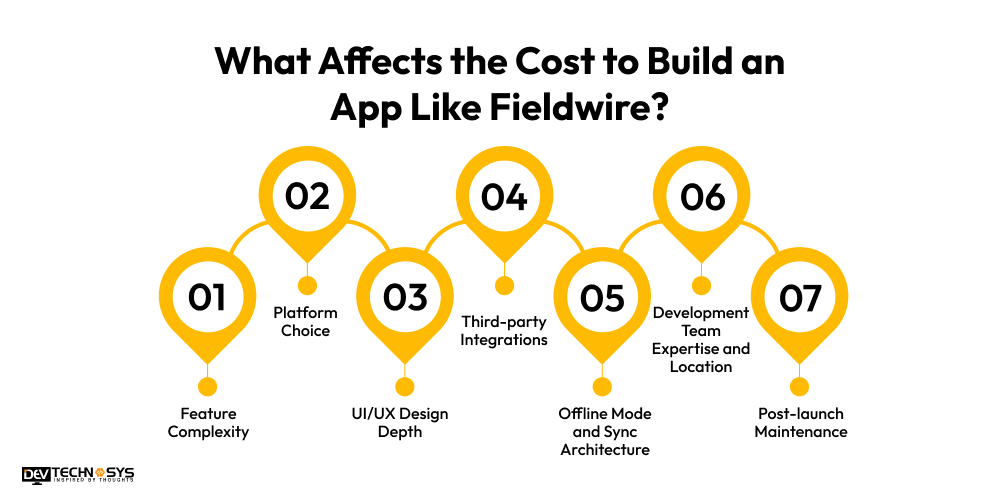
1. Feature Complexity
More features equal more dev hours. This is usually the single biggest cost factor. Features like real-time collaboration, GPS tracking, or custom analytics dashboards cost significantly more than basic task management, document sharing, and simple project monitoring.
It’s important to define the scope of your features before development so your budget is predictable and you don’t end up with expensive scope creep mid-way through.
2. Platform Choice
Building for both iOS and Android with cross-platform tools like Flutter or React Native is considerably cheaper than building two distinct native apps. Both systems are powered by one codebase, but nevertheless give near native performance and speed. That’s why the default approach to most construction management app builds is cross-platform, unless there’s a unique technical reason to go native.
3. UI/UX Design Depth
Field workers need an interface that works swiftly with gloves, in harsh sunshine, and on a cracked screen, not a shiny office dashboard. A tested, field-ready UI costs more in design hours and user testing upfront. But a clumsy, confusing interface means poor uptake on site and costly redesigns after launch, so this is rarely the area to cut savings.
4. Third-party Integrations
There is a genuine expense associated with connecting to construction management software like BIM 360, ERP systems, or cloud storage platforms like Google Drive or Dropbox. Every integration has its own API development, testing, and ongoing maintenance as those third-party platforms upgrade their systems.
The more systems you integrate, the higher the development and maintenance cost; therefore, integrations should be prioritized based on genuine business requirements and not introduced by default.
5. Development Team Expertise and Location
Experienced teams with domain understanding in construction charge higher hourly rates but tend to make fewer errors, better architecture, and reduced long-term maintenance expenses. Location is a massive part of this expense, often more than any other single aspect. Here’s a breakdown of hourly rates per region.
6. Post-launch Maintenance
After the software is out, bug repairs, updates for the OS, security patches, and feature additions might cost 15% to 20% of the initial development cost per year.
This is a continuing line item, not a one-time expenditure, and failing to include this in the original budget is one of the most common budgeting errors organizations make.
7. Offline Mode and Sync Architecture
Construction sites are notorious for poor or no cellular coverage; hence, offline access is not an extra feature; it is essential architecture. It’s cheaper to build in offline sync from the start than retrofit it after launch, as offline logic impacts almost every component of the data model once an app is already live.
Skipping this early is one of the costliest mistakes in field app development, which can be erased by construction software development services.
Industry Insight:
According to FMI Corporation, construction firms are increasingly investing in technology because rising labor shortages, material costs, and stagnant productivity make digital solutions critical for improving project efficiency and ROI.
Must-have Features of a Construction Management App Like Fieldwire
A construction management app like Fieldwire needs nine core features to function as a genuine field replacement for paper and spreadsheets, not just a task list with a construction theme.
Feature |
What it does |
| Drawing markup and annotation | Upload blueprints, mark up plans with pins and notes, sync changes across devices |
| Task management | Create, assign, and track tasks tied to specific drawings or locations |
| Punch list management | Log defects and incomplete work with photos, comments, and assigned owners |
| Daily reports and analytics | Capture weather, crew count, and progress in structured, timestamped logs |
| Real-time messaging | In-app chat, photo sharing, and instant alerts between field and office |
| Photo and document management | Centralized storage for blueprints, permits, and site photos with version control |
| Offline mode with sync | Full functionality without signal, with automatic sync once connection returns |
| Role-based access control | Different permission levels for project managers, foremen, and subcontractors |
| Third-party integrations | Connections to BIM tools, ERP systems, and cloud storage platforms |
Fieldwire App Development Cost Broken Down by Stage
Development is broken into six stages. Knowing the cost of each step will assist you in recognizing an unreasonable price before you sign a contract. Most development organizations package these stages into one lump-sum price, making it hard to know if you’re paying a reasonable price for design vs backend work, or if one step is surreptitiously inflated to cover a deficiency somewhere else. A simple strategy to safeguard your budget before development starts is to ask for a quote for each step instead of one lump sum.
Stage |
% of total cost |
Estimated cost |
| Discovery and planning | 5-10% | $1,500 – $15,000 |
| UI/UX design and prototyping | 10-15% | $3,000 – $22,500 |
| Frontend and backend development | 35-45% | $10,500 – $67,500 |
| Third-party integrations | 5-10% | $1,500 – $15,000 |
| Testing and QA | 10-15% | $3,000 – $22,500 |
| Deployment and maintenance setup | 10-15% | $3,000 – $22,500 |
Answer a few quick questions and our experts will share a tailored project estimate.
How Developer Location Affects Your Fieldwire Clone App Development Cost?
Developer location is often the single biggest lever on your total budget, sometimes increasing the cost to develop an app like Fieldwire by two to three times for the same identical feature set.
The hourly fee can vary a lot depending on where you are, because things like the cost of living, the number of people who want the job, and the availability of skilled people might affect it. And it can get much different if you decide to hire dedicated developers, an agency, or even someone to work for you full time.
Region |
Hourly rate (USD) |
| North America | $80 – $180 |
| Western Europe | $60 – $150 |
| UAE and Gulf region | $40 – $100 |
| Eastern Europe | $35 – $80 |
| India and South Asia | $20 – $50 |
Where Fieldwire Falls Short and What to Build Instead?
There are actual holes in Fieldwire that become clear when teams utilize it at scale, and knowing those in advance helps you figure out what features matter most in your own design. Reviewers keep bringing up the same negatives: no AI-powered features, no built-in estimating or financial tools, and a tier-lock structure that locks every user into the same premium plan, no matter how much they really use it. Getting AI development services will help you grow in today’s industry standards.
The flat work model is another common annoyance. Fieldwire does a good job of assigning simple tasks, but it doesn’t have a natural ability to model trade-specific inspection sequences or per-unit completion monitoring, which is important for MEP contractors or teams working on thorough compliance sign-offs. Teams working around this issue typically find themselves keeping a separate spreadsheet alongside the app, which negates the goal of adopting digital in the first place.
Multilingual support is also restricted, which is a serious need for organizations managing multinational crews where site workers, foremen, and project managers don’t necessarily share a first language.
A custom build can address these holes head-on: trade-specific task categories rather than a flat list, integrated cost estimating linked to work completion, and a bilingual interface right from the beginning. None of it has to be part of a V1 launch, but recognizing which gaps are important to what your individual team is working on dictates what you prioritize first.
Tech Stack Required to Build a Fieldwire-like App?
The appropriate tech stack for a construction management app strikes a mix between offline performance, cross-platform reach, and long-term scalability. Here’s a full overview of all that goes into development, from what you see on the front-end and back-end, to all the layers behind the scenes.
Layer |
Recommended technology |
Why it fits |
| Mobile frontend | React Native or Flutter | Single codebase for iOS and Android, near-native performance |
| Web dashboard | React or Vue.js | Desktop access for project managers reviewing drawings and reports |
| Backend framework | Node.js or Python (Django) | Handles APIs, business logic, and real-time data at scale |
| Database | PostgreSQL | Structured relational data for tasks, users, permissions, and drawing coordinates |
| Offline local storage | SQLite or Realm | Stores tasks, photos, and drawing data on-device when there is no signal |
| Real-time sync | WebSockets or Firebase Realtime Database | Pushes task updates and messages across devices instantly once online |
| File storage and CDN | Amazon S3 with CloudFront | Stores blueprints and site photos, delivers them quickly across regions |
| Cloud hosting | AWS or Google Cloud | Scalable infrastructure that grows with user count and data volume |
| Authentication | OAuth 2.0 and JWT | Secure login and role-based session management |
| Push notifications | Firebase Cloud Messaging | Alerts field teams to new tasks, comments, and drawing updates |
| Drawing rendering | PDF.js or a custom canvas renderer | Renders blueprints and supports pin-based markup and annotation |
| Maps and GPS | Google Maps SDK or Mapbox | Location tagging for tasks, photos, and site check-ins |
| Third-party integrations | REST APIs and webhooks | Connects to BIM tools, ERP systems, and cloud storage platforms |
| Analytics and reporting | Power BI or a custom reporting layer | Generates daily reports, dashboards, and exportable project data |
| CI/CD and monitoring | GitHub Actions and Sentry | Automates deployment and catches bugs before they reach the field |
| Security | End-to-end encryption, role-based access control | Protects sensitive project documents and financial data |
Industry Insight:
According to Fieldwire by Hilti, construction productivity continues to lag because of labor shortages and inefficient manual workflows, while jobsite management software helps improve collaboration, communication, and project execution across field teams.
Hidden costs of building a construction management app
Most estimates only account for the initial construction management software cost, but there are various costs to make an app like Fieldwire that arise after the build starts or after launch, and leaving them out of your budget is a common source of overruns.
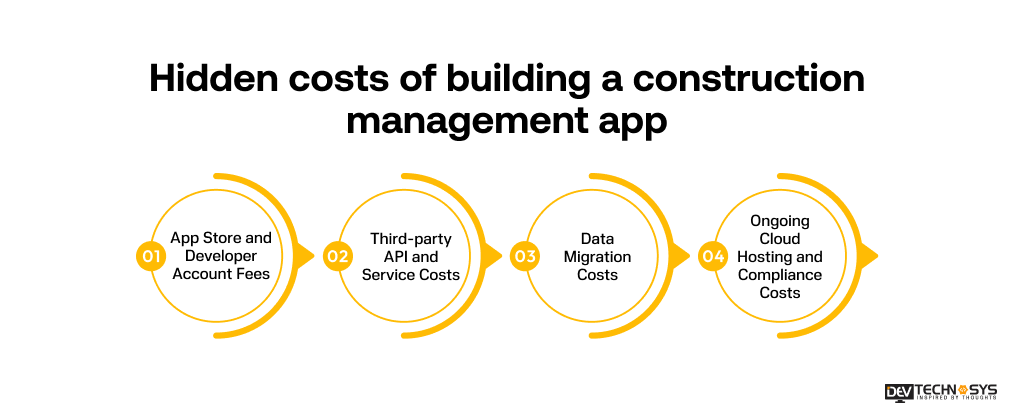
1. App Store and Developer Account Fees
Apple will charge you $99 per year for a developer membership, whereas Google Play will charge you a one-off $25 fee. They’re tiny, but they’re ongoing or easy to neglect when budgeting a first-time app launch, notably the Apple renewal annually.
2. Third-party API and Service Costs
Services like maps, cloud storage, push notifications, etc. are generally free to start and then charge you based on usage after you cross a specific user tier. These are not fixed costs but usage-based expenditures which can go up unexpectedly with a growth in popularity.
3. Data Migration Costs
Existing project data, drawings, or user records are often underestimated when transferred from spreadsheets or another tool into the new app. This work is strongly dependent on the messiness and inconsistency of the raw material, and is seldom quoted precisely up front.
4. Ongoing Cloud Hosting and Compliance Costs
The cloud hosting is scaled to consumption, not a flat monthly charge. So a growing team storing more drawings and images will see this bill climb steadily. Security audits and compliance checks, especially for apps that process financial data, add another layer of cost that many initial estimates don’t account for.

How to Reduce Fieldwire Development Cost Without Cutting Quality?
Cutting the cost to create an app like Fieldwire does not have to mean cutting corners. A few practical decisions early in the process reduce spend significantly without sacrificing the app’s core usefulness on site.
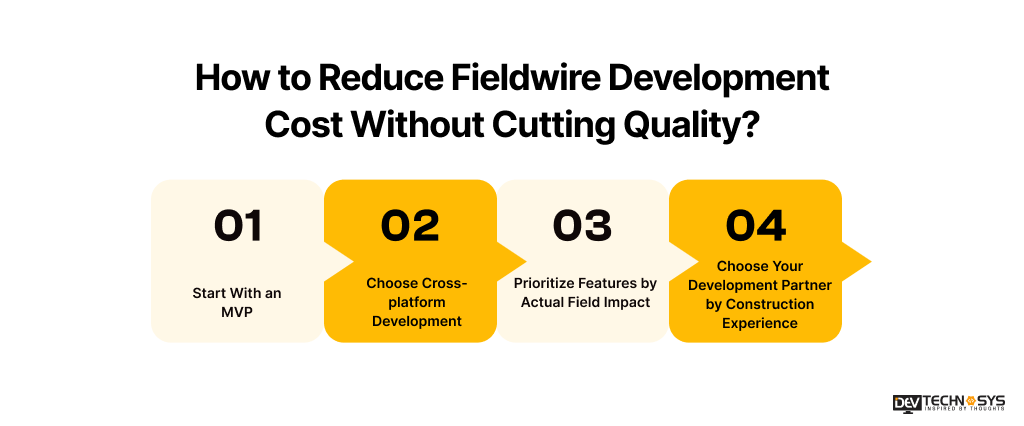
1. Start With an MVP
You may evaluate the app with real crews before investing in advanced features like BIM integration or custom analytics that may not be used straight away by starting with essential capabilities like task management, drawing markup, and offline sync.
2. Choose Cross-platform Development
React Native or Flutter lets you create once for both iOS and Android, saving significant time and the cost to develop an app like Fieldwire, with no meaningful performance degradation for most construction use cases. Hiring a construction app development company can help you not only reduce the Fieldwire development cost while building a cross-platform development.
3. Prioritize Features by Actual Field Impact
Not all features on a wish list need to launch in version one. Instead of constructing everything all at once, prioritize features based on how much time they save field personnel and keep the budget focused on what is being used every day.
4. Choose Your Development Partner by Construction Experience
A team without experience in the construction area will probably charge a lower hourly rate initially, but that can cost more in the long run because of rework, missed edge situations, and a less robust offline architecture. When making your decision, factor in track record, not just price.
Monetization Models for a Construction Management App in 2026
If you’re designing software for sale and not for internal use, nailing the proper revenue model defines both your price strategy and feature roadmap from day one. The right mobile app development company in UAE can help to develop an app like Fieldwire with a hybrid monetization model.
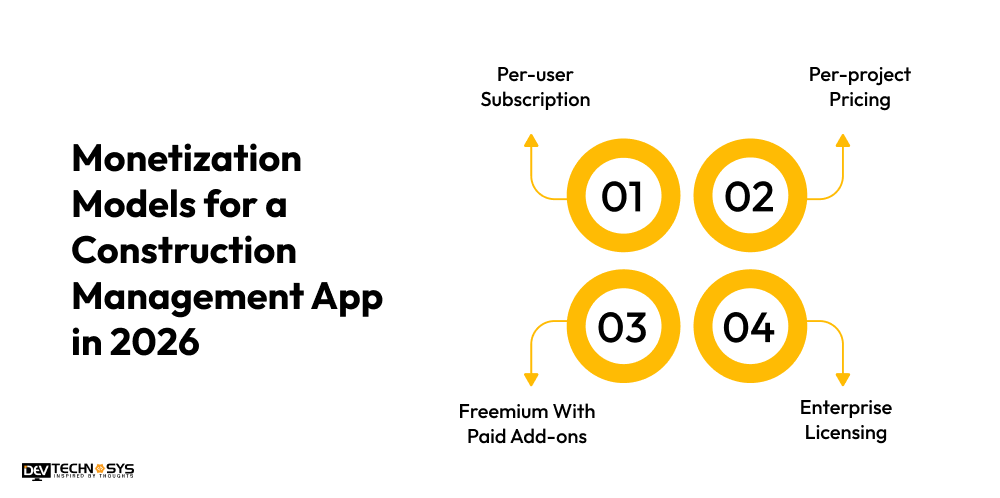
1. Per-user Subscription
The most popular strategy in this market is charging a monthly fee per active user, which is how Fieldwire itself prices its plans, and increases revenue directly with team size.
2. Per-project Pricing
It makes more sense to charge for active projects rather than users, especially for general contractors who run a few large contracts with significant teams, because per-user cost adds up quickly.
3. Freemium With Paid Add-ons
By offering essential functions for free and charging for sophisticated tools like BIM integration, reporting, or estimates, it lowers the barrier to adoption but still monetizes power users.
4. Enterprise Licensing
Custom annual contracts are a good fit for larger contractors who need more customization than the regular subscription tier. They include dedicated support and access to the API.
Conclusion
The cost to build an app like Fieldwire typically ranges between $30,000 and $150,000, and the right number for your project depends on feature scope, platform choice, and development team location. A lean MVP validates the concept fast, while a full-featured build closes the gaps that off-the-shelf tools like Fieldwire leave open, from flat task models to limited multilingual support.
The businesses that get the most value out of this investment are the ones that plan for hidden costs to develop an app like Fieldwire and post-launch maintenance from day one, not just the initial build. With the right scope and mobile app development services, a custom construction management app pays for itself well before year two.
Frequently Asked Questions (FAQs)
Q1. How Much Does It Cost to Build an App Like Fieldwire?
The cost to develop an app like Fieldwire is between $30,000 and $150,000, depending on feature complexity, platform choice, and where your development team is located. A basic MVP with task management and document sharing sits at the lower end, while a full-featured platform with offline sync, BIM integration, and custom reporting reaches the upper end.
Q2. How Long Does It Take to Build a Construction Management App?
Development timelines range from 3 to 4 months for a basic MVP up to 8 to 10 months for an advanced, enterprise-grade platform. Timeline depends heavily on feature scope, with offline sync architecture and third-party integrations adding the most time.
Q3. Is Fieldwire Expensive for Growing Construction Teams?
Fieldwire can become expensive at scale, since every user on an account must be on the same paid tier. A 20-person team on the Business Plus plan pays over $21,000 a year for field access alone, which is why many growing teams start evaluating a custom-built alternative.
Q4. What is the Cheapest Way to Build a Fieldwire Alternative?
Building a lean MVP with only core features like task management, drawing markup, and offline access, using a cross-platform framework like React Native or Flutter, is the most cost-effective starting point. Additional features can be added in later phases once the app proves useful with real crews.
Q5. What Tech Stack Works Best for a Construction Field App?
A stack built on React Native or Flutter for the frontend, Node.js or Python for the backend, PostgreSQL for structured data, and SQLite for offline local storage covers the core technical needs of a Fieldwire-like app, with AWS or Google Cloud handling hosting and file storage at scale.