





Key Takeaways:
-
- Developing a mobile app for photo improvement requires advanced AI models, including super-resolution, face restoration, and image upscaling technologies.
- Core features should include AI enhancements, filters, cloud storage, and a user-friendly UI/UX, while advanced options such as video enhancement and batch processing boost engagement.
- Remini clone app development cost for a lean MVP ranges from $8,000 to $25,000, influenced by AI complexity, platform support, design, and third-party integrations.
- Monetization strategies include subscriptions, in-app purchases, freemium models, ads, affiliate marketing, and B2B licensing for scalable revenue.
Key Takeaways
- Developing a mobile app for photo improvement requires advanced AI models, including super-resolution, face restoration, and image upscaling technologies.
- Core features should include AI enhancements, filters, cloud storage, and a user-friendly UI/UX, while advanced options such as video enhancement and batch processing boost engagement.
- Remini clone app development cost for a lean MVP ranges from $8,000 to $25,000, influenced by AI complexity, platform support, design, and third-party integrations.
- Monetization strategies include subscriptions, in-app purchases, freemium models, ads, affiliate marketing, and B2B licensing for scalable revenue.
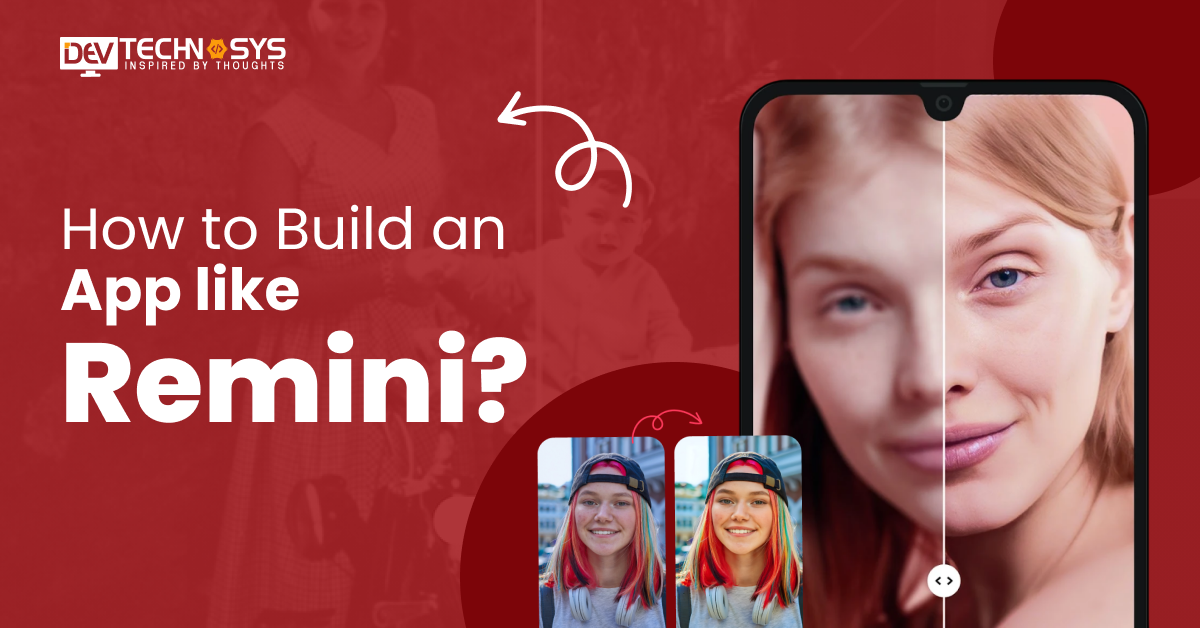
If you’ve ever uploaded a blurry old photo into Rimini and watched it magically transform into a crystal-clear, AI-enhanced masterpiece, you’ve already witnessed the power of modern artificial intelligence. Remini is a top AI photo enhancer app in Middle East that has taken the world by storm, turning low-quality selfies, vintage memories, and pixelated portraits into high-definition visuals with just a tap.
But here’s the real question: what does it actually take to build a photo enhancer app like Remini?
Behind the “one-tap enhancement” lies powerful AI models, deep learning algorithms, cloud processing, real-time image rendering, and a seamless user experience that feels almost magical. With the global rise of AI photo editing, face enhancement, and generative imaging apps, Remini app development isn’t just a cool idea; it’s a high-potential business opportunity.
This blog breaks down everything you need to know to build an app like Remini. From AI tech stack and features to development costs, monetization strategies, and scalability, we’ll leave no stone unturned so you can turn your AI photo app idea into the next viral sensation. Let’s dive in!
What is Remini App?
Remini is a popular AI-powered photo and video enhancement program that turns old, damaged, blurry, or low-quality photos into crisp, detailed, high-definition images by sharpening and upscaling them. This best video editing software was created by Bending Spoons and is frequently used to fix old images and enhance image details.
How Does the Remini App Work?
Remini works by using advanced Artificial Intelligence (AI) and deep learning models to enhance, restore, and upscale low-quality images. What feels like “magic” is actually a combination of neural networks trained on millions of high-resolution photos.
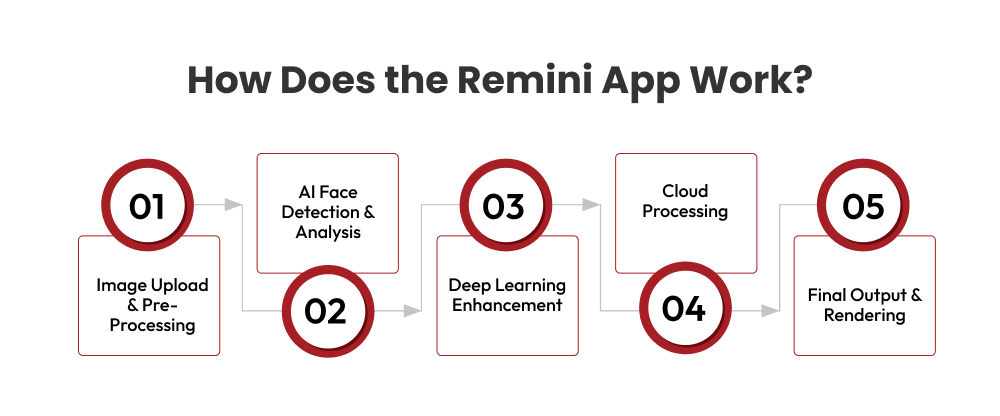
Here’s a simple breakdown of how it works behind the scenes:
1. Image Upload & Pre-Processing:
When a user uploads a blurry or low-resolution image, the app first scans it to detect:
- Faces and facial landmarks
- Image resolution and noise levels
- Damaged or pixelated areas
The image is then prepared for AI enhancement.
2. AI Face Detection & Analysis:
Remini app uses Convolutional Neural Networks (CNNs) to identify:
- Eyes, nose, lips, and skin texture
- Facial symmetry
- Missing or distorted details
The AI understands what a “high-quality” face should look like based on its training data.
3. Deep Learning Enhancement:
The photo quality improvement app applies advanced AI models, such as:
- Super-resolution models (to increase image clarity)
- Generative Adversarial Networks (GANs) (to recreate realistic facial details)
Instead of just sharpening pixels, the AI actually reconstructs missing details using predictive modeling.
4. Cloud Processing:
Most heavy AI processing happens on cloud servers. This allows:
- Faster rendering
- High-performance model execution
- Reduced load on user devices
That’s why the app can deliver HD results in seconds.
5. Final Output & Rendering:
Once the AI enhancement process is complete, Remini delivers a polished, high-definition image ready for download or sharing. The image is now:
- Sharpened
- Color-corrected
- Smoothed (skin refinement)
- Optimized for high resolution
What are the Top 10 HD Photo Enhancer Mobile Apps Like Remini?
Looking for a similar app like Remini? Here’s an overview of the top 10 HD photo enhancer mobile apps like Remini, perfect for upgrading blurry, low-resolution images into crisp, vibrant visuals using powerful AI tools.
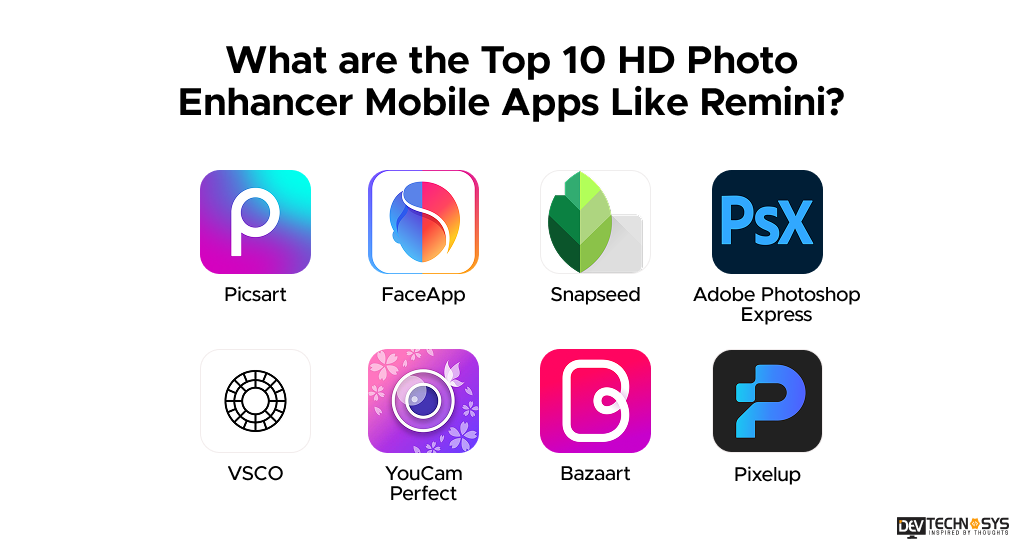
| App | Launch Year | Rating* | Downloads* | Platforms |
| Picsart | 2011 | 4.4 | 1B+ | iOS, Android, Web |
| FaceApp | 2017 | 4.4 | 500M+ | iOS, Android |
| Snapseed | 2011 | 4.5 | 100M+ | iOS, Android |
| Adobe Photoshop Express | 2009 | 4.3 | 100M+ | iOS, Android |
| VSCO | 2011 | 4.5 | 100M+ | iOS, Android |
| YouCam Perfect | 2014 | 4.1 | 100M+ | iOS, Android |
| Bazaart | 2012 | 4.5 | 10M+ | iOS, Android |
| Pixelup | 2020 | 4.3 | 10M+ | iOS, Android |
Among the top Remini alternatives mentioned above, these 5 are more popular and offer everything from one-tap enhancements to advanced editing and creative tools, making them ideal for both casual users and photo enthusiasts.
1. FaceApp
FaceApp specializes in AI-based facial enhancements, aging filters, hairstyle changes, makeup effects, and portrait retouching. Its strength lies in realistic AI transformations powered by deep learning. To develop an app like FaceApp, integrate advanced facial recognition, GAN-based AI models, privacy-focused processing, and subscription-based monetization.
Industry Insights: Business of Apps states that, as a leader in AI-powered photo editing, it uses a freemium model, ranking highly in photo app charts, particularly in the US and international markets.

2. Picsart
Picsart is an all-in-one AI-powered photo and video editing app offering background removal, AI image enhancement, filters, stickers, collage tools, and generative AI features. It also includes social sharing capabilities. To develop an app like Picsart, focus on AI editing tools, cloud storage, creator community features, and in-app purchases.
Industry Insights: According to AUA Newsroom, the active in 180 countries, with major market strongholds in the US, India, Japan, and Germany.
3. Adobe Photoshop Express
Adobe Photoshop Express delivers quick photo fixes, AI enhancements, blemish removal, collage creation, and premium filters. It integrates with Adobe’s ecosystem for cloud syncing. To develop a similar entertainment app development solution, focus on AI auto-enhancement, cross-device synchronization, secure cloud infrastructure, and freemium subscription models.
Industry Insights: A report by Market.us shows that in 2024, Adobe Express (including mobile) saw a 96% quarter-over-quarter increase in monthly active mobile users.
4. Snapseed
Snapseed, developed by Google, offers professional-grade editing tools including selective adjustments, healing tools, HDR effects, and RAW image support. It’s known for precision and manual control. To develop an app like Snapseed, build advanced editing modules, non-destructive editing workflows, and a smooth, intuitive UI.
Industry Insights: App Brain states that Snapseed, owned by Google, remains a major player in the mobile photography space as of early 2026, known for being a free, comprehensive photo editor with no ads.
5. VSCO
VSCO is popular for its cinematic presets, subtle color grading tools, and minimalist interface. It combines editing features with a creative community platform. To build a photo filter and editing app like VSCO, prioritize high-quality filters, manual exposure controls, content-sharing features, and a strong brand-driven subscription model. Additionally, focus on building an aesthetic-driven user experience that appeals to photographers and visual storytellers.
Industry Isights: According to a Bloomberg article, VSCO is reported to be profitable, driven by a shift toward premium subscriptions. Users pay $59.99 per year for access to AI-powered editing tools and the creator marketplace (Hub).
How to Build an App like Remini From Scratch?
Do you want to build an app like Remini? Building an AI-powered photo enhancement app like Remini is an exciting venture in today’s growing digital photography market. These apps transform low-quality, blurry, or old images into high-definition masterpieces using AI and deep learning. Understanding the development steps build a photo editing app similar to Remini.
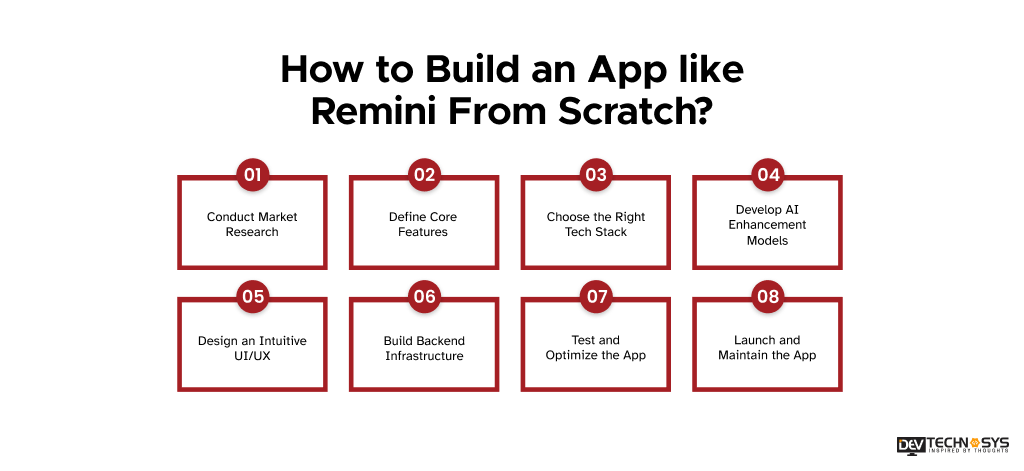
1. Conduct Market Research
Before developing an app like Remini, start with detailed market research. Analyze competitors, identify trending AI photo editing features, and understand your target audience. To develop a photo enhancer app like Remini, study user behavior, pricing models, and regional demand. This step helps define your app’s unique value proposition and ensures it stands out in the competitive photo-enhancement market.
2. Define Core Features
On-demand app development for an app like Remini requires outlining the essential features your app will provide, such as AI photo enhancement, image upscaling, face restoration, color correction, noise reduction, and real-time previews. The best photo enhancer app in UAE like Remini needs filters, batch photo processing, and social sharing options. Clearly defining features early ensures smooth development and helps create a user-friendly, competitive AI photo-editing application.
3. Choose the Right Tech Stack
To build an app like Remini, you need to select a scalable technology stack is crucial for performance and future growth. Many developers use frameworks like Flutter or React Native for cross-platform apps and Python with AI libraries such as TensorFlow or PyTorch. Cloud platforms like AWS or Google Cloud support heavy image processing and storage while maintaining speed, security, and scalability.
4. Develop AI Enhancement Models
AI models are the core of a photo enhancement app. Developers who provide entertainment app development services will train deep learning algorithms such as super-resolution models and Generative Adversarial Networks (GANs) to reconstruct missing details in images. These models detect facial features, sharpen textures, and improve clarity, enabling the app to transform blurry photos into high-quality images.
5. Design an Intuitive UI/UX
To build a photo-enhancer app like Remini, you need a simple, engaging interface that improves user satisfaction and retention. Design an intuitive layout with easy navigation, quick image uploads, and one-tap enhancement options. Real-time previews and fast processing make the experience seamless. A clean and visually appealing UI also helps users quickly understand the app’s capabilities and encourages frequent use.
6. Build Backend Infrastructure
If you want to make a video editing app, you need a strong backend system to handle image uploads, AI processing, user authentication, and secure data storage. Developers who make an app like Remini typically integrate cloud-based servers and APIs to process images quickly and manage heavy workloads. A scalable backend ensures the app performs smoothly even when thousands of users process photos simultaneously.
7. Test and Optimize the App
Thorough testing ensures the app performs reliably across different devices and operating systems. Test AI accuracy, processing speed, UI responsiveness, and security. Fix bugs, optimize image processing time, and ensure the app can handle large image files. According to experts who create a photo enhancer app like Remini, continuous optimization helps deliver consistent performance and improves overall user experience.
8. Launch and Maintain the App
After development and testing, your mobile app development company will publish the app on platforms like the Apple App Store and Google Play Store. Promote it through digital marketing, influencer campaigns, and social media. Post-launch, monitor user feedback, release updates, improve AI models, and add new features to keep the app competitive and engaging.
What Features Are Used to Create an App Like Remini?
To create an app like Remini, integrating advanced AI and intuitive design is key. To make an app like Remini, you must include core photo-enhancement tools, face restoration, and high-resolution outputs, while offering user-friendly features that engage and retain users.
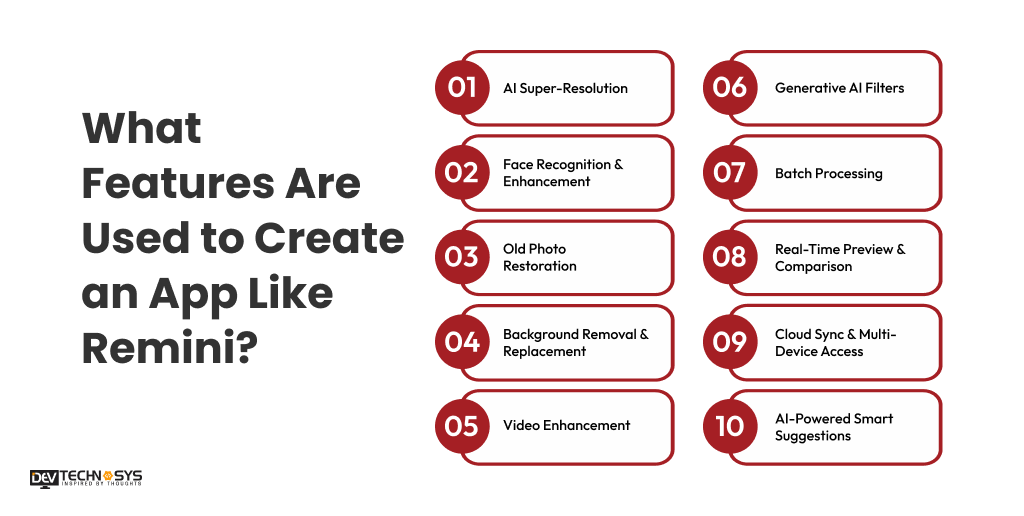
1. AI Super-Resolution
AI Super-Resolution enhances low-quality or blurry images by reconstructing missing pixels and increasing resolution. Using deep learning models like GANs, Ai-super resolution feature in AR app development like Remini turns ordinary photos into HD or 4K-quality visuals while preserving natural details.
2. Face Recognition & Enhancement
Create an app like Remini that automatically detects faces in images and enhances key features, such as eyes, skin, and smiles. The AI removes blemishes, balances tones, and preserves facial realism, delivering professional-level portrait improvements for every user.
3. Old Photo Restoration
The old image restoration feature repairs damaged or aged photos by removing scratches, noise, stains, and discoloration. Using AI-driven restoration algorithms, users can restore old family photos, scanned images, or historical photographs to near-original quality.
4. Background Removal & Replacement
Automatically isolate subjects from backgrounds and allow users to replace them with custom or AI-generated scenes. It enables creative edits, professional presentations, and social media-ready images with minimal effort from the user.
5. Video Enhancement
Extend AI-powered enhancements to short video clips by improving clarity, stabilizing shaky footage, and enhancing details frame by frame. The video enhancement feature allows users to produce high-quality, professional-looking videos from ordinary recordings.
6. Generative AI Filters
Best AI video generators Apply creative AI filters such as artistic styles, cartoon effects, and colorization. These filters transform ordinary photos into unique visuals, enabling users to experiment with modern aesthetics or social media-friendly visual enhancements.
7. Batch Processing
Enhance multiple images or videos simultaneously. The batch processing feature saves time for photographers, social media creators, or professional editors by automatically applying AI-driven enhancements, filters, and adjustments to large sets of files in a single action.
8. Real-Time Preview & Comparison
Make an app like Remini that provides instant side-by-side before-and-after previews of enhancements. Users can see AI improvements, adjust settings in real time, and confidently finalize edits, improving engagement and ensuring high satisfaction with every processed image.
9. Cloud Sync & Multi-Device Access
Store edited images in secure cloud storage and allow access across multiple devices. It ensures users can retrieve, edit, or share images at any time, maintaining storage efficiency and continuity across smartphones, tablets, and computers.
10. AI-Powered Smart Suggestions
Build a photo enhancer app like Remini that offers automatic recommendations, including brightness correction, contrast enhancement, cropping, and color adjustment. The AI evaluates each image individually, suggesting optimal improvements for enhanced visual appeal while minimizing manual user effort.
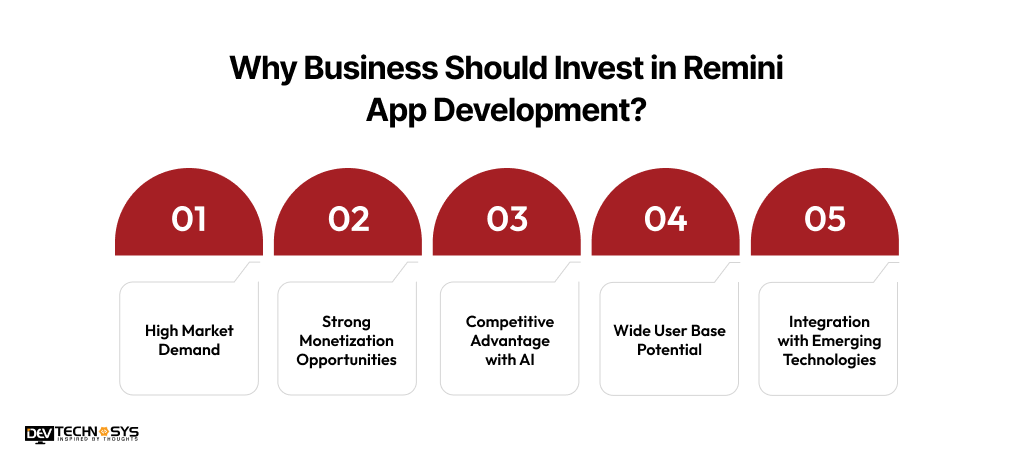
Why Business Should Invest in Remini App Development?
Investing in a Remini-style AI photo-enhancement app offers significant business potential given the growing demand for AI-powered imaging solutions. Consumers and professionals increasingly seek tools to effortlessly restore, enhance, and beautify photos.
1. High Market Demand
AI-based photo editing is rapidly growing worldwide. Social media users, photographers, and content creators constantly need tools to enhance low-quality images. Developing an app like Remini positions your business in a high-demand niche with scalable potential.
2. Strong Monetization Opportunities
Businesses should invest in Remini app development because it can generate revenue through subscriptions, premium features, in-app purchases, and advertisements. Users are willing to pay for AI-powered enhancements, especially features like HD restoration, batch processing, and advanced filters.
3. Competitive Advantage with AI
AI-driven image enhancement is a differentiator. Offering face restoration, super-resolution, and smart suggestions gives your app a technological edge, attracting users seeking advanced tools that traditional photo editors cannot provide.
4. Wide User Base Potential
The app appeals to a diverse audience: professional photographers, social media influencers, businesses, and casual users. This broad target market ensures high user acquisition and engagement, making the app a sustainable investment.
5. Integration with Emerging Technologies
AI photo enhancer app development can integrate with cloud storage, social media, AR filters, and generative AI features to enhance functionality. These integrations make the app more versatile, future-proof, and appealing to modern digital users.
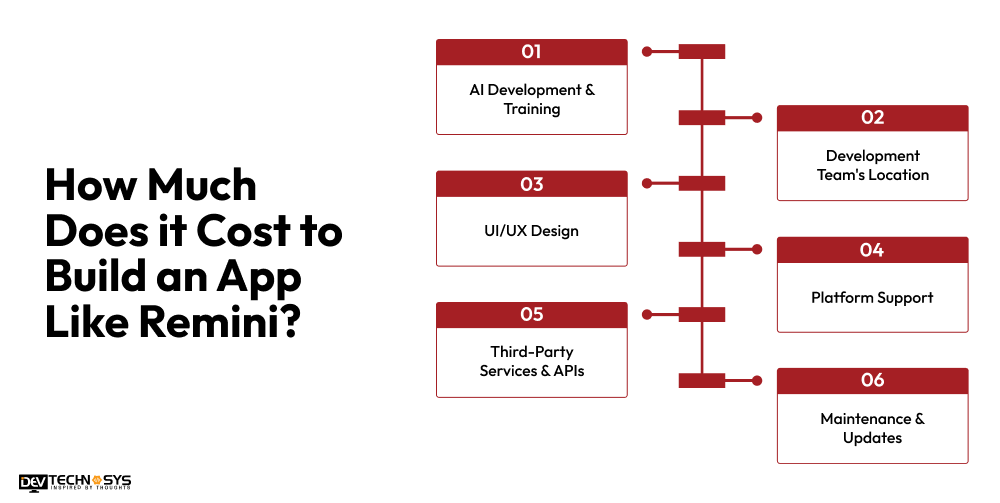
How Much Does it Cost to Build an App Like Remini?
The average cost to build an app like Reminii ranges from $8,000 to $25,000. The basic apps start at $8,000-$12,000, standard versions range from $12,000 to $18,000. However, the mobile app development cost for full-featured premium apps with advanced features like real-time preview, cloud sync, and AI-powered smart suggestions can exceed $25,000, with ongoing maintenance at 15% t0 25% annually.
| Development Stage | Features Included | Estimated Cost (USD) |
| Basic AI Photo Enhancer | Core AI enhancement, simple UI, image upload | $8,000 ‑ $12,000 |
| User Features & Social | User registration, previews, basic sharing | $12,000 ‑ $16,000 |
| Cloud & Backend Setup | Backend API, cloud storage, basic admin | $16,000 ‑ $20,000 |
| Polished MVP Release | Refined UI/UX, filters, basic analytics | $20,000 ‑ $25,000 |
The cost to develop an AI-powered photo enhancement app like Remini can vary widely depending on features, technology, team location, and complexity. Let’s learn about the cost-impacting factors in more detail.
1. AI Development & Training
Developing and training AI models, such as GANs or super-resolution algorithms, requires significant computational resources and expertise. The complexity of face recognition, image restoration, and enhancement features directly impacts costs to develop an app like Likee, with higher-quality results demanding more advanced models and longer training times.
| Component | Description | Estimated Cost (USD) |
| AI Models | Super-resolution, GANs, face restoration | $2,000 – $7,000 |
| Training Data | Preparing datasets and labeling images | $700 – $2,500 |
| Optimization | Improving the speed and accuracy of AI | $800 – $2,000 |
| Total | Core AI development costs | $5,000 – $10,000 |
2. Development Team’s Location
The geographical location of your development team significantly impacts overall cost. If you hire on-demand app developers from North America or Europe, then the development costs will be higher, while teams in India, Southeast Asia, or Eastern Europe offer lower rates.
Choosing skilled offshore or nearshore teams can balance affordability with high-quality results. Additionally, team location affects communication, time zones, and project management efficiency, which can influence development speed and coordination costs.
| Component | Description | Estimated Cost (USD) |
| Offshore Team | Developers in India or Southeast Asia | $15,000 – $20,000 |
| Nearshore Team | Developers in nearby regions | $12,500 – $17,000 |
| Local Team | Developers in North America or Europe | $8,000 – $12,000 |
| Total | Team cost depending on location | $15,500 – $25,000 |
3. UI/UX Design
Designing a user-friendly interface that is intuitive, visually appealing, and responsive requires skilled designers. Features like real-time previews, one-tap enhancements, and smooth navigation increase development effort, directly affecting cost, but enhance user satisfaction and engagement.
| Component | Description | Estimated Cost (USD) |
| Interface Design | Layout, navigation, one-tap enhancements | $3,000 – $7,500 |
| User Experience | Real-time previews, smooth interaction | $4,800 – $6,500 |
| Visual Elements | Icons, animations, and styling | $3,000 – $6.000 |
| Total | Design for user engagement | $5,000 – $10,000 |
4. Platform Support
Developing the app for iOS, Android, or both platforms affects cost and time. Cross-platform frameworks like Flutter or React Native can reduce expenses, but optimizing AI performance and ensuring smooth operation on diverse devices may require additional development resources. To reduce costs, businesses should turn to a hybrid app development company.
| Component | Description | Estimated Cost (USD) |
| iOS Development | Native iOS app | $12,00 – $20,500 |
| Android Development | Native Android app | $12,000 – $20,500 |
| Cross-Platform | Flutter or React Native | $15,000 – $23,000 |
| Total | Platform-specific or cross-platform development | $8,000 – $24,000 |
5. Third-Party Services & APIs
Integrating payment gateways, cloud storage solutions, AI libraries, or analytics APIs increases the cost to build an AI photo editor. Subscription fees, licensing, and API usage charges vary with usage volume and service quality, affecting both the initial budget and ongoing operational expenses.
| Component | Description | Estimated Cost (USD) |
| Payment Gateways | Integrating subscriptions or in-app purchases | $3,000 – $6,500 |
| Cloud Storage | AWS, Google Cloud, or Azure storage | $6,000 – $8,800 |
| Analytics & APIs | Tracking user behavior and app usage | $8,500 – $11,800 |
| Total | Third-party integration costs | $7,000 – $13,000 |
6. Maintenance & Updates
Post-launch maintenance includes bug fixes, server upkeep, and AI model updates. The cost to maintain an app will be around 15% to 25% of initial development annually. It includes continuous improvements, security patches, and feature upgrades, ensuring the app stays competitive, efficient, and aligned with user expectations.
| Component | Description | Estimated Cost (USD) |
| Bug Fixes | Post-launch fixes and patches | $1,000 – $3,000 |
| AI Model Updates | Improving accuracy and adding features | $3,000 – $6,000 |
| Server & Cloud Maintenance | Ongoing hosting and storage | $7,000 – $9,500 |
| Total | Annual maintenance and improvements | $8,000 – $10,000 |

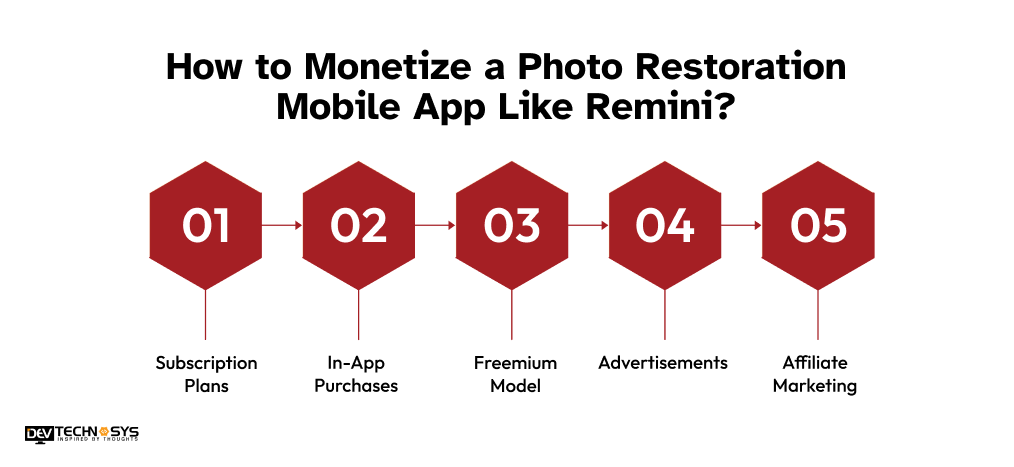
How to Monetize a Photo Restoration Mobile App Like Remini?
Monetizing an AI-powered photo enhancement app like Remini is key to turning technology into revenue. By combining subscriptions, in-app purchases, ads, and premium services, businesses can generate consistent income while offering valuable photo restoration features.
1. Subscription Plans
Developers who provide full-stack development services will offer monthly or annual subscriptions, granting unlimited access to premium features. It may include high-resolution enhancements, batch processing, advanced AI filters, and cloud storage. Subscriptions create a consistent revenue stream and encourage user retention, as customers pay for ongoing access to advanced photo restoration tools.
2. In-App Purchases
Enable users to buy credits or tokens for limited photo enhancements, special effects, or video processing. This approach suits casual users who may not want full subscriptions but occasionally need premium features. In-app purchases allow flexible monetization and can generate significant revenue per transaction.
3. Freemium Model
Provide basic photo restoration for free while keeping advanced tools behind a paywall. Features like AI-powered face enhancement, super-resolution, or generative filters require payment. This model engages users, demonstrates value, and encourages gradual conversion from free to paid users over time.
4. Advertisements
Integrate non-intrusive ads such as banner ads, interstitials, or rewarded video ads. You can also partner with photography brands for sponsored content. Ads provide an additional revenue stream without charging users directly, but they should be carefully placed to avoid disrupting the user experience.
5. Affiliate Marketing
Promote relevant photography products, mobile devices, or printing services within the app. Users interested in improving or printing their photos may engage with these offerings. Affiliate marketing creates a secondary revenue source while aligning with the app’s core focus on photo enhancement.
What are the Future Trends in AI Photo Enhancement Like Remini?
The future of AI photo enhancement apps is moving toward smarter, faster, more creative, and more socially integrated solutions that combine AI, cloud processing, AR, and privacy-focused technology. Businesses that adopt these trends will stay ahead in a competitive market.
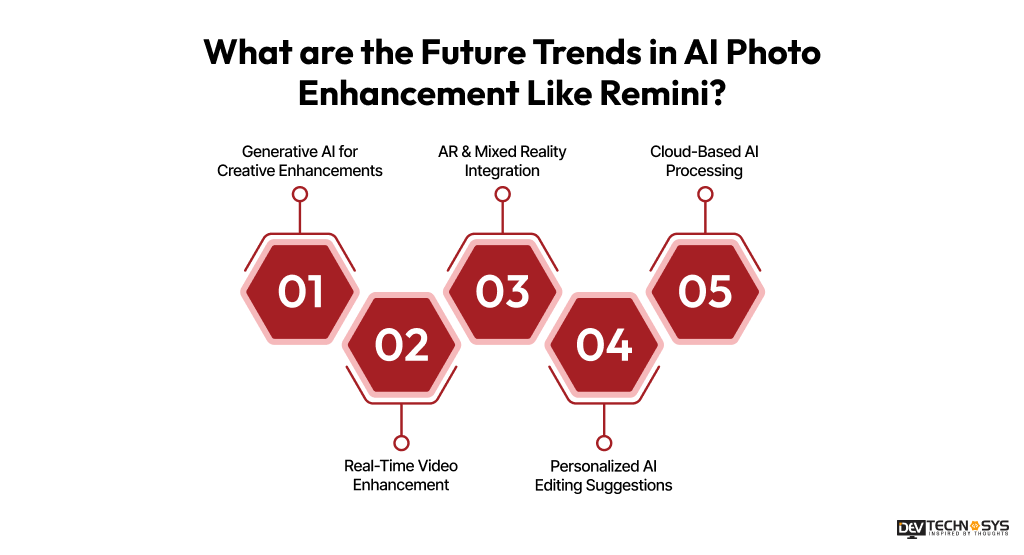
1. Generative AI for Creative Enhancements
Generative AI models will allow apps to not only restore photos but also create artistic variations, colorize black-and-white images, or add realistic elements. Users can transform ordinary photos into unique, stylized visuals with just one click.
2. Real-Time Video Enhancement
Future apps with photo restoration technology, will extend AI capabilities from still images to videos, enhancing clarity, stabilizing shaky footage, and improving resolution frame by frame. This will attract content creators and social media users seeking professional-quality video editing.
3. AR & Mixed Reality Integration
AI photo apps will incorporate augmented reality (AR) features, enabling real-time filters, virtual backgrounds, or interactive effects. Users can visualize enhancements live, making editing more engaging and immersive.
4. Personalized AI Editing Suggestions
The iOS app development services proviers uses advanced AI to provide smart, personalized editing recommendations based on user style, preferences, and past edits. This trend reduces manual adjustments and improves user experience, making the app feel intuitive and intelligent.
5. Cloud-Based AI Processing
With faster cloud computing, AI processing will shift more to the cloud, allowing device-independent high-quality enhancements. Users will enjoy seamless multi-device access without compromising on speed or quality.
Conclusion
Building an AI-powered photo enhancement app like Remini is a lucrative opportunity in today’s digital landscape. By combining advanced AI algorithms, intuitive UI/UX, and innovative features such as super-resolution, face restoration, and cloud sync, businesses can attract a broad audience and monetize effectively.
Success depends on careful planning, technology selection, cost management, and continuous innovation. If you want to build a successful Remini clone app for your business, get in touch with Dev Technosuys, a top entertainment app development company.
FAQs
Q1: How Much Does It Cost To Develop An App Like Remini?
The cost to develop an app like Remini varies depending on features, AI complexity, and platform support. A basic MVP can range from $8,000 to $12,000, while a full-featured app may exceed $25,000. Maintenance typically adds 15% to 25% annually for updates and server upkeep.
Q2: What Features Should Be Included In A Remini-Like App?
Essential features include AI image enhancement, face restoration, filters, and cloud storage. Advanced options such as batch processing, video enhancement, generative AI effects, and smart editing suggestions significantly improve the user experience and engagement.
Q3: How Can I Monetize A Photo Restoration App?
You can monetize using subscriptions, in-app purchases, freemium models, advertisements, affiliate marketing, B2B licensing, and cloud storage subscriptions. Combining multiple strategies maximizes revenue while keeping the app accessible and attractive to a wide range of users.
Q4: Which Platforms Should I Develop The App For?
Developing an image enhancement app like Remini for both iOS and Android ensures maximum reach. Cross-platform frameworks like Flutter or React Native reduce development costs while providing consistent performance, though AI optimization may require additional adjustments for diverse devices.
Q5: How Long Does It Take To Build An App Like Remini?
Time to develop an App like Remini depends on complexity. A basic MVP may take 3 to 5 months, a standard app 6 to 8 months, and a full-featured, enterprise-level app 9 to 12 months. AI model training, backend setup, and platform support influence timelines.
Q6: What Future Trends Should I Consider While Developing?
Consider generative AI, video enhancement, AR integration, cloud-based processing, personalized AI suggestions, and privacy-focused features. Incorporating these trends ensures the app remains competitive, user-centric, and capable of driving long-term engagement and monetization.