





Key Takeaways:
-
- To build a video editing app like Capcut, you require a smart blend of AI-powered features, smooth performance, and mobile-first design.
- Launch the CapCut alternative with core features like trimming, filters, transitions, text, and music tools. A focused MVP reduces costs and helps you quickly test market demand.
- The cost to build a video editing app like Capcut ranges from $8,000 to $25,000. A basic version with essential editing tools may start at around $8,000 to $12,000. Whereas the addition of advanced features may exceed the cost by $25,000+.
- Video editing app development in the UAE requires cross-platform frameworks and reliable cloud infrastructure to ensure smooth performance and future growth as user traffic increases.
- To make an app like CapCut, integrate AI features such as auto-captions, background removal, and smart editing tools to stay competitive in 2026’s AI-driven video market.
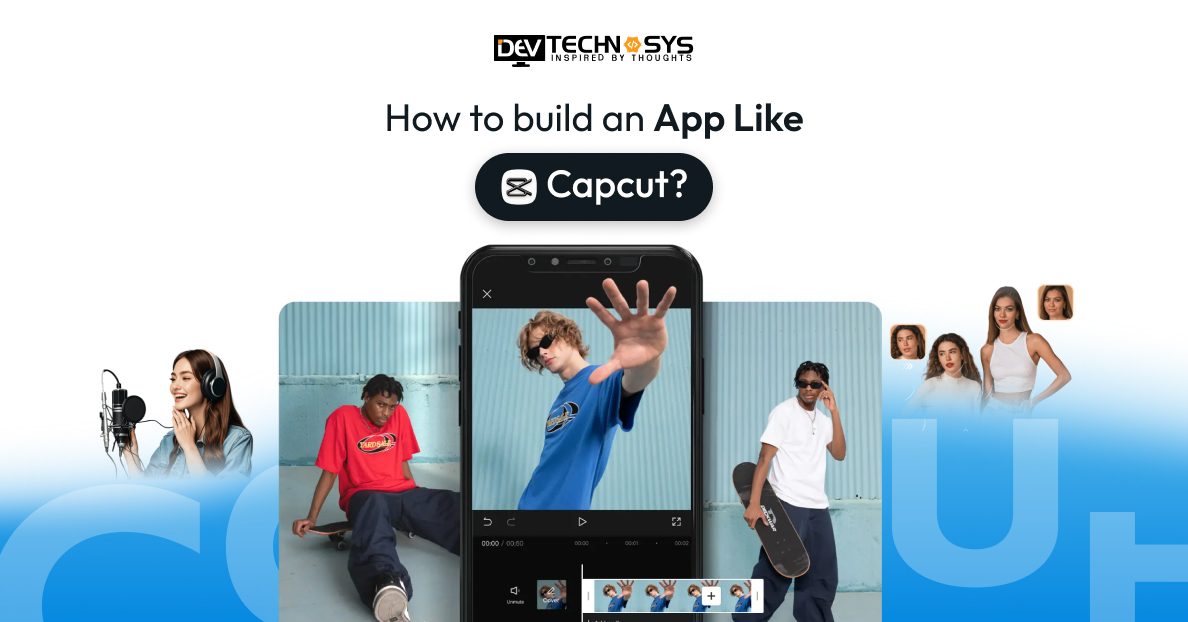
Creating an app like CapCut requires a perfect blend of creativity, technology, and user-centric design. CapCut has become a global sensation thanks to its intuitive video editing tools, seamless effects and transitions, music integration, and easy social media sharing. Building a similar app means focusing on high-performance video processing, a clean and interactive UI/UX, and features that cater to both beginners and advanced users.
With the right approach, you can craft a video editing platform that captures the creativity and convenience users love in CapCut. This blog will take you on an informative ride through the steps to build an app like Capcut. We will also cover essential factors, including features, benefits, costs, and monetization strategies. Let’s dive in and learn how to craft a video editing platform that captures the creativity and convenience users love in CapCut.
What is the Capcut App?
CapCut, developed by ByteDance (TikTok’s parent company), is a free, all-in-one video editing app for iOS, Android, PC, and web. It’s popular for its simple, user-friendly interface and features like trimming, transitions, AI effects, and a vast music library, making it perfect for TikToks and Instagram Reels. Building a similar app requires smooth video processing, intuitive design, AI-powered effects, and social sharing tools to engage creators and compete in the fast-growing short-video market.
Mobile Video Editing Applications Market Stats
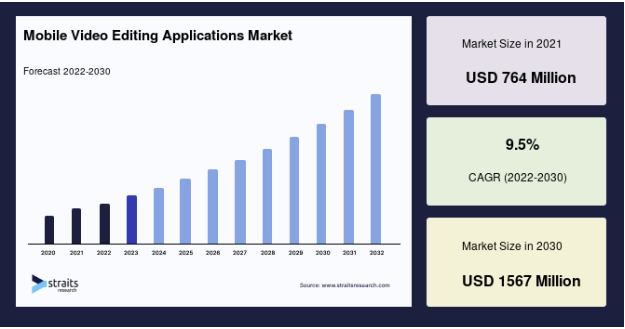
- The global mobile video editing applications market is expected to reach USD 1,567 million by 2030, growing at a CAGR of 9.5% during the forecast period (2022–2030).
- North America dominates the market and is expected to grow at a CAGR of 7.0% during the forecast period.
- Europe holds second place and is expected to grow at a CAGR of 6.5% during the forecast period.
- IOS dominated the market and is expected to register a CAGR of 7.4% over the forecast period. With the development of iPhone cameras, filming videos on an iPhone has grown in popularity.
- AV Professional dominates the market and is expected to register a CAGR of 6.4% over the forecast period.
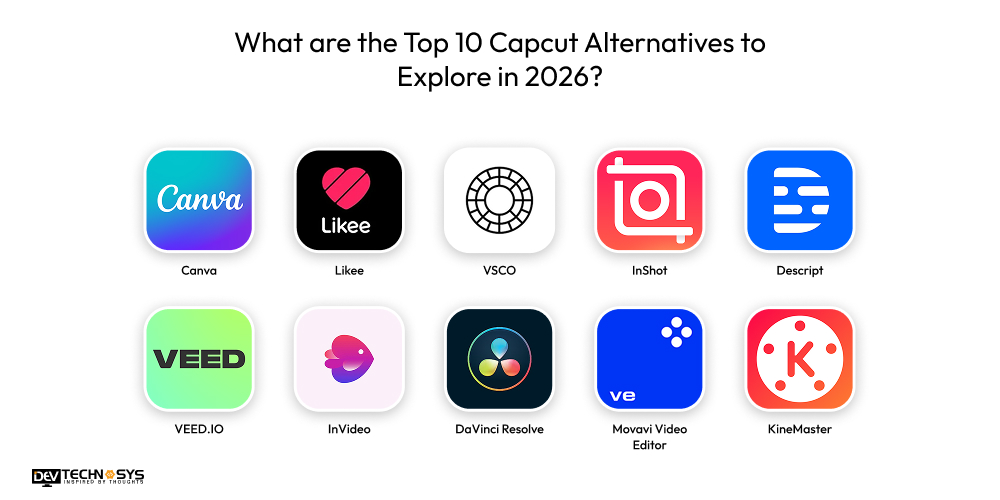
What are the Top 10 Capcut Alternatives to Explore in 2026?
Here are the top 10 CapCut alternatives to explore in 2026: powerful video editing and content creation tools that cater to creators of all levels. These apps and platforms offer features such as advanced editing, effects, templates, and social sharing to help you create standout videos across mobile, desktop, and web.
| App | Launch Year | Rating | Downloads | Platforms |
| Canva | 2013 | 4.8 | 500M+ | iOS, Android, Web, Desktop |
| Likee | 2017 | 4.3 | 100M+ | iOS, Android |
| VSCO | 2011 | 3.5 | 50M+ | iOS, Android |
| InShot | 2015 | 4.8 | 500M+ | iOS, Android |
| Descript | 2017 | 4.6 | Millions | Web, macOS, Windows |
| VEED.IO | 2018 | 4.5 | 10K | Web |
| InVideo | 2017 | 4.6 | 10K | Web |
| DaVinci Resolve | 2004 | 4.8 | 50M+ | macOS, Windows, Linux, iPad |
| Movavi Video Editor | 2009 | 4.6 | Millions | macOS, Windows |
| KineMaster | 2013 | 4.4 | 700M+ | iOS, Android |
1. Canva
Canva is an online design and video editing platform that enables users to create social media posts, presentations, and marketing content easily. Key services include drag-and-drop editing, templates, brand kits, and collaboration tools. To develop a similar app, contact a top reliable entertainment app development services provider and focus on intuitive UI, cloud storage, AI design tools, and cross-platform accessibility.
Industry Insights: According to TwinSttrata, Canva has become one of the fastest-growing design platforms globally, with more than 220 million active users worldwide and over 21 million paying subscribers, generating approximately $3 billion in annual revenue as of 2025.
2. Likee
Likee is a short-video creation and sharing platform offering filters, effects, live streaming, and monetization features. It combines social networking with video editing tools. To build a similar app, integrate AR effects, AI recommendations, real-time streaming, and a scalable backend to handle high user traffic.
3. VSCO
VSCO is a creative photo and video editing app known for premium filters and aesthetic presets. It also provides a content-sharing community. To build a photo filter and editing app like VSCO, prioritize advanced editing tools, subscription-based monetization, minimal UI design, and high-quality visual processing features.
Industry Insights: Yahoo Finance states that Victoria’s Secret & Co. (VSCO) shows strong market performance as of March 2026, with a market cap of approximately $4.9B to $5.03B and a 52-week range of $13.76 to $66.89.
4. InShot
InShot is a mobile video editing app offering trimming, transitions, music integration, text overlays, and filters. It is popular among social media creators. To build a similar app, focus on fast rendering, user-friendly controls, template libraries, and in-app purchases for premium effects.
5. Descript
Descript is an AI-powered audio and video editing software that allows users to edit content by editing text transcripts. Key features include screen recording, podcast editing, and voice cloning. To develop a similar solution, integrate AI transcription, collaborative editing tools, and cloud-based processing capabilities.
Industry Insights: According to Contrary.com, the platform has seen a 6 percentage-point increase in adoption over the past year (as of Jan 2026), with a 13% adoption rate among organizations with content-creation vendors.
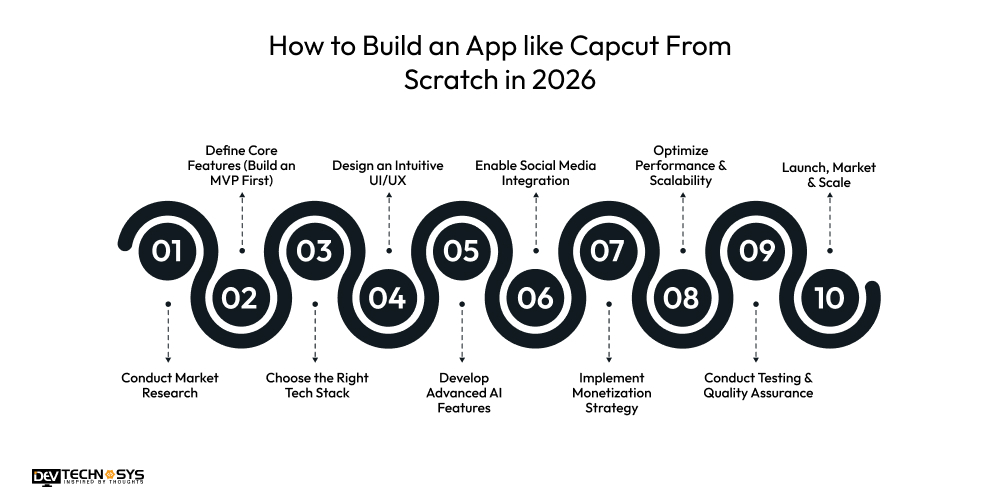
How to Build an App like Capcut From Scratch in 2026?
To build a video editing app like Capcut, you require a smart blend of AI-powered features, smooth performance, and mobile-first design. With the rising demand for short-form video content, businesses must focus on scalable technology, intuitive UI, and strong monetization strategies to stay competitive.
Step1. Conduct Market Research
Start the process to develop a video editing app like CapCut by analyzing competitors like CapCut and identifying trending features in short-form video editing. Developing the best video editing software requires studying your target audience, including influencers, content creators, and brands. Understand their editing needs, monetization preferences, and pain points to define a strong value proposition that differentiates your app in 2026.
Step2. Define Core Features (Build an MVP First)
To develop a video editing app like Capcut, focus on essential editing tools such as trimming, splitting, transitions, filters, text overlays, background music, and export options. Keep the first version simple but highly functional. A well-built MVP allows faster launch, user feedback collection, and cost control before investing in advanced AI-driven features.
Step3. Choose the Right Tech Stack
Create a video editing app like Capcut by selecting scalable technologies like Flutter or React Native for cross-platform development and Node.js or Django for backend operations. Use FFmpeg for video processing and AWS or Google Cloud for storage. Integrating AI tools for auto-captions and smart effects will enhance user experience and competitive advantage. Here’s the technology stack used widely by any top mobile app development company.
| Layer | Recommended Technologies |
| Frontend (Mobile) | Flutter / React Native |
| Frontend (Web) | React.js / Next.js |
| Backend | Node.js / Django |
| Database | PostgreSQL / MongoDB |
| Cloud & Storage | AWS / Google Cloud |
| Video Processing | FFmpeg |
| AI & ML | TensorFlow / OpenAI APIs |
| Authentication | Firebase Auth / OAuth 2.0 |
Step4. Design an Intuitive UI/UX
To create a video editing app like Capcut, design a clean, timeline-based editing interface that beginners can easily understand. Offer drag-and-drop functionality, one-tap filters, and smooth navigation. Balance simplicity with advanced options so professional creators can access layered editing, keyframe animation, and customizable templates without overwhelming new users.
Step5. Develop Advanced AI Features
To create popular video editor apps in Saudi Arabia, add AI-powered tools such as automatic subtitles, background removal, smart cropping, motion tracking, and voice enhancement. AI features save users time and improve content quality. In 2026, intelligent automation and real-time preview rendering will be key differentiators in video editing apps.
Step6. Enable Social Media Integration
According to experts who provide full-stack development services, integrating social features allows direct video sharing to platforms like TikTok and Instagram. Provide optimized export settings for reels, shorts, and stories. Seamless integration improves user retention and encourages creators to consistently use your app for content production.
Step7. Implement Monetization Strategy
Adopt a freemium model offering basic editing tools for free while charging for premium templates, watermark removal, exclusive effects, and cloud storage. Subscription plans ensure recurring revenue. You can also generate income through in-app purchases and sponsored creative asset partnerships.
Step8. Optimize Performance & Scalability
Ensure smooth rendering, fast export speed, and minimal app crashes. To build a video editing app like Capcut, use cloud infrastructure and CDN integration to support global users. Optimize video compression and storage management to reduce server costs while maintaining high-quality output across mobile, desktop, and web platforms.
Step9. Conduct Testing & Quality Assurance
Ensure thorough testing for performance, security, and device compatibility across iOS, Android, and web platforms. Beta testing with real users helps identify bugs and usability issues. Continuous testing ensures smooth functionality, stable updates, and strong app store ratings. If you want to build a photo editing app like CapCut, then going through this step is essential.
Step10. Launch, Market & Scale
Launch popular video editing apps in UAE strategically with influencer collaborations, app store optimization, and paid marketing campaigns. Focus on user acquisition and retention strategies such as referral programs and content challenges. Continuously update features in response to user feedback to remain competitive in the fast-growing creator economy.
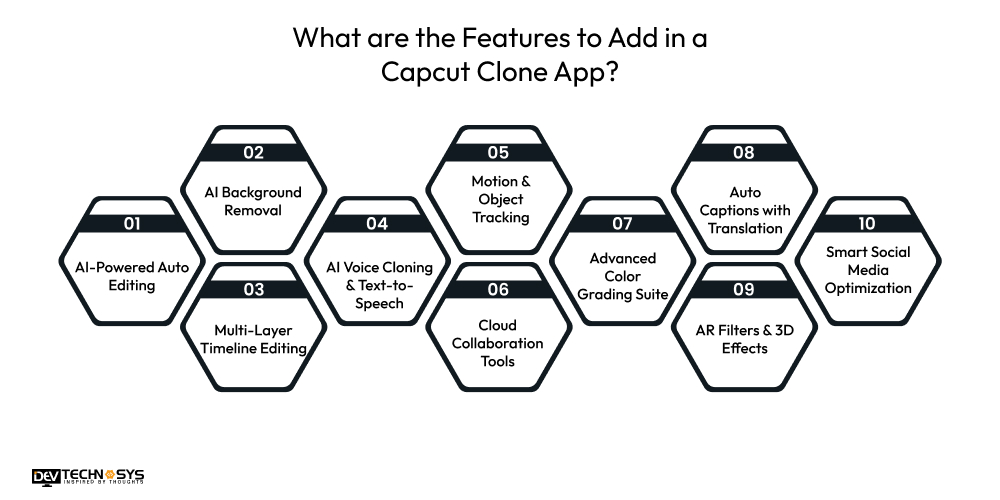
What are the Features to Add in a Capcut Clone App?
A CapCut clone app is a powerful short-video editing platform that helps users create professional videos with simple tools. Your on-demand app development company in Middle East should combine easy editing, AI-powered features, trendy effects, and social media sharing options. Adding the right features ensures high user engagement and better monetization opportunities.
| User Panel (Creators) | Moderator Panel | Admin Panel |
| Sign up / Login (Email, Social, OTP) | Review user-uploaded content | Manage users & moderators |
| Create & edit video projects | Approve/remove flagged videos | Role-based access control |
| Trim, split, and merge videos | Monitor copyright violations | Subscription & revenue tracking |
| Add filters, effects, transitions | Handle user reports | Template & asset management |
| Text overlays & AI captions | Enforce content policies | Analytics dashboard |
| Music library & voice-over | Issue warnings / temporary bans | Push notification control |
| HD/4K export & sharing | Track harmful content patterns | System settings & configuration |
| Cloud backup & sync | Content moderation logs | App performance monitoring |
1. AI-Powered Auto Editing
AI automatically detects highlights, removes silences, syncs clips to the music’s beats, and applies smart transitions. Using an AI-powered editing feature to develop an app like Likee enables beginners to create professional-looking videos quickly while significantly reducing manual editing effort and production time.
2. AI Background Removal
Advanced AI removes video backgrounds instantly without requiring a green screen. Users can replace backgrounds with images, animations, or cinematic scenes, making content more engaging and suitable for marketing, social media, and storytelling.
3. Multi-Layer Timeline Editing
Popular video editor apps in Saudi Arabia offer a professional multi-layer timeline supporting video, audio, overlays, text, and effects. Real-time preview, frame-by-frame precision, and drag-and-drop controls provide creators with enhanced flexibility for complex, high-quality productions.
4. AI Voice Cloning & Text-to-Speech
Enable realistic AI-generated voiceovers and voice cloning capabilities. Creators can convert scripts into natural-sounding narration in multiple languages, making tutorials, explainer videos, and global content production faster and more scalable.
5. Motion & Object Tracking
Integrate intelligent motion tracking that attaches text, effects, or graphics to moving objects. It allows cinematic editing styles, dynamic storytelling, and engaging short-form videos commonly used by influencers and brands.
6. Cloud Collaboration Tools
Allow multiple users to edit projects simultaneously through cloud-based collaboration. Features like shared access, version history, and live commenting make the app ideal for agencies, marketing teams, and remote content creators.
7. Advanced Color Grading Suite
Provide professional tools, including LUT support, tone curves, color wheels, and HDR adjustments. These features help creators achieve cinematic visuals, maintain brand consistency, and enhance overall production quality.
8. Auto Captions with Translation
AI automatically generates accurate subtitles and translates them into multiple languages. Customizable fonts, animations, and positioning improve accessibility, boost engagement, and optimize videos for international audiences.
9. AR Filters & 3D Effects
Your hybrid app development company will incorporate augmented reality filters and interactive 3D effects that respond to facial movements or gestures. It enhances creative storytelling, improves viewer engagement, and keeps the platform aligned with trending video styles.
10. Smart Social Media Optimization
Automatically optimize aspect ratios, resolution, and compression for different social platforms. Built-in publishing tools streamline distribution, improve video performance, and ensure content meets platform-specific requirements effortlessly.
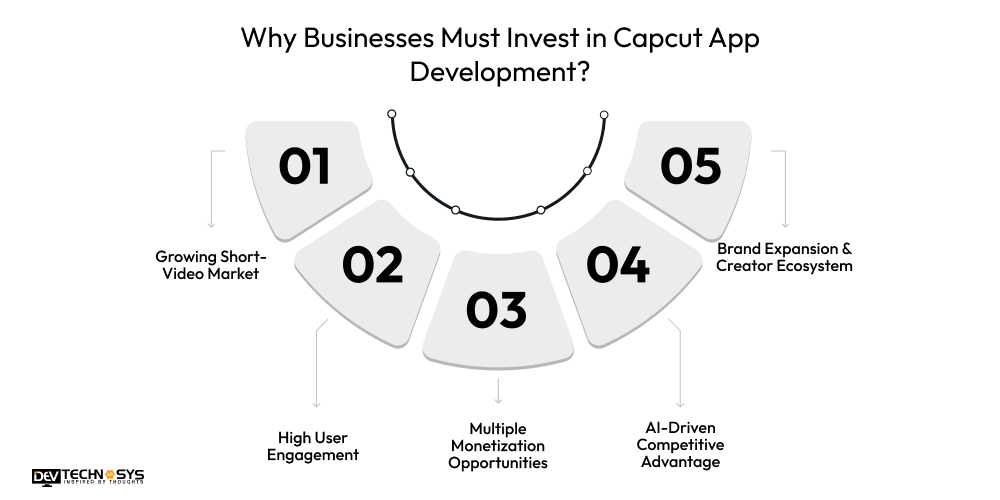
Why Businesses Must Invest in Capcut App Development?
The short-video industry is booming, and content creators are constantly looking for powerful yet simple editing tools. Investing in a CapCut-like app allows businesses to tap into this fast-growing market. It creates strong revenue potential through subscriptions, ads, and premium creative features.
1. Growing Short-Video Market
Short-form video content dominates platforms like TikTok and Instagram. Businesses investing in a CapCut-like app can tap into this rapidly growing creator economy. The demand for easy-to-use editing tools continues to rise globally.
2. High User Engagement
Video editing apps keep users engaged for longer durations through creative tools, effects, and templates. High engagement increases the likelihood of in-app purchases and subscriptions. It leads to stronger retention and higher lifetime customer value.
3. Multiple Monetization Opportunities
A CapCut-style app supports freemium models, ads, subscriptions, watermark removal, and premium effects. Businesses can diversify revenue streams instead of depending on a single source. It ensures steady and scalable income growth.
4. AI-Driven Competitive Advantage
Modern users expect AI features like auto-captions, background removal, and smart editing. Integrating AI makes the app smarter and more attractive. It gives businesses a strong competitive edge in the crowded video editing market.
5. Brand Expansion & Creator Ecosystem
Launching a video editing app helps businesses build a strong creator community. It opens opportunities for partnerships, influencer marketing, and branded templates. Over time, it builds brand authority and long-term digital presence.
How Much Does it Cost to Build an App like Capcut?
The cost to build an app like CapCut can vary widely depending on features, platforms, and the quality of development. A basic version with essential editing tools may start at around $8,000 to $12,000.
Whereas, Capcut app development cost may exceed to $25,000 or higher with the addition of advanced features, multi-platform, custom effects, cloud support, and social sharing. In short, the mobile app development cost for an app like CapCut will range from $8,000 to $25,000+.
| App Type | Description | Estimated Cost (USD) |
| Basic MVP | Core video editing app | $8,000 to $12,000 |
| Standard Version | Enhanced editing tools | $12,000 to $17,000 |
| Advanced App | Rich editing + more features | $17,000 to $22,000 |
| AI-Enhanced Version | Basic AI improvements | $22,000 to $25,000 |
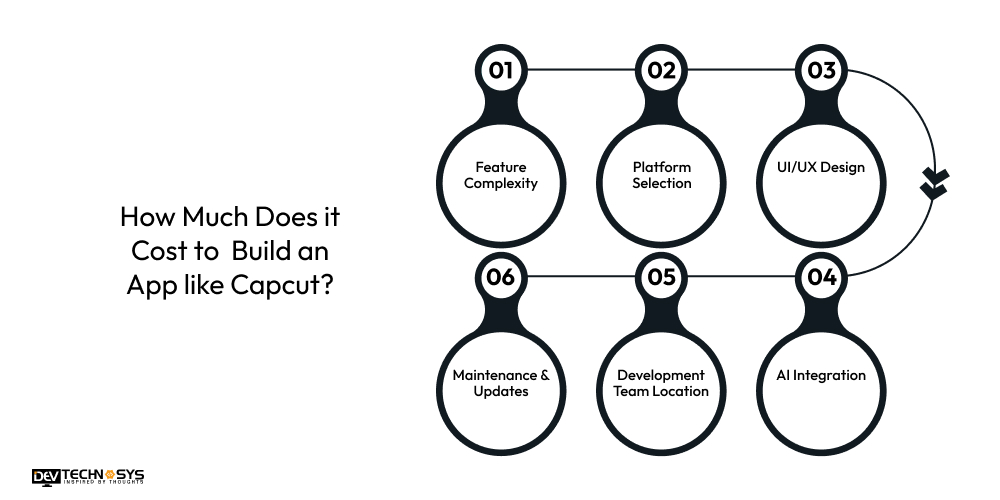
The cost to build a video editing app like Capcut depends on multiple technical and business factors. Understanding these cost drivers helps businesses plan their budget wisely and avoid unexpected development expenses. Let’s take a closer look at the factors that influence the cost to build an app like Capcut.
1. Feature Complexity
The number and complexity of features directly impact the cost to develop an app like Capcut. Basic editing tools are straightforward, while advanced features like AI effects, motion tracking, 4K export, and real-time rendering require more development time, skilled engineers, and higher infrastructure investment. Here’s the table showcasing the entertainment app development cost based on feature complexity
| Feature Level | Included Features | Estimated Cost (USD) |
| Basic | Trim, cut, merge, simple filters | $3,000 – $6,000 |
| Moderate | Transitions, text tools, audio editing | $6,000 – $12,000 |
| Advanced | Motion effects, templates, 4K export | $12,000 – $20,000 |
| AI-Based | Auto-captions, background removal | $20,000 – $35,000 |
2. Platform Selection
The cost to develop an app like Capcut for a single platform (Android or iOS) is more affordable than building for multiple platforms. Native CapCut app development costs are higher than cross-platform development. Adding web or desktop versions further increases overall development and maintenance expenses.
| Platform Type | Description | Estimated Cost (USD) |
| Single Platform | Android or iOS only | $5,000 – $10,000 |
| Cross-Platform | Flutter / React Native | $8,000 – $15,000 |
| Native (Both) | Separate iOS + Android apps | $15,000 – $25,000 |
| Multi-Platform | Mobile + Web/Desktop | $25,000 – $40,000 |
3. UI/UX Design
A simple interface with minimal animations is easier to design, so the cost to develop an app like Capcut will be less for this. However, creating a visually appealing, smooth, and highly interactive user experience requires detailed research, prototyping, and testing, which increases the overall cost to create an App like Capcut.
| Design Level | Description | Estimated Cost (USD) |
| Basic UI | Simple layout, minimal animation | $800 – $2,000 |
| Standard UI | Interactive design, smooth transitions | $2,000 – $5,000 |
| Premium UI | Custom animations, micro-interactions | $5,000 – $10,000 |
4. AI Integration
AI-powered features such as auto-captions, background removal, smart editing, and face tracking require machine-learning models and robust backend processing. Developing, training, and integrating AI systems significantly increases the Capcut app development cost as well as technical complexity.
| AI Feature Type | Description | Estimated Cost (USD) |
| Basic AI | Auto text suggestions | $3,000 – $6,000 |
| Intermediate AI | Auto-captions, smart cut | $6,000 – $12,000 |
| Advanced AI | Background removal, face tracking | $12,000 – $25,000 |
5. Development Team Location
Developer rates vary depending on geographic location. Hiring developers in the US or Europe is more expensive than outsourcing to regions like India or Southeast Asia. The team’s level of expertise also plays a major role in the final cost to create an app like Capcut.
| Region | Average Hourly Rate | Approx. Project Cost |
| India / SE Asia | $20 – $40/hr | $8,000 – $20,000 |
| Eastern Europe | $40 – $70/hr | $15,000 – $35,000 |
| US / Western Europe | $80 – $150/hr | $30,000 – $70,000 |
6. Maintenance & Updates
The cost to maintain an app also adds to the final budget. After launch, regular updates, bug fixes, security improvements, and feature enhancements are necessary. Most apps require annual maintenance costs ranging from 12% to 20% of the initial development budget to stay competitive and functional. Here’s the table showcasing the cost to create an app like Capcut based on maintenance level.
| Maintenance Level | Description | Estimated Cost (USD/Year) |
| Basic Support | Bug fixes, minor updates | $3,000 – $5,000 |
| Standard Support | Feature upgrades + optimization | $6,000 – $10,000 |
| Full Maintenance | Continuous improvements + scaling | $12,000 – $18,000 |
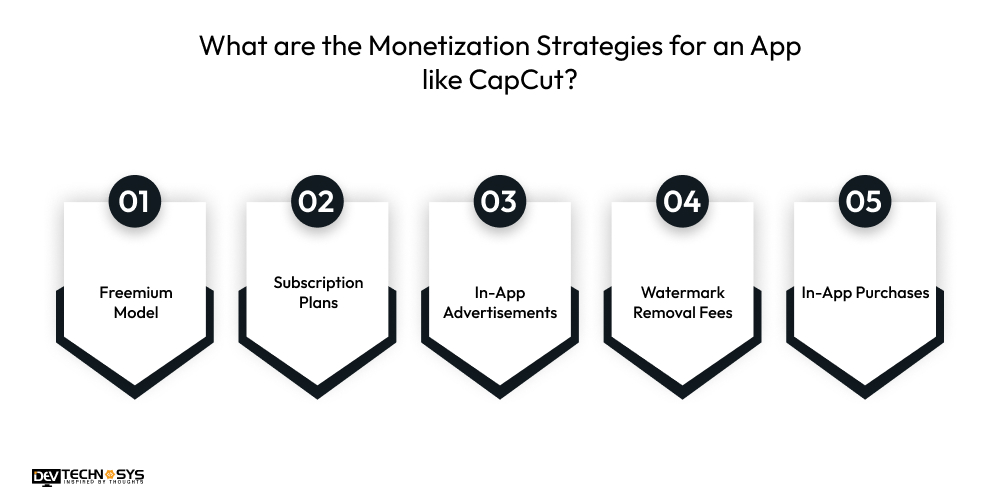
What are the Monetization Strategies for an App like CapCut?
Monetizing a video editing app like CapCut requires a smart mix of free value and premium offerings. Experts who provide iOS app development services will choose the right revenue strategies to generate consistent income and enhance user experience and long-term engagement.
1. Freemium Model
The freemium model allows users to access basic video editing tools for free while charging for advanced features such as premium filters, transitions, templates, and HD exports. Freemium monetization strategy attracts a large audience quickly and gradually converts engaged creators into paying customers. It also lowers the entry barrier, encouraging more downloads and faster market penetration.
2. Subscription Plans
Monthly or yearly subscription plans provide access to premium tools like watermark removal, AI-powered editing, exclusive effects, and extended cloud storage. Subscription-based pricing ensures consistent recurring revenue while encouraging long-term user commitment and higher lifetime customer value. Offering flexible pricing tiers can further increase conversions across different user segments.
3. In-App Advertisements
In-app advertisements generate revenue by displaying banner ads, interstitial ads, or rewarded video ads to free users. Rewarded ads are especially effective because users voluntarily watch them to unlock temporary premium features, creating a balanced experience between monetization and usability. Proper ad placement ensures revenue generation without negatively impacting user experience.
4. Watermark Removal Fees
Free users can export videos with a watermark, while a one-time payment or subscription removes it. Many creators prefer professional, clean content without branding marks, making watermark removal one of the simplest and most profitable monetization strategies. It also encourages free users to upgrade once they start creating content regularly.
5. In-App Purchases
Selling premium templates, music packs, special filters, stickers, and visual effects individually allows users to pay only for what they need. This flexible microtransaction model increases revenue opportunities while keeping the app accessible to a wider audience. Regularly introducing new creative assets keeps users engaged and spending within the app.

What are the Current Tech Trends That are Leading the Video Editing App Market in UAE?
Here are the current tech trends driving the video editing app market in the UAE, reflecting both regional demand and global innovation that influencers, brands, and developers must watch in 2026:
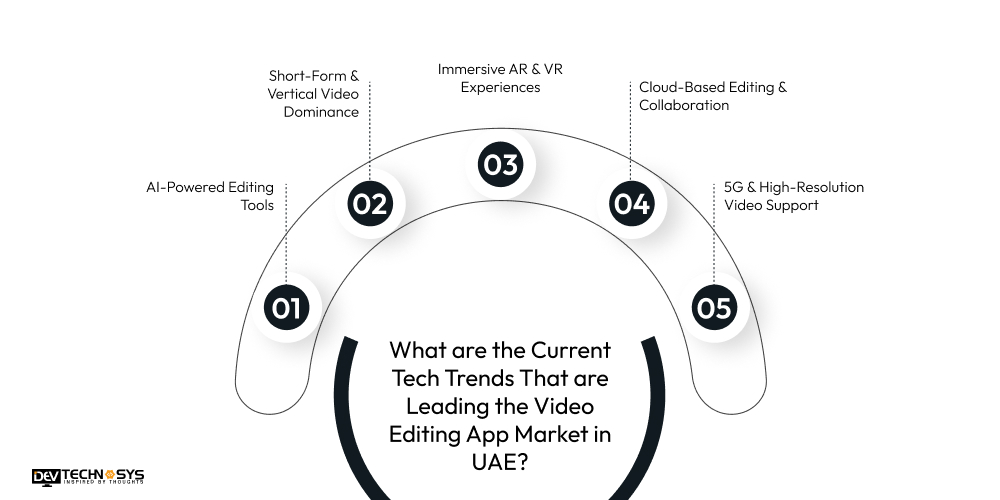
1. AI-Powered Editing Tools
Artificial intelligence is reshaping video editing with automated scene detection, smart color correction, background removal, and multilingual voiceovers. UAE creators and agencies use AI to streamline workflows, speed up production, and enhance output quality across social and marketing videos.
2. Short-Form & Vertical Video Dominance
Short, mobile-first videos like TikToks, Reels, and Shorts continue to dominate content consumption. UAE brands and creators tailor their video edits to these formats to maximize engagement, retention, and shareability on social platforms.
3. Immersive AR & VR Experiences
Augmented and virtual reality content, including 360° videos and AR overlays, is increasingly used for immersive storytelling, virtual tours, and interactive campaigns. These innovations are expanding how audiences experience video, not just watching it.
4. Cloud-Based Editing & Collaboration
Cloud-enabled video editing platforms support remote collaboration and flexible workflows, allowing teams to work from anywhere. The cloud-based editing trend boosts productivity and enables real-time project sharing without requiring heavy local resources.
5. 5G & High-Resolution Video Support
With widespread 5G in the UAE, video apps now support real-time uploads, streaming, and ultra-HD editing without lag. Faster connectivity enables creators to produce and share high-quality content instantly.
Food For Thought
Building the best entertainment apps in Middle East, such as Capcut, requires a clear strategy, a modern tech stack, and a strong focus on user experience. Start with a well-defined MVP, integrate trending features such as AI editing and social sharing, and adopt scalable cloud infrastructure.
With the right monetization model and continuous updates, your video editing app can attract creators, drive engagement, and generate sustainable revenue in the competitive digital market. If you are looking for a reliable entertainment app development company to build your dream video editing app, contact Dev Technosys. Stay tuned for more updates.
FAQs
Q1. How Long Does It Take To Build An App Like CapCut?
Developing a basic MVP version typically takes 3 to 5 months, depending on feature complexity and team size. Advanced AI-powered versions may require 6 to 9 months or more, especially with multi-platform support and cloud integration. Proper planning and agile development can help reduce delays and speed up launch.
Q2. What Tech Stack Is Required To Build A Video Editing App?
A modern tech stack for the best video editing apps in UAE may include
- Flutter or React Native for the frontend
- Node.js or Django for the backend
- FFmpeg for video processing
- AWS or Google Cloud for storage.
AI features may require frameworks like TensorFlow or OpenCV. Choosing scalable technologies ensures long-term performance and flexibility.
Q3. How Much Does It Cost To Develop A CapCut-Like App?
The CapCut app development cost ranges from $8,000 to $25,000, depending on features, platform, and region. A basic version may start from $8,000 to $12,000, while building an app like Capcut with advanced AI integration can exceed $25,000, depending on complexity. Ongoing maintenance and cloud hosting costs should also be considered in the total budget.
Q4. What Are The Must-Have Features In A CapCut Clone App?
Essential features for building a CapCut clone app include:
- Video trimming, cutting, and merging
- Filters, transitions, and effects
- Text overlays and animated captions
- Music integration and audio editing
- HD/4K export options
- Social media sharing integration
Adding AI tools such as auto-captions and background removal to your CapCut alternative further enhances user engagement and competitiveness.
Q5. How Can A Video Editing App Generate Revenue?
A video editing app can generate revenue through:
- Freemium model with premium upgrades
- Monthly or yearly subscription plans
- Watermark removal fees
- In-app purchases (templates, filters, music packs)
- In-app advertisements and rewarded ads
- Creator marketplace commissions
Combining multiple monetization strategies helps ensure consistent revenue growth and long-term business sustainability.